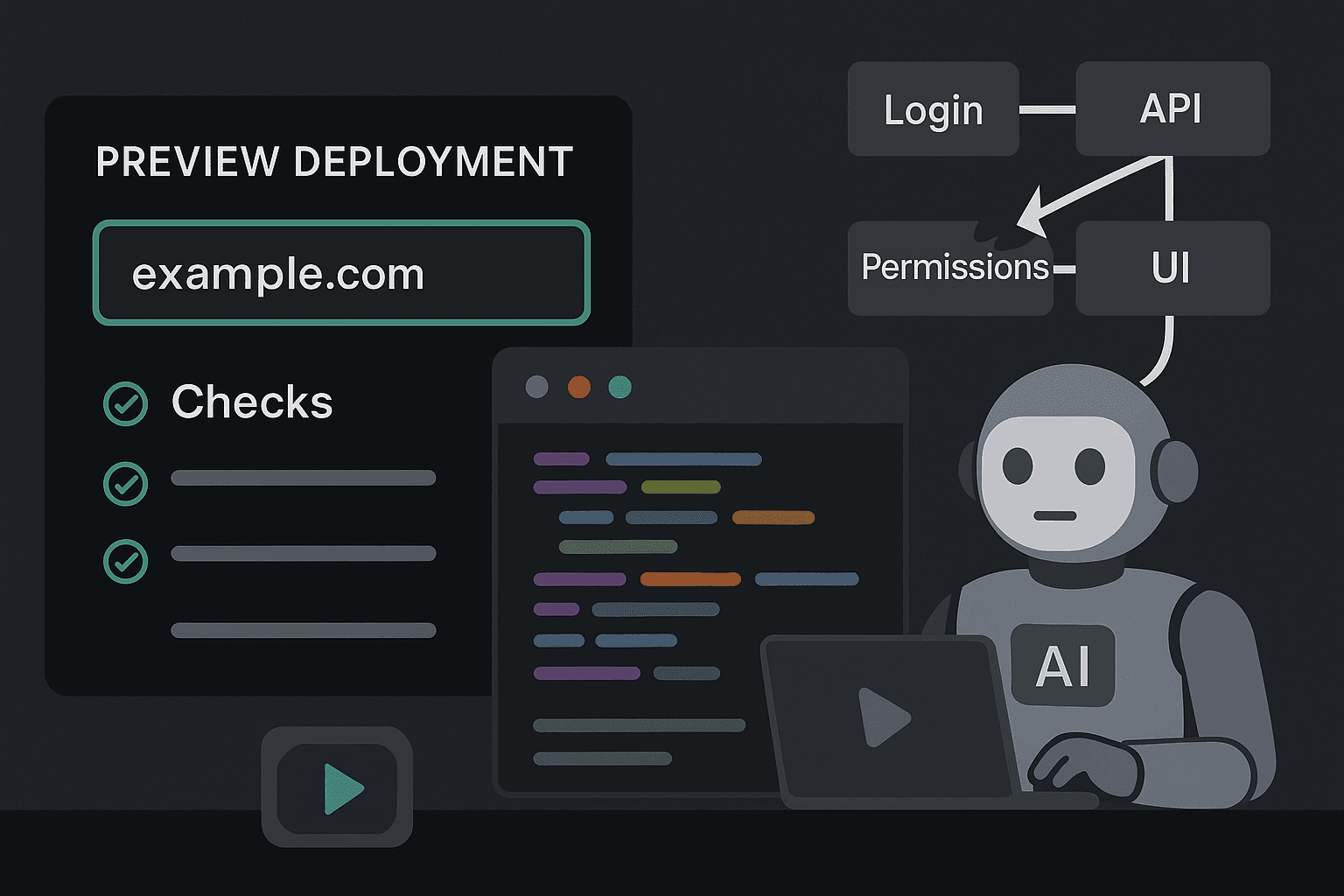
A pull request goes green. The preview link loads. The reviewer clicks around the new UI, leaves a thumbs-up, and the branch merges before lunch.
By afternoon, support is dealing with a login loop for invited users, Stripe webhooks are writing incomplete records, and a “Save” button silently fails for accounts with a restricted role. Nothing was technically down. The deploy succeeded. The preview environment worked. CI passed.
And users still hit a broken product.
That gap is getting wider.
Teams now generate and ship more code than ever. AI assistants can write components, route handlers, migrations, test scaffolding, and integration glue at a pace that compresses the old review cycle. The output is often good enough to merge, especially when unit tests pass and the app renders cleanly in a preview deploy. But the faster you produce changes, the less likely a human is to replay the actual workflow those changes affect.
That matters because software rarely fails at the point of isolated correctness. It fails at the boundaries: auth state crossing page transitions, background jobs racing frontend assumptions, stale permissions meeting a new API path, external systems returning one unexpected payload in the middle of a seemingly simple user flow.
Preview environments are useful. They help with inspection, design review, and basic smoke checks. But they are not users. They do not apply intent. They do not chain actions across systems. They do not discover that a sequence of clicks, redirects, API calls, side effects, and role checks no one manually replayed now breaks the business-critical path.
That is the central problem in modern testing: we have become very good at validating builds and very bad at verifying workflows.
The false confidence of green checks and preview deploys
Most teams treat a successful merge pipeline as a proxy for product correctness. That proxy was always imperfect, but it gets more dangerous as delivery speed increases.
A typical modern stack might include:
- unit tests for business logic
- component tests for UI rendering
- linting and type checks
- integration tests against mocked services
- a preview deployment per pull request
- manual review in a staging-like environment
On paper, that sounds mature. In practice, each layer mostly answers a narrower question than the one your users care about.
- Unit tests ask: does this function behave as expected for known inputs?
- Component tests ask: does this UI render and react correctly in isolation?
- Preview deploys ask: does this branch build and run in a shareable environment?
- Manual QA in staging asks: did someone happen to click the right path before merge?
Users ask a different question:
- Can I complete the thing I came here to do?
That difference is not semantic. It is operational.
A preview deploy can faithfully render the changed page while still missing:
- a broken OAuth callback in the real redirect chain
- a cookie domain issue that only appears across subdomains
- a permissions mismatch between frontend assumptions and backend policy
- a webhook-dependent state transition that never happens in preview
- a race condition between async job completion and UI polling
- a failure that requires an account with a particular billing state
- a regression triggered only after a specific sequence of page visits
The preview build is healthy. The workflow is not.
This is why “it worked in staging” is one of the least useful sentences in debugging. Staging often proves that code can be loaded, not that user intent can be fulfilled.
Why staging environments are great for inspection but weak for verification
Preview deploys solve a real problem. They make changes visible early. Designers can inspect visual updates. Product can review copy. Engineers can share a branch with stakeholders. For UI-heavy work, this is valuable.
But teams often overload preview environments with a role they cannot reliably play: workflow verification.
There are four reasons for that.
1. Previews validate snapshots, not journeys
A preview environment is usually optimized to expose a build artifact at a URL. That’s essentially a snapshot. User workflows are not snapshots. They are journeys across time, state, and systems.
A real user flow might involve:
- create account
- verify email
- accept invitation
- complete OAuth
- land in onboarding
- connect a third-party tool
- trigger a backend sync
- wait for a job to finish
- refresh permissions
- perform an action based on synced data
If you test only step 5 because the page loads in a preview deploy, you have not tested the workflow. You have inspected one scene from a movie and assumed the plot makes sense.
2. Previews rarely match production state
Even when the infrastructure is production-like, the data and state are not.
Many failures depend on the exact shape of user state:
- old accounts upgraded across multiple pricing plans
- organizations with mixed roles and inherited permissions
- records created under previous schema versions
- partially connected integrations
- accounts with failed payments, expired tokens, or duplicate identities
These are not edge cases in the abstract. They are normal production conditions accumulated over time.
Most preview environments are spun up with clean databases, synthetic fixtures, simplified secrets, and reduced traffic patterns. That makes them fast and reproducible. It also makes them bad at surfacing the messy state interactions that break real workflows.
3. Humans don’t replay enough paths
The hidden assumption behind many staging processes is that someone will “just test it.” In reality, manual QA in preview environments is selective, inconsistent, and path-dependent.
Reviewers usually do one of three things:
- verify the changed screen renders
- click the happy path once
- skip manual validation because the change seems small
That was already fragile before AI-assisted development. Now it is worse. A single engineer can modify frontend behavior, backend logic, validation, retry policies, and integration wiring in one pass. The surface area of a “small” change has expanded, while the time spent manually replaying workflows has not.
More code shipped faster means fewer opportunities for a human to notice that a user action chain no longer completes.
4. Previews isolate builds, but user intent crosses boundaries
The strongest reason previews miss breakages is structural: users do not care about repository boundaries, service boundaries, or deployment boundaries.
They care about outcomes.
If a user clicks “Invite teammate,” they do not care that this touches:
- frontend form validation
- an API route
- a permission service
- an email provider
- an auth token generator
- a background worker
- an acceptance landing page
- session creation after invite redemption
That is one user intent expressed as one action. Your architecture sees eight moving parts. Your preview environment often validates one or two of them at a time. The breakage appears in the seam.
Why CI/CD still misses stateful action chains
CI/CD pipelines are essential, but they are optimized for repeatable code validation, not for proving that a realistic sequence of user actions survives changing state.
This is where a lot of teams get misled. A green pipeline feels authoritative because it is automated and consistent. But consistency only helps if you are checking the right thing.
Unit tests are too narrow
Unit tests are still worth writing. They catch regressions cheaply. They clarify expected behavior. They make refactors safer.
But unit tests are almost definitionally blind to cross-system workflow failures.
For example, you might have excellent test coverage for this permission helper:
jsexport function canEditProject(user, project) {
  if (user.role === 'admin') return true;
  if (project.ownerId === user.id) return true;
  return project.permissions?.includes('edit') ?? false;
}
And excellent tests:
jsimport { canEditProject } from './permissions';

test('admin can edit', () => {
  expect(canEditProject({ role: 'admin' }, {})).toBe(true);
});

test('owner can edit', () => {
  expect(canEditProject({ id: 'u1', role: 'member' }, { ownerId: 'u1' })).toBe(true);
});

test('member with edit permission can edit', () => {
  expect(
    canEditProject(
      { id: 'u2', role: 'member' },
      { ownerId: 'u1', permissions: ['edit'] }
    )
  ).toBe(true);
});
All green. Still not enough.
A real failure could be caused by:
- the API forgetting to include
permissionsin one endpoint - the frontend caching the old project shape
- the session token missing a refreshed role claim
- the background sync overwriting access control data after page load
None of those are unit-test failures. They are workflow failures.
Integration tests often mock away reality
Integration tests are usually better, but many teams neutralize their value by over-mocking the exact systems that create production breakages.
A mocked Stripe client always returns the expected event shape. A mocked OAuth provider always redirects correctly. A mocked email callback always arrives instantly. A mocked permission service never serves stale state.
Mocks are useful when the goal is deterministic logic checks. They are dangerous when they create confidence about a workflow whose real failure modes are timing, ordering, retries, network edges, and state drift.
CI pipelines are stateless by design
Pipelines excel at isolated runs. They start from known conditions, execute steps, and tear down. That’s good for reliability and cost.
Users do the opposite.
They return with stale sessions. They click back. They open multiple tabs. They retry after partial failure. They act on objects created minutes earlier by background jobs. They traverse a workflow that depends on changing state over time.
Most CI checks do not model that. And if they do, they usually do so superficially.
“Smoke tests” are not workflow tests
A lot of teams believe they have end-to-end coverage because they run a few browser-based smoke tests after deploy.
But there is a huge difference between:
- “homepage loads, login page opens, dashboard renders”
and
- “newly invited restricted-role user can accept invite, authenticate, complete onboarding, connect GitHub, trigger import, wait for sync, and perform the first permitted action without backend or UI failure.”
The first checks presence. The second checks intent.
One catches outages. The other catches product breakage.
You need both.
The new verification gap created by AI-generated code
AI is not the root cause here, but it is an accelerant.
The old testing model assumed some rough balance:
- humans write code
- humans review code
- humans click through the result
- automation catches obvious regressions
That balance is breaking down.
With AI assistance, teams can:
- generate feature scaffolding faster
- touch more files per change
- modify unfamiliar areas with higher confidence
- produce plausible tests that validate implementation details
- merge larger diffs with less manual scrutiny
This improves developer productivity in one dimension: output. But output is not reliability.
In fact, AI often increases the exact kind of risk preview deploys and CI/CD miss:
- subtle glue-code regressions
- inconsistent assumptions between layers
- duplicated logic diverging across services
- tests that mirror code structure rather than user behavior
- broad changes that no human fully replays end-to-end
An AI-generated test suite can be very green while validating almost nothing about user success.
That is the verification gap: more changes are shipping, fewer workflows are being exercised, and teams are mistaking inspectability for trustworthiness.
The core insight: test actions, not just code paths
If the failure happens when a real sequence of user actions crosses system boundaries, your testing strategy needs a layer that validates those action chains directly.
Not just pages. Not just endpoints. Not just functions.
Actions.
Examples:
- sign up with invite
- reset password and recover session
- connect integration and import data
- upgrade plan and unlock feature
- create resource, share it, and use it under restricted permissions
- submit a form that triggers async backend work and later changes UI affordances
These are the units users experience. They are also the units most likely to break despite passing lower-level tests.
The missing layer for many teams is action-level testing inside ephemeral or preview environments. Not replacing unit tests. Not replacing CI/CD. Adding a workflow verification layer between “the build works” and “ship it.”
What action-level testing looks like in practice
This is where browser automation tools like Playwright become useful, especially when paired with environment-specific setup, seeded state, and assertions that span frontend and backend outcomes.
A weak preview validation might be:
- open PR deploy
- confirm onboarding page renders
A stronger action-level test is:
- create invited user
- open invite link
- authenticate
- complete onboarding form
- connect external service
- wait for backend sync completion
- verify expected record appears
- verify restricted actions are hidden or enabled correctly
Here is a Playwright example for an invite and onboarding workflow.
tsimport { test, expect } from '@playwright/test';

test('invited user can onboard and create first project', async ({ page, request }) => {
  const seedRes = await request.post(`${process.env.APP_URL}/test/seed-invite`, {
    data: {
      email: `user-${Date.now()}@example.com`,
      role: 'member',
      organizationName: 'Acme Co'
    }
  });

  const { inviteUrl, email } = await seedRes.json();

  await page.goto(inviteUrl);
  await page.getByLabel('Full name').fill('Casey User');
  await page.getByLabel('Password').fill('StrongPass123!');
  await page.getByRole('button', { name: 'Accept invite' }).click();

  await expect(page).toHaveURL(/onboarding/);

  await page.getByLabel('Team name').fill('Growth');
  await page.getByRole('button', { name: 'Continue' }).click();

  await expect(page.getByText('Welcome to your dashboard')).toBeVisible();

  await page.getByRole('button', { name: 'New project' }).click();
  await page.getByLabel('Project name').fill('Launch Plan');
  await page.getByRole('button', { name: 'Create project' }).click();

  await expect(page.getByText('Launch Plan')).toBeVisible();

  const me = await request.get(`${process.env.APP_URL}/api/me`, {
    headers: {
      'x-test-user-email': email
    }
  });

  const meJson = await me.json();
  expect(meJson.role).toBe('member');
});
The point is not the exact test. The point is the shape of validation:
- seed the right state
- perform a real browser flow
- cross auth boundaries
- assert visible outcomes
- confirm backend state when useful
Now compare that to a realistic integration workflow involving asynchronous processing.
tsimport { test, expect } from '@playwright/test';

test('user can connect GitHub and import repositories', async ({ page, request }) => {
  const setup = await request.post(`${process.env.APP_URL}/test/create-user-and-org`);
  const { loginUrl, orgId } = await setup.json();

  await page.goto(loginUrl);
  await expect(page.getByText('Dashboard')).toBeVisible();

  await page.getByRole('link', { name: 'Integrations' }).click();
  await page.getByRole('button', { name: 'Connect GitHub' }).click();

  // In test mode, the OAuth provider is simulated but still exercises callback logic.
  await page.getByRole('button', { name: 'Authorize access' }).click();

  await expect(page.getByText('GitHub connected')).toBeVisible();

  await page.getByRole('button', { name: 'Import repositories' }).click();
  await expect(page.getByText('Import started')).toBeVisible();

  await expect
    .poll(async () => {
      const res = await request.get(`${process.env.APP_URL}/test/org/${orgId}/imports`);
      const data = await res.json();
      return data.status;
    }, {
      timeout: 30000,
      intervals: [1000, 2000, 5000]
    })
    .toBe('completed');

  await page.reload();
  await expect(page.getByText('Repositories imported')).toBeVisible();
});
This catches an entirely different class of failures than unit tests alone:
- callback misconfiguration
- UI state not updating after async completion
- import status endpoint returning wrong shape
- missing org permissions for integration setup
- broken worker pipeline
A Python example for workflow verification APIs
The browser layer is powerful, but you usually need supporting test hooks to make action-level testing practical in ephemeral environments. These hooks should exist only in test contexts and help create realistic state quickly.
Here is a minimal Python example using FastAPI for seeding a user invite in non-production environments:
pythonfrom fastapi import FastAPI, HTTPException
from pydantic import BaseModel
import os
import uuid

app = FastAPI()

class SeedInviteRequest(BaseModel):
    email: str
    role: str
    organization_name: str

@app.post('/test/seed-invite')
def seed_invite(payload: SeedInviteRequest):
    if os.getenv('APP_ENV') == 'production':
        raise HTTPException(status_code=403, detail='Not allowed in production')

    invite_token = str(uuid.uuid4())

    # Replace with real persistence in your app.
    # Create org, create pending user, attach role, create invite token.
    invite_url = f"{os.getenv('APP_URL')}/accept-invite?token={invite_token}"

    return {
        'email': payload.email,
        'inviteUrl': invite_url,
        'role': payload.role,
        'organizationName': payload.organization_name
    }
Teams often resist test hooks because they feel impure. That is a mistake. If your only way to verify a real workflow is manual setup through the UI, you will not verify enough workflows often enough.
The right approach is disciplined testability:
- explicit non-production-only endpoints
- auditable seeded fixtures
- realistic role and state creation
- stable mechanisms for async completion checks
Good debugging and good testing both improve when the system is intentionally testable.
Running workflow tests in CI/CD against preview deployments
The practical move is not “stop using preview deploys.” It is “stop pretending preview deploys verify workflows by themselves.”
Use the preview environment as the target for action-level tests.
A GitHub Actions example:
yamlname: Preview Workflow Verification

on:
  pull_request:

jobs:
  verify-workflows:
    runs-on: ubuntu-latest
    steps:
      - name: Checkout
        uses: actions/checkout@v4

      - name: Setup Node
        uses: actions/setup-node@v4
        with:
          node-version: 20

      - name: Install dependencies
        run: npm ci

      - name: Install Playwright browsers
        run: npx playwright install --with-deps chromium

      - name: Wait for preview deployment
        run: node scripts/wait-for-preview.js
        env:
          PREVIEW_URL: ${{ secrets.PREVIEW_URL }}

      - name: Run workflow tests
        run: npx playwright test tests/workflows
        env:
          APP_URL: ${{ secrets.PREVIEW_URL }}
          APP_ENV: preview
And a simple wait script pattern:
jsconst url = process.env.PREVIEW_URL;

async function waitForHealthy() {
  for (let i = 0; i < 30; i++) {
    try {
      const res = await fetch(`${url}/health`);
      if (res.ok) {
        console.log('Preview is ready');
        process.exit(0);
      }
    } catch (err) {
      // ignore and retry
    }
    await new Promise(r => setTimeout(r, 5000));
  }
  throw new Error('Preview did not become ready in time');
}

waitForHealthy().catch(err => {
  console.error(err);
  process.exit(1);
});
The important change is conceptual: the preview deploy becomes a verification target, not verification itself.
Tools comparison: what each layer is good for
No single testing tool solves this. The job is to assemble layers that answer different questions clearly.
Unit tests
Best for:
- business logic
- edge-case computation
- pure transformation functions
- fast regression checks during development
Weak at:
- auth/session continuity
- async workflow behavior
- cross-service integration
- real browser interaction
Integration tests
Best for:
- service-to-service contracts
- database interactions
- API behavior with real persistence
- validating non-UI orchestration
Weak at:
- complete user intent
- frontend/backend coordination under real navigation
- redirect, cookie, and browser state issues
Preview deploys
Best for:
- visual inspection
- stakeholder review
- environment-specific manual debugging
- reproducing issues on an isolated branch
Weak at:
- consistent workflow verification
- stateful action chains
- discovering what no one manually clicks
Manual QA
Best for:
- exploratory testing
- weird UI issues
- nuanced product behavior
- catching things automation did not model
Weak at:
- consistency
- speed
- broad path coverage on every PR
- scaling with accelerated shipping
Browser-based workflow tests with Playwright or similar
Best for:
- validating user intent end-to-end
- auth flows
- permission-sensitive actions
- async flows with visible outcomes
- regression prevention in critical paths
Weak at:
- being overused for every tiny case
- brittleness if built without stable setup and selectors
- slower feedback than unit tests
The mistake is not using any of these tools. The mistake is expecting one of them to answer all reliability questions.
Actionable practices for closing the verification gap
If your current process depends on previews plus green CI/CD, here is how to improve it without turning your pipeline into a slow, fragile mess.
1. Define your critical user workflows explicitly
Most teams say “we should test the happy path” without naming the path.
Write down the workflows that matter most to the business:
- sign up and create first value
- invite teammate and accept invite
- connect billing and upgrade plan
- connect integration and import data
- create, edit, share, and delete core resource
- restricted-role user performs approved action
- admin revokes access and effect is visible immediately
If a workflow affects revenue, activation, collaboration, or access control, it should probably have action-level verification.
2. Test role-sensitive and state-sensitive paths, not just happy demos
A lot of breakages happen outside the default admin account with clean seed data.
Prioritize workflows involving:
- invited users
- restricted roles
- expired sessions
- partially configured integrations
- old accounts or migrated data
- async state transitions
This is where preview confidence usually collapses.
3. Build test hooks for non-production environments
If setup takes fifteen manual steps, coverage will die.
Create safe test-only capabilities to:
- seed users, orgs, roles, and tokens
- simulate external callbacks where appropriate
- inspect job state
- reset environment fixtures
This is not cheating. It is infrastructure for reliable testing.
4. Verify outcomes across boundaries
Do not stop at “button clicked” or “toast appeared.”
Assert the thing the user actually depends on:
- record exists in backend
- permission changed
- integration status completed
- email invite redeemable
- feature unlocked after upgrade
The combination of UI assertions and backend confirmation is often where workflow testing becomes truly useful for debugging.
5. Keep the workflow suite small but high-value
Do not write 500 end-to-end tests for every edge case. That becomes expensive and brittle.
Instead, maintain a compact suite of critical action chains that represent business risk. A dozen well-chosen workflow tests often provide more real protection than hundreds of shallow browser checks.
6. Run fast checks early, workflow checks at merge gates
Use layers intelligently:
- local and PR: lint, types, unit tests, focused integration tests
- preview ready: workflow tests against ephemeral environment
- post-deploy: smoke plus production-safe synthetic checks
This keeps feedback practical while still protecting key flows.
7. Treat failures as debugging assets, not pipeline annoyances
When a workflow test fails, do not just patch the selector and move on.
Ask:
- what boundary failed?
- what state assumption was wrong?
- did auth, permissions, async processing, or integration timing drift?
- should this be caught at a lower level too?
The best workflow tests teach you where your architecture creates invisible risk.
A practical test pyramid for modern teams
The classic test pyramid still matters, but the middle and top need updating for how software is actually shipped now.
A practical stack looks like this:
- many unit tests for logic
- a smaller number of integration tests for contracts and persistence
- a deliberately chosen set of action-level workflow tests in preview environments
- minimal but meaningful post-deploy synthetic checks
- targeted exploratory QA where automation has low leverage
What changes is not the value of lower-level tests. What changes is the recognition that preview inspection is not the same as workflow verification.
If your release process currently goes from:
- code passes CI
- preview looks fine
- merge
then you are leaving the biggest reliability question unanswered.
Conclusion
Preview environments are useful. Keep them. CI/CD is necessary. Keep that too. Unit tests still pay for themselves. None of this is obsolete.
What is obsolete is the belief that these layers, by themselves, prove the product works for users.
A staging environment is not a user. It does not arrive with stale state, imperfect permissions, half-completed onboarding, asynchronous dependencies, or business intent. It does not click through the full sequence that turns “the app loads” into “the task is done.”
That distinction matters more now because teams are shipping more code with less human replay. AI has increased throughput, but it has not reduced the complexity of debugging real workflows. In many teams, it has increased the number of changes capable of breaking them.
So the answer is not more ceremony. It is better verification.
Use preview deploys for inspection. Use CI/CD for code validation. Then add the missing layer: action-level testing that exercises the workflows your users actually depend on.
That is where false confidence ends and real reliability starts.