
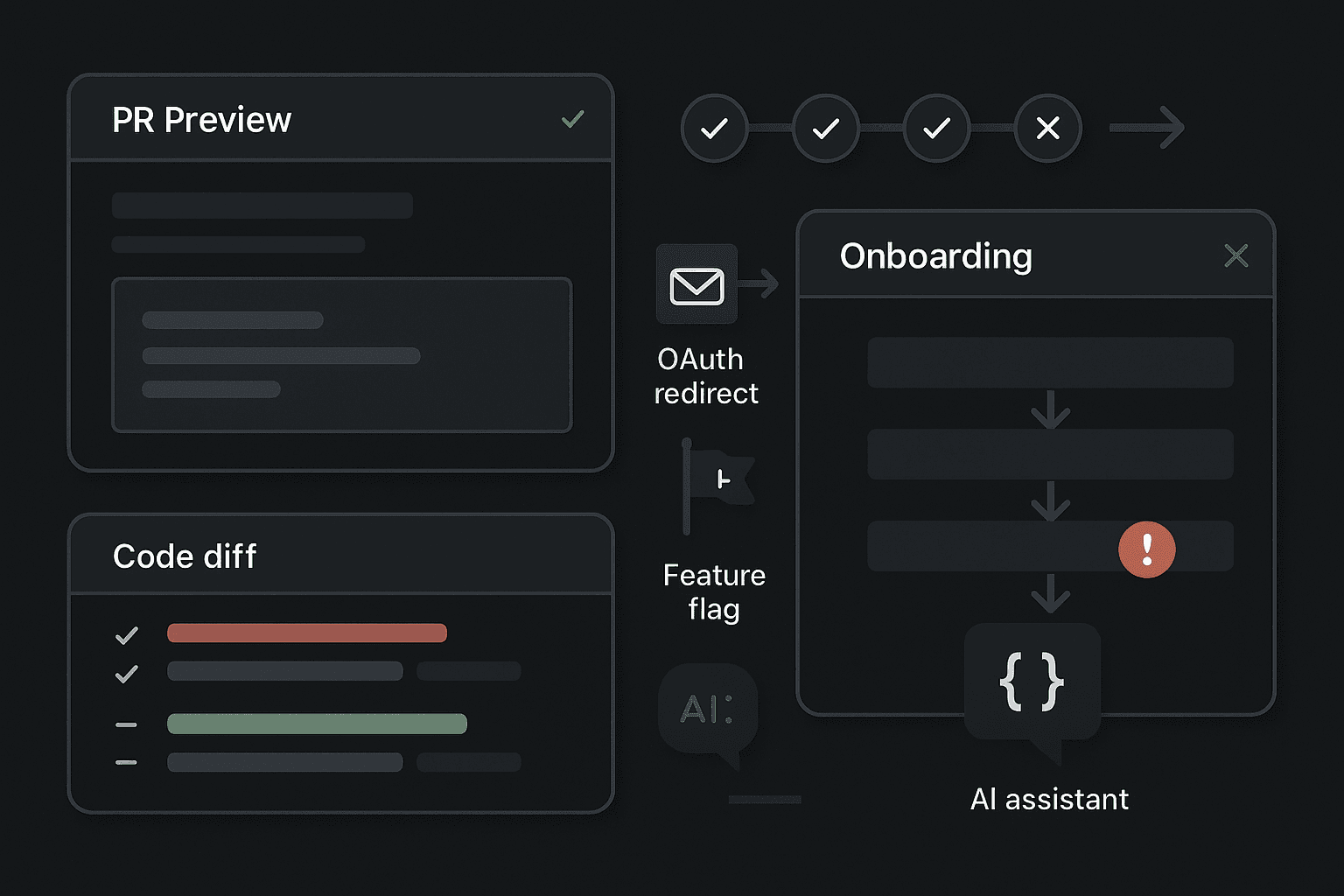
A team ships a clean PR on Friday afternoon. The preview link looks great. The reviewer clicks through a redesigned signup page, leaves a comment about button spacing, approves the change, and CI stays green. On Monday, the growth team sees conversion crater. New users can create an account, but the verification email never arrives in preview-backed environments. Users who do verify get bounced by an OAuth redirect mismatch. Those who somehow make it through land in an empty workspace state nobody noticed because the preview database was pre-seeded with sample data. The UI passed review. The product still failed to onboard.
This is not an edge case anymore. It is a pattern.
Modern teams have become very good at reviewing surfaces and very bad at validating journeys. PR previews, component tests, visual diffs, and green CI/CD pipelines create the feeling of confidence without proving the one thing the business actually needs: that a new user can reach value from a cold start.
That gap is getting worse as AI writes more application code. Agents are extremely good at producing polished diffs, satisfying linters, updating snapshots, and making checks pass. They are much less reliable at reasoning through a multi-step onboarding path that crosses auth, email, queues, feature flags, billing, redirects, and background jobs. So you end up with software that looks more finished and is less verified.
The problem is not that onboarding is important. Everyone already says that. The problem is that most modern delivery workflows are optimized to verify code changes, not user outcomes. And onboarding is where that blind spot shows up first.
The false promise of the preview link
PR previews solved a real problem. They made frontend work visible before merge. Product managers, designers, founders, and engineers can review a branch in a realistic environment instead of squinting at screenshots or pulling code locally. That is useful. It catches visual regressions, broken layouts, missing assets, CSS conflicts, copy mistakes, and obvious JavaScript failures.
But teams quietly started using previews as a proxy for product correctness.
If the preview deploys and the page loads, people infer that the feature “works.” If the signup screen renders and the dashboard opens with demo data, they assume onboarding is fine. If CI passes, they merge.
A preview environment is usually optimized for reviewability, not fidelity:
- It often runs against mocked or shared infrastructure.
- It may use seeded databases that hide empty states.
- It may skip asynchronous workers to save cost.
- It may disable outbound email or webhooks.
- It may point OAuth providers at localhost or a static callback URL.
- It may carry permissive feature flags that don’t match first-run production behavior.
- It may authenticate reviewers through internal shortcuts a real user never sees.
None of that makes previews bad. It makes them incomplete.
A product is not reviewable just because a page is renderable. An onboarding flow is not validated just because a reviewer can manually click around in a happy-path environment.
That distinction matters because onboarding is not a single screen. It is a distributed system wearing a UI.
Onboarding is a workflow, not a view
When a new user signs up, a lot more happens than a form submission:
- A user record is created.
- Passwordless or password auth is initialized.
- A verification email is queued and delivered.
- A callback link is generated with environment-specific URLs.
- Session cookies and redirects must survive cross-origin hops.
- A personal workspace or organization may be provisioned.
- Billing state or trial eligibility might be set.
- Feature flags determine which first-run experience appears.
- Background jobs may import templates, create default data, or sync third-party systems.
- Invite flows and role assignments may be generated.
- Analytics and event pipelines may gate progression.
A reviewer looking at a preview catches almost none of this unless they intentionally exercise the whole flow from a clean state.
And even when they try, preview environments frequently break in ways that are unique to previews:
- Email providers are disabled or sandboxed.
- OAuth apps don’t allow ephemeral callback URLs.
- Queue workers are not running.
- Cron jobs are absent.
- DNS or TLS differences affect cookie behavior.
- Third-party webhooks cannot reach the preview host.
- A shared preview database causes state leakage between test runs.
The UI can be immaculate while the onboarding path is dead on arrival.
Why current approaches fail
Teams usually respond by saying, “We have tests.” Most do. They still miss onboarding failures because the tests are pointed at the wrong level.
Unit tests prove local correctness, not usable flow
Unit tests are good for validating isolated logic. They should exist. But onboarding failures are rarely isolated logic bugs. They are integration and workflow failures.
A unit test can prove that createVerificationEmail() returns the right payload. It does not prove that:
- the email job was actually enqueued,
- the worker is running,
- the provider accepted the message,
- the link points to the correct preview host,
- the token can be redeemed,
- the redirect lands on the right workspace,
- and the session persists into the first-use experience.
You can have 95% coverage and still ship an onboarding path that nobody can complete.
Coverage is especially misleading here because the most expensive failures happen in the seams between services, not inside any one function.
CI/CD often verifies build health, not product health
Most CI/CD pipelines answer questions like:
- Does the code compile?
- Do unit tests pass?
- Does lint succeed?
- Do snapshots match?
- Can the app deploy?
Those are useful gates. None of them guarantee that a new user can sign up, verify their email, create a workspace, invite a teammate, and use the product.
Many teams treat deployment success as operational proof. It is not. It just means the app is reachable.
This is where false confidence creeps in. The pipeline is green, so people assume the branch is safe. But a green pipeline that never exercises onboarding is just a more automated version of “works on my machine.”
Manual QA is too late and too inconsistent
Manual QA can catch workflow problems, but it usually fails for one of three reasons:
- It happens after merge or too close to release.
- It happens in staging, not in the exact ephemeral environment created for the branch.
- It depends on humans remembering complex first-run scenarios.
Onboarding bugs are stateful and environment-specific. The exact branch deploy matters. The exact callback URLs matter. The exact queue configuration matters. A QA pass on a shared staging environment is not strong evidence that a PR preview behaves correctly.
And in AI-assisted workflows, the volume of change increases. More code lands faster. Manual review becomes shallower by necessity. That makes workflow verification even more important, not less.
Why AI-assisted shipping makes this worse
AI changes the shape of risk.
The immediate effect is not that code quality collapses. In many teams, generated code is good enough. The bigger issue is that AI increases the amount of plausible software. You get more features, more refactors, more UI polish, more test updates, more green checks, and more momentum. But plausibility is not reliability.
An agent can:
- add a polished onboarding modal,
- update routes,
- refactor auth handlers,
- adjust email templates,
- modify feature-flag conditions,
- regenerate snapshots,
- patch failing tests,
- and leave the system looking cleaner than before.
What it often does not do is ask, “Can a brand new user in this environment reach value from zero?”
That question requires system-level skepticism. It requires tracing behavior across services. It requires knowing that preview domains break OAuth, that seeded data hides first-run defects, that invite emails need inbox access, that workers matter, that redirects differ by host, that background jobs may silently no-op.
Humans often fail to ask these questions too. But AI amplifies the problem because it can produce larger, more polished diffs faster than the review process evolved to absorb.
So the operational risk shifts:
- More output is generated.
- More of that output looks finished.
- Reviewers spend more time evaluating presentation than behavior.
- Passing checks increasingly validate internal consistency, not external usability.
That is why modern teams need action-level checks, not just code-level checks.
The core insight: test the path to value, not just the changed code
The right mental model is simple: the product works only if a user can accomplish the outcome you sell.
For many SaaS products, the first critical outcome is something like:
- Sign up.
- Verify email.
- Create or join a workspace.
- Complete setup.
- Invite a teammate or connect a dependency.
- Use the core feature successfully.
That is the thing to verify before merge.
Not because onboarding is special in a sentimental sense, but because it is where every system dependency is exposed at once. If your CI/CD checks can validate the first-run path in an ephemeral environment, they are forcing the organization to prove the product is usable under realistic conditions.
This is not about replacing unit tests or previews. It is about adding a higher-order gate: does the branch support a real user journey?
The practical version of this is an action-level check that runs in CI against the deployed preview environment and performs the onboarding workflow end to end.
What action-level checks should actually cover
If you want useful coverage, do not stop at “page loaded” or “form submitted.” Cover the transitions that break in real systems:
- Signup with a unique identity
- Email verification or magic-link redemption
- Session persistence after redirect
- Workspace creation or org provisioning
- Empty-state rendering with no seeded shortcuts
- Invite flow and role acceptance
- First-run setup wizard or template provisioning
- Background job completion for required resources
- Core action that proves the user reached value
For some products, you will also need:
- OAuth login with a real test provider account
- Webhook-triggered activation
- Billing/trial initialization
- RBAC and feature-flag checks for new accounts
- Mobile-web or cross-browser auth handling
The exact path varies. The principle does not.
A concrete Playwright approach
Playwright is a strong fit here because it can coordinate browser actions, API checks, inbox polling, and assertions across environments.
A useful onboarding test suite usually has three layers:
- Browser automation for visible user actions
- API helpers for setup/cleanup and observability
- External-system helpers for inbox, jobs, or third-party verification
Here is a simplified example in JavaScript.
js// tests/onboarding.spec.js
import { test, expect } from '@playwright/test';
import { createInbox, waitForEmailLink } from './support/inbox';
import { waitForWorkspaceProvisioned } from './support/api';

const baseURL = process.env.PREVIEW_URL;

test('new user can onboard end-to-end', async ({ page, context }) => {
  const inbox = await createInbox();
  const email = inbox.address;

  await page.goto(`${baseURL}/signup`);
  await page.getByLabel('Work email').fill(email);
  await page.getByLabel('Password').fill('SuperSecure123!');
  await page.getByRole('button', { name: 'Create account' }).click();

  await expect(page.getByText('Check your email')).toBeVisible();

  const verifyLink = await waitForEmailLink(inbox.id, {
    subjectIncludes: 'Verify your account',
    timeoutMs: 60000,
  });

  await page.goto(verifyLink);

  await expect(page).toHaveURL(/welcome|onboarding/);
  await page.getByLabel('Workspace name').fill('Acme QA Workspace');
  await page.getByRole('button', { name: 'Create workspace' }).click();

  await waitForWorkspaceProvisioned(email, { timeoutMs: 30000 });

  await expect(page.getByText('Invite your team')).toBeVisible();
  await page.getByRole('button', { name: 'Skip for now' }).click();

  await expect(page.getByText('Create your first project')).toBeVisible();
  await page.getByLabel('Project name').fill('First Project');
  await page.getByRole('button', { name: 'Create project' }).click();

  await expect(page.getByText('Project created')).toBeVisible();
  await expect(page.getByTestId('empty-state')).not.toBeVisible();
});
That is already more valuable than dozens of unit tests if the business depends on successful activation.
But real onboarding checks usually need helper layers.
Inbox polling helper
js// tests/support/inbox.js
import fetch from 'node-fetch';

const INBOX_API = process.env.INBOX_API;
const INBOX_TOKEN = process.env.INBOX_TOKEN;

export async function createInbox() {
  const res = await fetch(`${INBOX_API}/inboxes`, {
    method: 'POST',
    headers: {
      Authorization: `Bearer ${INBOX_TOKEN}`,
      'Content-Type': 'application/json',
    },
    body: JSON.stringify({ prefix: 'preview-onboarding' }),
  });

  if (!res.ok) throw new Error(`Failed to create inbox: ${res.status}`);
  return res.json();
}

export async function waitForEmailLink(inboxId, { subjectIncludes, timeoutMs }) {
  const started = Date.now();

  while (Date.now() - started < timeoutMs) {
    const res = await fetch(`${INBOX_API}/inboxes/${inboxId}/messages`, {
      headers: { Authorization: `Bearer ${INBOX_TOKEN}` },
    });

    const messages = await res.json();
    const match = messages.find((m) => m.subject.includes(subjectIncludes));

    if (match) {
      const url = extractFirstLink(match.html || match.text);
      if (url) return url;
    }

    await new Promise((r) => setTimeout(r, 3000));
  }

  throw new Error(`Timed out waiting for email with subject: ${subjectIncludes}`);
}

function extractFirstLink(body) {
  const match = body.match(/https?:\/\/[^\s"']+/);
  return match?.[0];
}
API observability helper
js// tests/support/api.js
import fetch from 'node-fetch';

const appApi = process.env.APP_API;
const internalToken = process.env.INTERNAL_TEST_TOKEN;

export async function waitForWorkspaceProvisioned(email, { timeoutMs }) {
  const started = Date.now();

  while (Date.now() - started < timeoutMs) {
    const res = await fetch(`${appApi}/internal/test/workspaces?email=${encodeURIComponent(email)}`, {
      headers: {
        Authorization: `Bearer ${internalToken}`,
      },
    });

    if (!res.ok) throw new Error(`Workspace lookup failed: ${res.status}`);

    const data = await res.json();
    if (data.exists && data.status === 'ready') return data;

    await new Promise((r) => setTimeout(r, 2000));
  }

  throw new Error(`Workspace was not provisioned for ${email}`);
}
The point of this pattern is not to create brittle UI scripts. It is to create a branch-level proof that the workflow completed.
Python example for service-side verification
If your team prefers Python for service checks or background-job polling, keep the browser test thin and move validation to helper scripts.
python# verify_onboarding_state.py
import os
import time
import requests

APP_API = os.environ["APP_API"]
TOKEN = os.environ["INTERNAL_TEST_TOKEN"]


def get_user_state(email: str):
    res = requests.get(
        f"{APP_API}/internal/test/user-state",
        params={"email": email},
        headers={"Authorization": f"Bearer {TOKEN}"},
        timeout=10,
    )
    res.raise_for_status()
    return res.json()


def wait_until_ready(email: str, timeout_s: int = 60):
    started = time.time()
    while time.time() - started < timeout_s:
        state = get_user_state(email)
        if (
            state.get("email_verified")
            and state.get("workspace_status") == "ready"
            and state.get("first_project_count", 0) > 0
        ):
            return state
        time.sleep(2)
    raise TimeoutError(f"User state not ready for {email}")


if __name__ == "__main__":
    email = os.environ["TEST_USER_EMAIL"]
    state = wait_until_ready(email)
    print("Onboarding complete:", state)
This is often a better way to debug failures than relying only on UI assertions. If a test times out, you want introspection into which state transition never happened.
CI/CD wiring: run against the preview before merge
The biggest mistake teams make is running end-to-end tests against shared staging and calling it good. If the risk lives in ephemeral environments, the check must run in ephemeral environments.
A GitHub Actions example:
yamlname: Preview Onboarding Check

on:
  pull_request:
    branches: [main]

jobs:
  deploy-preview:
    runs-on: ubuntu-latest
    outputs:
      preview_url: ${{ steps.deploy.outputs.preview_url }}
    steps:
      - uses: actions/checkout@v4
      - name: Deploy preview
        id: deploy
        run: |
          # Replace with your platform CLI
          PREVIEW_URL=$(./scripts/deploy-preview.sh)
          echo "preview_url=$PREVIEW_URL" >> "$GITHUB_OUTPUT"

  onboarding-check:
    runs-on: ubuntu-latest
    needs: deploy-preview
    steps:
      - uses: actions/checkout@v4
      - uses: actions/setup-node@v4
        with:
          node-version: 20
      - name: Install deps
        run: npm ci
      - name: Install Playwright
        run: npx playwright install --with-deps chromium
      - name: Wait for preview health
        run: node scripts/wait-for-preview.js
        env:
          PREVIEW_URL: ${{ needs.deploy-preview.outputs.preview_url }}
      - name: Run onboarding flow
        run: npx playwright test tests/onboarding.spec.js
        env:
          PREVIEW_URL: ${{ needs.deploy-preview.outputs.preview_url }}
          APP_API: ${{ secrets.APP_API }}
          INTERNAL_TEST_TOKEN: ${{ secrets.INTERNAL_TEST_TOKEN }}
          INBOX_API: ${{ secrets.INBOX_API }}
          INBOX_TOKEN: ${{ secrets.INBOX_TOKEN }}
This should be a merge gate for changes that can affect onboarding, auth, routing, workspace setup, or first-run experience. In many products, that ends up meaning most meaningful application changes.
Common failure modes you should expect to catch
The value of action-level checks becomes obvious once you look at the failures they catch repeatedly.
OAuth works locally, fails in previews
A classic problem. Your app supports Google or GitHub login, but the provider only allows a fixed set of callback URLs. Preview hosts are dynamic, so auth fails after consent.
Symptoms:
- redirect_uri mismatch
- callback goes to production instead of preview
- session cookie not set due to domain mismatch
- auth provider test app not configured for ephemeral environments
A preview review will often miss this if reviewers use internal bypasses or local auth shortcuts.
Seeded data hides empty-state bugs
PR previews are commonly populated with demo accounts and sample records because empty apps look unfinished in review. That is exactly why onboarding defects stay hidden.
Symptoms:
- dashboard assumes resources already exist
- first-run modals never appear
- null or undefined errors on new workspaces
- setup wizard skipped because seeded org looks activated
Your product can look healthy in preview while every real new user lands in a broken empty state.
Background jobs are not running
A verification email, workspace provisioning step, document import, or trial initialization depends on async workers. The web app renders fine, but the required job queue in previews is paused, underscaled, or omitted.
Symptoms:
- verification emails never arrive
- workspace remains “creating” forever
- templates or starter content missing
- invite acceptance impossible because prerequisite jobs never completed
A unit test will not catch this. A visual review definitely will not catch it.
Feature flags preserve the appearance of the happy path
Flags make rollout safer, but they also create a lot of fake confidence. Internal users may see a path that brand-new accounts do not. The first-run experience can be disabled for test accounts, old accounts, staff accounts, or seeded organizations.
Symptoms:
- internal reviewers skip setup steps that real users must complete
- onboarding wizard hidden for some cohorts
- “new dashboard” visible, but activation logic still tied to old flow
- core CTA displayed even though underlying entitlement is missing
If your checks do not create a truly new identity, you are not really testing onboarding.
Email and invite links never arrive or are invalid
Invite and verification flows are notorious because they combine async delivery, URL generation, token state, and environment routing.
Symptoms:
- no email sent
- email sent with broken HTML/body parsing
- invite token points at wrong host
- expired token due to clock or environment bug
- clicking the link creates a loop back to login
This is where action-level checks earn their keep.
Tool comparison: what each layer is good for
No single testing tool solves this. You need a stack with clear roles.
PR previews
Good for:
- visual review
- stakeholder feedback
- basic smoke interaction
- validating deployability
Bad for:
- proving real onboarding works
- validating async workflows
- catching environment-specific auth and delivery issues without explicit tests
Unit and integration tests
Good for:
- local logic correctness
- API behavior in isolation
- regression prevention on known components
- fast feedback during development
Bad for:
- cross-system user journeys
- preview-environment fidelity
- async delivery and redirect flows unless heavily instrumented
Shared staging environments
Good for:
- broader system checks
- load and operational testing
- manual exploratory testing
Bad for:
- branch-specific confidence
- catching ephemeral-env misconfiguration
- deterministic first-run scenarios due to shared state
Playwright or browser-driven end-to-end tests
Good for:
- validating user workflows
- catching auth, redirect, and state issues
- asserting visible outcomes in realistic environments
Bad for:
- debugging hidden backend transitions unless paired with observability helpers
- replacing lower-level tests
Synthetic checks after deploy
Good for:
- ongoing production confidence
- detecting regressions outside CI/CD
- monitoring critical signup and login paths
Bad for:
- stopping bad changes before merge on their own
The mature approach is not choosing one. It is layering them and using workflow checks as the bridge between code correctness and product correctness.
Practices that actually improve developer productivity
A lot of teams resist end-to-end onboarding checks because they assume they will be flaky and slow. They can be if built carelessly. But the answer is not to avoid them. The answer is to design them like production debugging tools.
1. Test with fresh identities every run
Never reuse seeded users for onboarding verification. Generate unique emails, org names, and invitees. First-run behavior only shows up with first-run state.
2. Give tests observability hooks
Expose internal test-only endpoints or logs for:
- job status
- sent emails
- user provisioning state
- feature-flag evaluations
- redirect targets
This is not cheating. It is how you reduce debugging time when the workflow fails.
3. Make preview environments more faithful where it matters
You do not need full production parity for everything. You do need parity for onboarding dependencies:
- workers running
- outbound email capture enabled
- callback URLs configurable
- required webhooks routable
- feature flags deterministic for test accounts
If previews cannot support these, then your current review model cannot validate product readiness.
4. Fail on business outcomes, not internal implementation details
Do not overfit the test to CSS selectors and intermediate screens. Assert outcomes:
- user verified
- workspace ready
- first object created
- invite accepted
- product usable
This keeps tests resilient even as the UI evolves.
5. Record traces, screenshots, and server logs on failure
If an onboarding check fails in CI/CD, the fastest path to fixing it is a usable failure artifact package. Capture:
- Playwright traces
- screenshots and video
- application logs correlated by test user email
- queue/job logs
- outbound email bodies
Without this, engineers will waste hours trying to reproduce a branch-specific failure locally.
6. Split the suite by risk, not by testing ideology
You do not need one giant end-to-end script for everything. Create a small set of critical-path checks:
- signup + verification
- workspace creation
- invite acceptance
- first core action
Run the essential path on every PR affecting onboarding-adjacent systems. Run broader variants nightly.
7. Treat onboarding checks as release infrastructure
Do not leave them as side projects owned by one quality-minded engineer. These checks are part of your delivery system. They should have code owners, alerting, debugging docs, and maintenance budget.
That investment pays back in developer productivity because the alternative is discovering activation failures after merge, during launches, or from angry prospects.
A practical rollout plan
If your current setup is mostly previews, unit tests, and hope, do not try to build the perfect reliability system in one sprint.
Start here:
Phase 1: Identify the path to value
Write down the shortest realistic new-user flow that proves the product works. Keep it concrete.
Example:
- Sign up with email/password
- Verify via email link
- Create workspace
- Create first project
- Invite teammate
That is your first gate.
Phase 2: Remove preview shortcuts
Audit what your preview environment hides:
- preloaded data
- bypass auth
- disabled workers
- fake flags
- missing webhooks
Decide what must be fixed to support one real onboarding journey.
Phase 3: Build one deterministic Playwright test
Do not start with twenty scenarios. Start with one path that uses fresh identities and validates the actual business outcome.
Phase 4: Add observability endpoints
If the test fails, can you tell whether the issue was email delivery, job processing, redirect config, or UI state? If not, add instrumentation before expanding coverage.
Phase 5: Make it a merge gate
A test nobody can ignore is more valuable than a dashboard nobody reads. If onboarding matters to revenue, the check belongs in CI/CD as a required status.
Phase 6: Expand to secondary first-run flows
Once the base path is reliable, add:
- OAuth signup
- team invite acceptance
- template import
- billing/trial start
- SSO or enterprise variants
This is how you mature from “the preview loaded” to “the product works.”
The deeper shift: from shipping code to verifying outcomes
A lot of engineering process still assumes that if code is reviewed, tested, and deployed, the job is done. That was always incomplete. In the AI-assisted era, it becomes actively dangerous.
Because the easier it is to produce code, the more your competitive edge shifts from code generation to reliability of outcomes. Not elegant internals. Not green snapshots. Not polished diffs. Outcomes.
Can a new user arrive in a branch environment and successfully become an activated user?
That is the question your pipeline should answer.
Debugging, testing, and CI/CD are not separate concerns here. They are one system for reducing uncertainty before users absorb it. If your workflow only validates isolated code paths, then your team is optimizing for internal reassurance, not external reliability.
And developer productivity suffers when that happens. Nothing burns time like diagnosing a production onboarding failure that “should have been impossible” because the preview looked fine and the checks were green. The fix is not more ceremony. It is better evidence.
Conclusion
PR previews are useful. They are just not proof.
They prove a branch can render. They prove reviewers can look at something. They may even prove a feature feels polished. But they do not prove that a brand-new user can move through the messy, cross-system path from signup to value.
That is the blind spot.
It is where auth redirects fail only in ephemeral hosts. Where seeded data masks empty-state bugs. Where OAuth breaks outside localhost. Where background jobs never run. Where verification emails vanish. Where feature flags keep the happy path looking healthy while first-run reality is broken.
And because AI can now generate polished changes faster than teams can deeply review them, this blind spot matters more than it used to.
So do the obvious but uncommon thing: put action-level onboarding checks into CI/CD for your preview environments. Exercise signup, email verification, workspace creation, invites, and first-use flows before merge. Add observability so failures are debuggable. Treat workflow verification as part of release infrastructure.
If your product cannot onboard a real new user, it does not matter that the PR preview passed.
It does not matter that the tests were green.
It does not matter that the diff looked finished.
The product still does not work.