
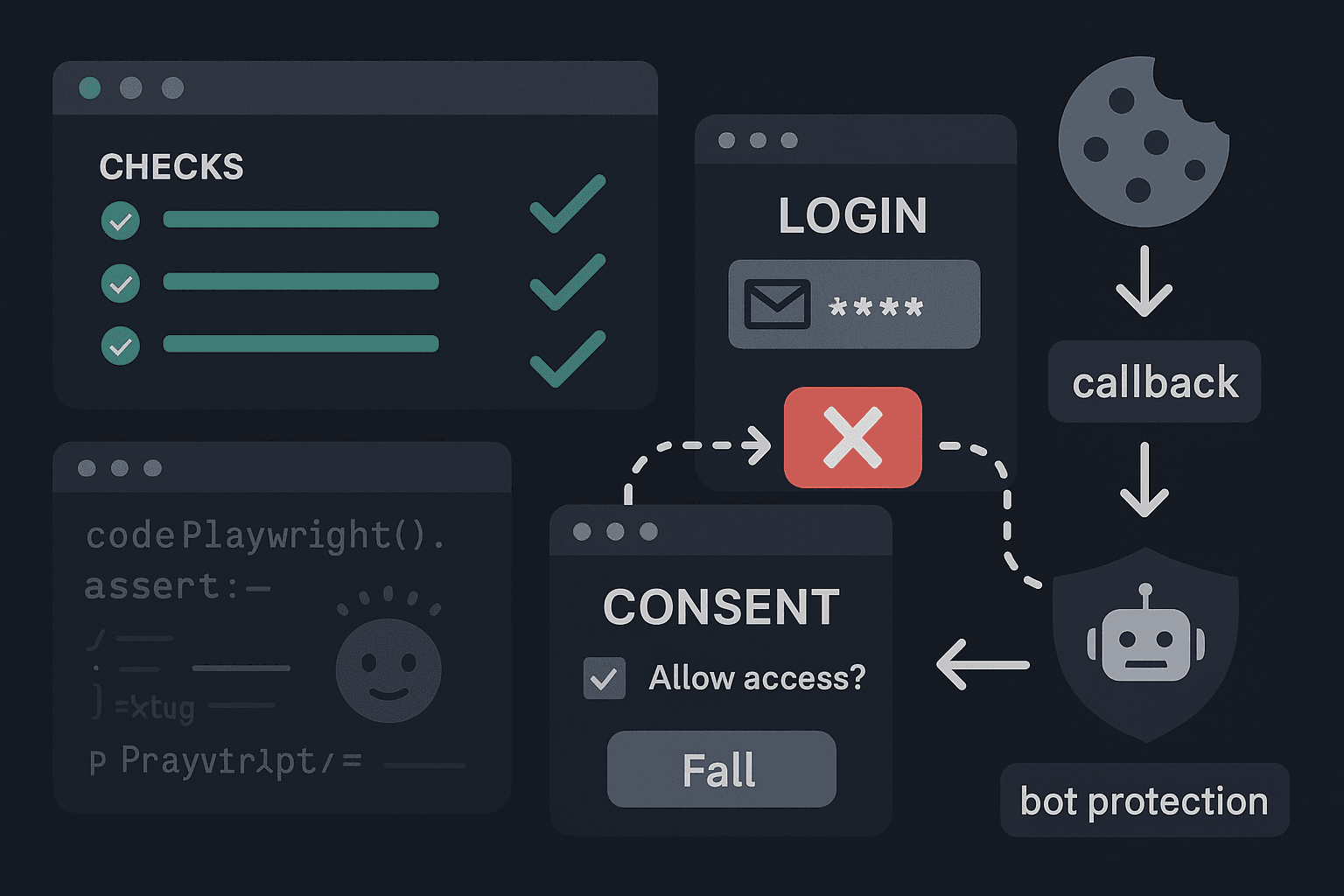
A team merges a pull request on Friday afternoon. CI is green. Unit tests pass. Type checks pass. Lint passes. The end-to-end suite passes too. The new auth integration looks clean in code review: a few OAuth scopes, a callback handler, a cookie tweak, and some environment variables for preview deployments.
On Monday morning, nobody can sign in.
Not everybody. Only new users coming from Google on Safari in the preview environment, and only if they were invited through an emailed magic link first. Existing sessions still work. Local development still works. The mocked auth tests still work. The backend callback route returns 200. The logs show no obvious crash. The pull request was “safe.” The product is effectively broken.
This is not an edge case anymore. It is the default shape of failure in modern software teams.
AI-assisted development accelerates implementation, especially around integration-heavy features like authentication, onboarding, billing, analytics, and workflow automation. That is great for developer productivity. It is terrible for teams that still treat testing as code verification instead of workflow verification. The code can be correct enough to pass tests while the user journey is still dead on arrival.
OAuth is where this gap becomes painfully obvious. Sign-in flows are not a single function call. They are distributed systems disguised as a button. They depend on browser behavior, cookie policy, third-party redirects, environment-specific configuration, app state restoration, anti-bot systems, consent screens, callback URLs, and time-sensitive session handling. Traditional testing strategies are weak at exactly those boundaries.
If your team’s definition of “covered” means unit tests, API mocks, and a handful of happy-path end-to-end checks against a local app, you do not know whether users can actually sign in. You know only that parts of your code behave under simulated conditions.
That is the uncomfortable truth: your PR passed because your CI/CD system validated code paths, not user journeys.
The real problem: auth failures hide in the seams
Engineers tend to think about OAuth as an implementation task. Add a provider. Configure a callback. Exchange a code for a token. Persist a session. Redirect the user. Done.
Users experience OAuth as a journey:
- Click “Continue with Google”
- Leave your app
- Enter or select credentials
- Approve consent
- Return through one or more redirects
- Restore app state
- Land in the right workspace or onboarding step
- Remain signed in across navigation, refresh, and subdomains
Every one of those steps can fail independently.
And the failure often does not look like a normal application bug. It looks like:
- a redirect loop only on preview deployments
- a missing
SameSite=None; Securecookie in one environment - a callback URL mismatch after a branch deploy spins up a dynamic hostname
- state parameter validation breaking when multiple tabs are open
- a consent screen blocked by bot protection in headless browsers
- a session cookie scoped to the wrong domain
- an expired authorization code after a slow redirect chain
- local storage or CSRF tokens being cleared by a middleware change
- a staging provider app configured differently from production
- provider-side rate limiting or suspicious login detection
These are not theoretical. They are routine.
The worst part is that teams get false confidence because the failure modes sit outside the places they measure quality. Code review cannot see runtime browser policy. Unit tests do not model consent screens. Mocks happily return valid tokens. API-level tests skip the browser entirely. Local end-to-end tests often bypass the third-party handoff or run against a fake provider.
So the release process says “good,” while the actual customer-facing workflow says “broken.”
Why unit tests fail here
Unit tests are useful. They catch logic regressions, bad assumptions, and interface breakage. They should exist. But they are the wrong instrument for proving an OAuth flow works.
A unit test can validate your callback handler parses parameters correctly:
tsimport { describe, it, expect } from 'vitest';
import { handleOAuthCallback } from './oauth';

describe('handleOAuthCallback', () => {
  it('creates a session when provider returns a valid code', async () => {
    const exchangeCodeForToken = async () => ({
      access_token: 'access-123',
      id_token: 'id-123',
      expires_in: 3600,
    });

    const createSession = async (token: string) => ({
      userId: 'user-1',
      sessionId: 'session-1',
      token,
    });

    const result = await handleOAuthCallback({
      code: 'oauth-code',
      state: 'xyz',
      exchangeCodeForToken,
      createSession,
    });

    expect(result.session.userId).toBe('user-1');
    expect(result.redirectTo).toBe('/dashboard');
  });
});
This is fine. It proves your code responds correctly when handed the exact success conditions you chose.
What it does not prove:
- the provider accepted your redirect URI
- your app emitted the right
statevalue before navigation - the browser preserved the cookie across the redirect boundary
- the callback hit the right domain in preview
- middleware did not strip or overwrite the session
- the eventual landing page recognized the authenticated user
- the user can refresh and remain logged in
Unit tests isolate code on purpose. OAuth breaks because it is not isolated.
In AI-assisted teams, this becomes even more dangerous. Generated code often looks structurally correct. It may even come with decent unit tests. But generated tests tend to reinforce the same abstraction boundary as the code itself. They validate the implementation contract, not the production reality.
A model can write 200 lines of tidy auth code in minutes. It cannot guarantee your Vercel preview URL is registered with the provider, your cookies survive cross-site redirects, or your Azure/Google/Auth0 app is configured consistently across environments.
Why mocks are a trap
Mocks are where a lot of teams lose the plot.
To make auth testable, developers commonly mock the provider interaction. That keeps tests fast and deterministic. But if you mock away the provider handoff, you also remove the source of most real-world failures.
A mocked OAuth test usually looks like this:
pythonfrom unittest.mock import AsyncMock
import pytest

@pytest.mark.asyncio
async def test_google_login_callback_creates_user():
    exchange_code = AsyncMock(return_value={
        "access_token": "token-123",
        "email": "newuser@example.com",
        "sub": "google-user-1"
    })

    result = await handle_google_callback(
        code="abc123",
        state="expected-state",
        exchange_code=exchange_code,
    )

    assert result["status"] == "authenticated"
    assert result["user"]["email"] == "newuser@example.com"
Again, this is not bad. It just proves something narrower than teams think.
A mock assumes:
- token exchange is reachable
- token response shape is stable
- consent flow completed
- provider-side cookies and anti-abuse checks did not interfere
- authorization code was not stale
- your scopes are accepted
- your provider app is configured correctly for the current hostname
In practice, the act of mocking turns OAuth into an internal function call. But OAuth is not an internal function call. It is a handshake across systems you do not control.
The more your tests depend on mocks, the more they become tests of your own assumptions. That is useful for debugging your application logic. It is weak evidence for whether sign-in works in a real browser, in a real environment, under real redirects.
Why CI/CD gives false confidence
CI/CD pipelines are optimized for speed, determinism, and isolation. OAuth flows are messy, stateful, and environment-sensitive. That mismatch creates a reliability blind spot.
Most CI pipelines do some combination of:
- install dependencies
- run static analysis
- run unit/integration tests
- maybe run headless browser tests against a local app
- build and deploy
This validates code quality and some application behavior. It does not necessarily validate that the deployed environment can complete the critical sign-in journey.
The common failure is subtle: teams test before deploy or against a local environment, but auth failures emerge after deployment because the environment changed.
Examples:
- callback URL in provider config does not include the preview domain
- app URL in env vars points to production while cookies are issued for staging
- reverse proxy strips forwarded proto headers, causing insecure redirect generation
- browser test runs against
localhost, where cookie behavior differs from HTTPS preview/staging - one environment uses a different provider client ID with missing scopes
- CSP or bot protection settings differ between preview and production
Green CI in these cases is worse than no CI, because it creates false confidence and compresses the time-to-discovery until after merge.
This is the key mental shift: CI/CD should not only ask, “Does the code compile and behave?” It should also ask, “Can a user complete the workflow in the deployed environment?”
Those are different questions.
Why many end-to-end suites still miss login failures
Teams often respond by saying, “We already have end-to-end tests.” But many so-called E2E suites are still too synthetic.
Common patterns that miss the real problem:
- programmatically injecting auth tokens instead of logging in
- stubbing provider endpoints
- disabling redirects or skipping consent screens
- testing only an already-authenticated session
- running only against localhost with static config
- using test hooks that bypass middleware and browser storage behavior
These suites are great for broad application coverage after authentication. They are poor at verifying authentication itself.
There is a legitimate reason teams do this: real OAuth E2E tests are painful. They are slower, flakier, harder to maintain, and they require credentials management. But difficulty is not a reason to avoid the test. Difficulty is usually a signal that the workflow is operationally critical.
If a path can prevent every new user from entering your product, it deserves stronger verification than “our app can render the dashboard after we set a cookie manually.”
The core insight: test actions, not implementation
The right primitive for critical workflows is not function-level correctness. It is action-level verification.
For OAuth, that means proving a real or realistic user action can complete:
- click the sign-in button
- complete the provider handoff
- return to your app
- land authenticated in the correct place
- persist the session
- survive refresh/navigation
- handle expiration and re-authentication correctly
This is not just a testing philosophy. It is a debugging philosophy.
When production failures happen, nobody asks whether exchangeCodeForToken() returned an object in a unit test. They ask whether a new user on the deployed system can sign in right now.
Your testing strategy should mirror the failure you care about.
That means building a small set of high-value, workflow-level checks around your most business-critical journeys:
- sign up with Google
- sign in with Microsoft
- invitation accept + account creation
- passwordless email login
- logout + re-login
- expired session recovery
- OAuth account linking for existing users
Not every path. The critical paths.
What real OAuth verification looks like in CI/CD
The ideal test runs against a deployed, production-like environment and validates the exact workflow users take.
At minimum, for each critical auth path, verify:
- The login entry point renders
- The provider redirect occurs
- The callback returns to the expected host/path
- A server-side session or token is created
- The authenticated landing page loads
- A page refresh keeps the user signed in
- Logout clears state cleanly
With Playwright, that can look like a real browser journey. The exact implementation depends on your provider and test account setup, but here is the shape.
tsimport { test, expect } from '@playwright/test';

test('new user can sign in with Google on preview deployment', async ({ page, context }) => {
  await page.goto(process.env.APP_URL!);

  await expect(page.getByRole('button', { name: /continue with google/i })).toBeVisible();
  await page.getByRole('button', { name: /continue with google/i }).click();

  await page.waitForURL(/accounts\.google\.com|google\.com/);

  await page.getByLabel(/email/i).fill(process.env.GOOGLE_TEST_EMAIL!);
  await page.getByRole('button', { name: /next/i }).click();

  await page.getByLabel(/enter your password/i).fill(process.env.GOOGLE_TEST_PASSWORD!);
  await page.getByRole('button', { name: /next/i }).click();

  const consentButton = page.getByRole('button', { name: /continue|allow/i });
  if (await consentButton.isVisible().catch(() => false)) {
    await consentButton.click();
  }

  await page.waitForURL(new RegExp(`${process.env.APP_URL!.replace(/[.*+?^${}()|[\]\\]/g, '\\$&')}`));
  await expect(page).toHaveURL(/dashboard|onboarding/);
  await expect(page.getByText(/welcome|dashboard|getting started/i)).toBeVisible();

  const cookies = await context.cookies();
  expect(cookies.some(c => c.name.includes('session'))).toBeTruthy();

  await page.reload();
  await expect(page.getByText(/welcome|dashboard|getting started/i)).toBeVisible();
});
This kind of test is not cheap. But notice what it verifies that mocks cannot:
- actual redirect behavior
- provider-hosted auth UI
- callback correctness
- cookie/session persistence
- end-to-end user state after return
In some organizations, direct interaction with a third-party provider UI in CI is too brittle or violates policy. In those cases, use a dedicated test identity provider or provider-supported sandbox environment. The key is not “must hit Google in every test.” The key is “must validate the real handoff shape somewhere in the pipeline.”
A pragmatic CI/CD setup
A common pattern is to split auth testing into layers:
Layer 1: Fast local and PR checks
Run unit and integration tests for auth logic:
- callback parsing
- state validation
- token/session persistence logic
- redirect decision logic
- logout behavior
These are fast and should run on every PR.
Layer 2: Preview environment workflow smoke tests
After deploy, run a small set of browser-based workflow tests against the actual preview URL.
Verify:
- one happy-path login flow
- one signup flow
- one logout/re-login cycle
These should block merge for critical systems.
Layer 3: Scheduled production-like verification
Run a broader suite on staging or a production-like environment:
- expired sessions
- invite flows
- account linking
- mobile viewport behavior
- browser coverage for cookie quirks
These may run nightly or before release windows.
Here is an example GitHub Actions workflow that waits for a preview deployment and then runs Playwright against it.
yamlname: auth-workflow-checks

on:
  pull_request:
    branches: [main]

jobs:
  auth-smoke:
    runs-on: ubuntu-latest
    timeout-minutes: 30
    steps:
      - uses: actions/checkout@v4

      - uses: actions/setup-node@v4
        with:
          node-version: 20

      - run: npm ci
      - run: npx playwright install --with-deps

      - name: Wait for preview deployment
        run: node scripts/wait-for-preview.js
        env:
          DEPLOY_API_TOKEN: ${{ secrets.DEPLOY_API_TOKEN }}
          PR_NUMBER: ${{ github.event.pull_request.number }}

      - name: Run OAuth workflow smoke tests
        run: npx playwright test tests/auth.smoke.spec.ts
        env:
          APP_URL: ${{ secrets.PREVIEW_URL }}
          GOOGLE_TEST_EMAIL: ${{ secrets.GOOGLE_TEST_EMAIL }}
          GOOGLE_TEST_PASSWORD: ${{ secrets.GOOGLE_TEST_PASSWORD }}
In real deployments, APP_URL should usually come from the deployment output, not a static secret. The point is to test the actual environment generated by the PR.
Handling test accounts without creating a security mess
One reason teams avoid real auth workflow testing is credential management. That concern is valid. The answer is not to skip the tests. The answer is to use dedicated test identities and controlled secrets handling.
Practical rules:
- Create provider-specific test accounts with minimal permissions
- Isolate them from real customer data
- Store secrets in your CI secret manager, never in code
- Rotate credentials on a schedule
- Restrict login geography or IP ranges when possible
- Mark test users clearly in your app database
- Build cleanup routines for accounts created during signup tests
If your provider supports organization-level sandboxing or test tenants, use them. If not, create a separate app registration for non-production environments so config drift is explicit and manageable.
The places teams have the most false confidence
Let’s name the recurring traps, because these are where debugging time disappears.
Callback URLs
This is the classic failure. The application code is correct, but the provider registration does not include the deployed hostname or path.
Preview deployments make this worse because domains are dynamic. Teams either forget to register wildcard-capable redirect patterns where supported, or they avoid testing preview auth entirely and hope staging catches it.
If your deployment model creates environment-specific URLs, your auth verification must run on those URLs.
Consent screens and scope changes
A code change adds one new scope. Tests pass because mocks return the expected token payload. In reality, the provider consent screen changes, admin approval is required, or the app is no longer approved for the requested scope in staging.
The code is fine. The user journey is blocked.
Expired or stale sessions
Many auth tests only verify login once. They never verify what happens 30 minutes later, after refresh, after tab restore, or after the browser wakes from sleep.
A session that fails silently after token expiry is still an auth outage. It just appears later in the funnel.
Redirect chains
A modern login flow may traverse marketing domain -> app domain -> auth subdomain -> provider -> callback route -> workspace resolver -> onboarding page. Any hop can break state, protocol, cookies, or query parameters.
Tests that jump directly to /auth/callback skip the hard part.
Bot protection and suspicious login checks
Headless browser flows can trigger anti-bot systems. Providers may challenge or rate-limit sign-in. Teams often dismiss this as “just test flakiness,” but users behind VPNs, privacy tools, or unusual geographies may hit similar friction.
You need to know when your automation environment diverges from reality, and whether that divergence points to an actual user risk.
Environment-specific config drift
This is probably the biggest one.
Production uses one client ID. Staging uses another. Preview uses a fallback. One environment has the correct cookie domain. Another has a stale callback URL. One has HTTPS enforced. Another terminates TLS upstream and misreports protocol.
Auth failures often come from operations, not code. Your testing must therefore validate operations, not just implementation.
Tools comparison: what each approach is good for
No single tool solves this. The right stack is layered.
Unit test frameworks: Vitest, Jest, Pytest
Best for:
- auth utility logic
- callback handlers
- token parsing
- state/nonce validation logic
- session creation rules
Weak for:
- browser behavior
- redirect integrity
- provider interactions
- cookie policy verification across environments
Verdict: necessary but insufficient.
API integration tests
Best for:
- backend auth endpoints
- token exchange error handling
- database effects
- provider response contract checks
Weak for:
- full browser journey
- consent UI
- redirect/cookie interplay
Verdict: useful middle layer, still not proof of login success.
Playwright
Best for:
- browser-based workflow verification
- redirects, cookies, session persistence
- preview/staging validation
- action-level testing
- debugging failures with traces, screenshots, and video
Weak for:
- direct provider UI instability
- secret/account management complexity
- test runtime cost
Verdict: best general tool for proving user journeys in CI/CD.
Cypress
Best for:
- app-side browser interactions
- strong developer experience
- application workflow testing after login
Weak for:
- some multi-domain auth flows can be more awkward depending on setup
- less natural fit than Playwright for certain cross-origin handoffs
Verdict: workable, but many teams find Playwright better for modern auth workflow coverage.
Provider emulators or test IdPs
Best for:
- deterministic auth flow validation
- internal CI environments
- reducing brittleness around third-party UI changes
Weak for:
- may diverge from production provider behavior
- can reintroduce false confidence if treated as a full substitute
Verdict: good supplement, not the only line of defense.
Actionable practices that improve reliability fast
You do not need a giant platform initiative to get better. Start with the workflows that actually affect revenue and activation.
1. Define critical auth journeys explicitly
Write them down like product flows, not test suites.
For example:
- new user signs up with Google from invite link
- returning user signs in with Microsoft from login page
- authenticated user logs out and can log back in
- expired session redirects to auth and restores destination after login
If a flow matters to user acquisition, onboarding, or retention, it should exist as a named workflow with an owner.
2. Add post-deploy auth smoke tests
Run them against the environment that was just deployed. Not just localhost. Not just pre-merge containers. The real deployed URL.
If the workflow fails there, the PR is not safe regardless of how many lower-level tests passed.
3. Test one real provider path end to end
Even if most suites use mocks or emulators, maintain at least one real-provider smoke path per critical auth type. This anchors your confidence in actual system behavior.
4. Capture debugging artifacts automatically
Auth failures are often timing- and state-sensitive. You want browser traces, screenshots, network logs, redirect history, and cookie snapshots.
Playwright makes this practical:
tsimport { defineConfig } from '@playwright/test';

export default defineConfig({
  use: {
    trace: 'retain-on-failure',
    screenshot: 'only-on-failure',
    video: 'retain-on-failure',
  },
});
This matters for developer productivity. A failing auth workflow without artifacts turns into guesswork. A failing workflow with redirect traces and cookie state becomes debuggable.
5. Validate state after login, not just URL changes
A callback returning 200 is not success. A redirect to /dashboard is not success. Success means the app recognizes the session and the user can act.
Verify:
- authenticated UI is visible
- API calls succeed after login
- session persists on refresh
- protected routes are accessible
6. Exercise failure and recovery paths
Happy path only is not enough. Add targeted checks for:
- expired sessions
- revoked consent
- invalid callback state
- duplicate tabs
- logout/login loops
- partial onboarding after auth
These are the paths that produce support tickets and hidden churn.
7. Make environment drift visible
Track auth config like critical infrastructure.
Compare across environments:
- provider client IDs
- callback URLs
- cookie settings
- app base URLs
- CSP and proxy settings
- allowed origins/subdomains
A lot of debugging pain comes from teams discovering drift reactively, after breakage.
8. Don’t bypass auth in every test
It is fine to bypass login for broad product coverage. In fact, you should, or your suite will become slow and fragile. But if every meaningful test bypasses login, you have no proof that users can enter the product.
Balance speed with reality:
- many tests can start authenticated
- a few must verify authentication itself
9. Treat auth workflow failures as release blockers
If sign-in is broken, the product is broken. Teams sometimes downgrade these checks because they are flaky or operationally annoying. That is backward.
A flaky test on a non-critical UI detail is annoying. A flaky test on login is often telling you the workflow itself is unstable.
A useful mental model for AI-assisted teams
AI changes implementation speed faster than it changes operational discipline.
That means teams can now ship integrations, feature flags, middleware changes, and environment updates far faster than their confidence mechanisms evolved. Generated code increases throughput, but it also increases the rate at which “looks correct” reaches production.
OAuth is the perfect example. An agent can scaffold a provider integration, wire routes, generate tests, and satisfy type checks quickly. That is a productivity win. But none of that proves the redirect URI is registered correctly, the consent screen is acceptable, the cookie survives Safari, or the preview hostname works.
In other words: AI can help you implement the path. It does not prove the journey.
That proof has to come from workflow-level testing in realistic environments.
This is why the future of testing is not more mocks or more synthetic assertions. It is tighter feedback on user actions that matter. Not every action. The critical ones. The workflows where a silent break turns into lost activation, support load, and damaged trust.
Conclusion
Your PR can pass while your OAuth flow is broken because most modern testing stacks are built to validate code, not journeys. Unit tests check logic. Mocks check assumptions. Traditional CI/CD checks build integrity. Even many end-to-end suites check app behavior after authentication rather than authentication itself.
But users do not care whether your callback handler is well covered. They care whether they can sign in.
If you want real reliability, especially in fast-moving AI-assisted teams, stop treating auth as a code integration and start treating it as a production workflow. Verify the actual handoff. Run post-deploy browser tests. Test on real environment URLs. Check cookies, redirects, session persistence, and expiry. Capture enough artifacts to make debugging fast. And reserve your strongest confidence for the paths a real user can actually complete.
Because “tests passed” is not the same thing as “login works.”
And when login is the front door to your product, that difference is everything.