
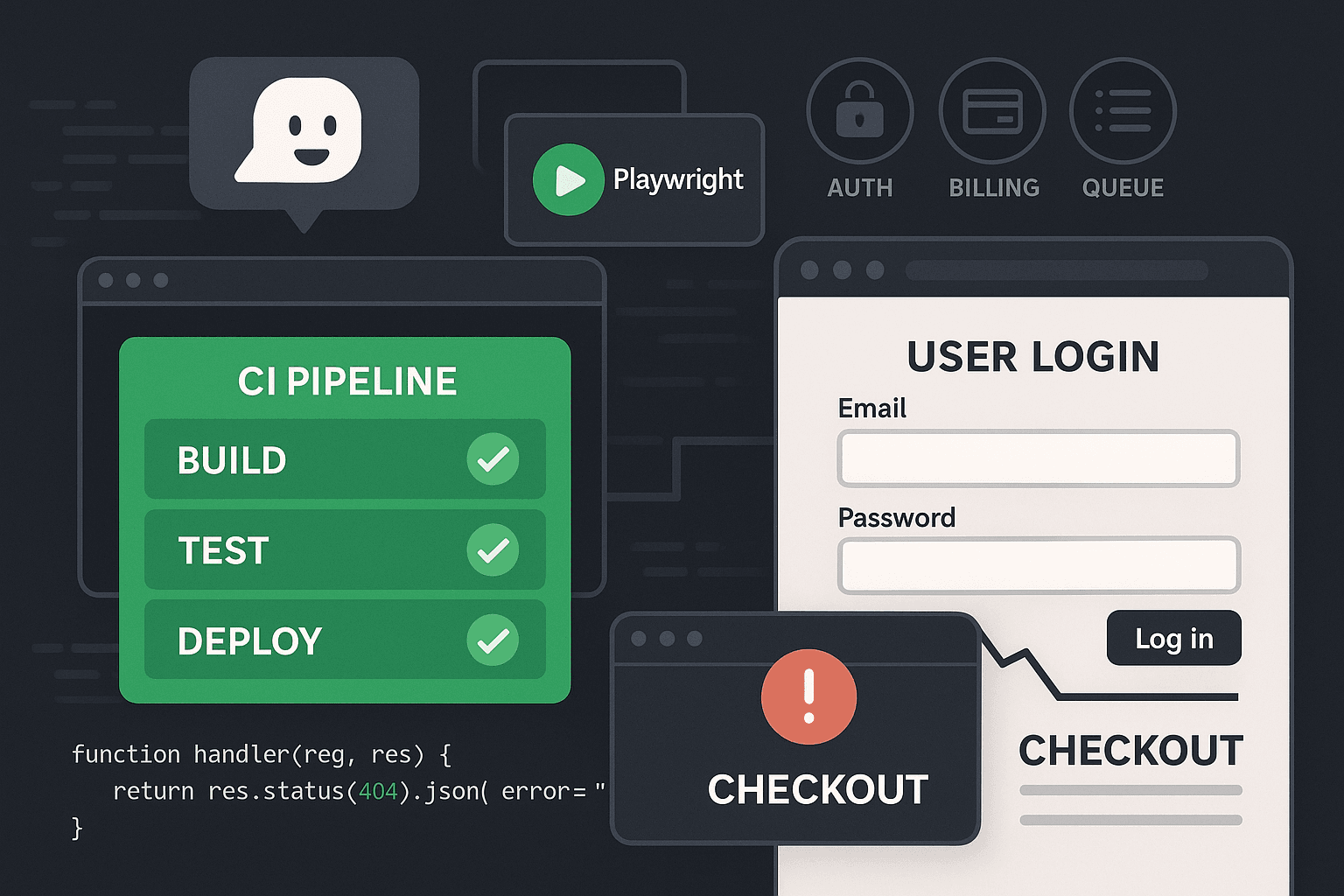
The incident review started with a sentence every engineering team has heard some version of before: “But CI was green.”
A pricing change shipped on Thursday afternoon. The pull request had passed unit tests, integration tests, linting, type checks, contract tests, and a security scan. Staging looked fine if you clicked around as an admin. Production traffic rolled over gradually. Then support tickets started coming in.
New users could create accounts, but they couldn’t complete onboarding. The login flow worked. The billing page loaded. The “Start trial” button rendered. But the actual workflow failed in the seam between systems: the frontend assumed a billing customer existed after signup, a background job that provisioned it was delayed, the redirect back from the payment provider landed before permissions propagated, and the app sent users into a half-authorized state that no unit test had ever modeled.
Every individual piece had tests. The product was still broken.
That is the new normal.
AI-assisted engineering has made it cheap to produce code, refactors, handlers, wrappers, adapters, and tests. That sounds like progress, and some of it is. But there’s a new failure mode hiding inside the increased velocity: more code lands, more checks go green, and fewer of those checks say anything meaningful about whether a real user can complete a real task.
A green PR pipeline often means only this: functions returned expected values in isolation, APIs responded with the right shapes, and mocked dependencies behaved politely. It does not mean someone logged in as a real user, crossed an auth boundary, triggered a queue, touched billing state, followed a redirect, survived eventual consistency, and ended in a valid product state.
That gap—the space between mergeable and usable—is where modern failures live.
The core problem: PR pipelines verify code paths, not user actions
Most teams still structure testing around implementation boundaries:
- unit tests for functions and classes
- integration tests for service or database interactions
- API tests for request/response behavior
- manual QA for exploratory checks
- end-to-end tests as a small, flaky afterthought
This model was already incomplete before AI coding tools accelerated development. Now it is actively misleading.
When AI helps write code, it tends to generate what existing systems reward: localized changes, narrow test coverage, happy-path assertions, and mocks that confirm assumptions instead of interrogating reality. You ask for a feature and get:
- a route handler
- a service method
- a DB migration
- a couple of unit tests
- maybe an integration test for the API endpoint
Everything looks responsible. Everything looks “tested.” But the system-level behavior often depends on action sequences that span multiple subsystems and time boundaries.
A user workflow is not the same thing as a code path.
“Upgrade to paid” is not one function.
It is usually something more like:
- authenticate user
- verify organization membership
- ensure billing account exists
- create checkout session
- redirect to payment provider
- return with signed callback state
- persist subscription status
- fan out updates through queues/webhooks
- refresh authorization and entitlements
- render upgraded UI with correct feature access
You can have excellent test coverage on steps 3, 4, 7, and 8 independently and still fail the workflow.
That is why so many teams discover breakage only after deploy. The PR pipeline validated components. It never validated the action.
Why AI-generated code amplifies false confidence
This is not a complaint about AI tools. It is a complaint about what happens when code generation outpaces verification design.
AI increases output. It does not automatically improve debugging discipline, testing strategy, or operational realism.
In practice, AI-generated or AI-assisted changes often worsen the exact weaknesses that already existed in CI/CD:
1. More surface area changes per PR
A developer asks an agent to “add trial signup,” and the change touches:
- frontend forms
- auth callbacks
- feature flag logic
- event publishing
- billing API integration
- email templates
- analytics hooks
The PR is larger in behavioral scope than it appears from the top-level summary. Reviewers inspect the code diff, but the actual risk is in the cross-system interactions.
2. Generated tests mirror the structure of the code, not the behavior of the user
AI is good at creating tests that look like adjacent examples in the repo. If your repo mostly contains unit tests and mocked integration tests, the generated verification will follow that pattern.
So you end up with more tests and less confidence.
3. Mocks preserve assumptions that production violates
Generated tests commonly stub third-party APIs, background jobs, or auth contexts in a way that makes the system look synchronous, deterministic, and fully provisioned. Production is none of those things.
4. Fast iteration compresses the time available for realistic validation
When teams can produce changes faster, the pressure is to merge faster too. The pipeline remains optimized for speed, so expensive-but-meaningful checks are excluded. The result is a factory for false positives: “safe to merge” becomes “unlikely to fail a narrow synthetic test.”
That is not reliability. That is paperwork.
Why current approaches fail
The standard response is usually some combination of “we already test that” or “we can catch it in staging.” In reality, the usual quality layers fail for predictable reasons.
CI/CD is optimized for determinism, not realism
Most PR pipelines are designed to answer questions like:
- does the code compile?
- do unit tests pass?
- did we break the API contract?
- are dependencies vulnerable?
- did linting/types/regression suites stay green?
Those checks matter. Keep them. But they favor speed and determinism. Real workflows are messy.
Workflow failures often involve:
- authentication context
- browser navigation and redirect timing
- cookies/session storage state
- third-party callbacks
- asynchronous jobs and eventual consistency
- permission propagation
- race conditions between writes and reads
- frontend/backend schema drift that neither side notices in isolation
These are exactly the dimensions basic CI avoids because they are harder to provision and slower to run.
So pipelines default to what is easy to automate, then teams mistake that automation for quality.
Unit tests are too local
Unit tests are essential for debugging and preventing regressions in core logic. They are not sufficient for validating user-facing reliability.
Here is a simple example in JavaScript:
js// billing.js
export async function createTrialForUser({ userId, billingClient, db }) {
  const customer = await billingClient.createCustomer({ userId });

  await db.trials.insert({
    userId,
    billingCustomerId: customer.id,
    status: 'trialing',
  });

  return { ok: true, customerId: customer.id };
}
And its unit test:
jsimport { createTrialForUser } from './billing';

test('creates a billing customer and stores trial record', async () => {
  const billingClient = {
    createCustomer: jest.fn().mockResolvedValue({ id: 'cus_123' }),
  };

  const db = {
    trials: {
      insert: jest.fn().mockResolvedValue(undefined),
    },
  };

  const result = await createTrialForUser({
    userId: 'user_1',
    billingClient,
    db,
  });

  expect(result).toEqual({ ok: true, customerId: 'cus_123' });
  expect(db.trials.insert).toHaveBeenCalledWith({
    userId: 'user_1',
    billingCustomerId: 'cus_123',
    status: 'trialing',
  });
});
This is fine. It should exist. It also tells you nothing about whether a browser user can sign up, land on the billing screen, return from checkout, and access the paid feature.
The same is true in Python:
python# permissions.py
async def can_access_project(user, project, membership_repo):
    membership = await membership_repo.get(user.id, project.org_id)
    return membership is not None and membership.role in {"admin", "editor"}
pythonimport pytest
from permissions import can_access_project

@pytest.mark.asyncio
async def test_editor_can_access_project():
    class Repo:
        async def get(self, user_id, org_id):
            return type("Membership", (), {"role": "editor"})()

    user = type("User", (), {"id": "u1"})()
    project = type("Project", (), {"org_id": "org1"})()

    assert await can_access_project(user, project, Repo()) is True
Also fine. Also irrelevant to whether permission propagation lags one request behind after an invitation is accepted through a magic link in the browser.
Local correctness is not workflow correctness.
Integration tests stop too early
Integration tests usually validate one service boundary at a time: app to database, app to cache, app to one external dependency. That catches real issues, but many production failures occur in the transitions between boundaries.
For example:
- API creates an organization record
- queue should enqueue a provisioning task
- worker creates default resources
- auth service mints session for user
- frontend requests org dashboard before provisioning finishes
- dashboard 404s or renders an empty state that traps the user
Each integration point may pass in isolation. The sequence fails.
Manual QA does not scale with release velocity
Teams often rely on a human safety net for “critical paths.” But manual QA degrades quickly when:
- releases are frequent
- behavior is role-dependent
- state setup is complex
- third-party systems are involved
- feature flags create combinatorial explosion
The usual outcome is selective spot-checking. A tester validates one path in one environment with one account. Production traffic finds the untested branch.
Traditional end-to-end suites become bloated and brittle
Many teams know they need workflow testing, so they overcorrect by building giant end-to-end suites that try to replicate the entire product. Those suites usually become:
- slow
- flaky
- expensive to maintain
- difficult to debug
- ignored in PRs and run only nightly
That failure leads some teams to conclude that browser-level testing itself is the problem. It isn’t. The problem is trying to encode every possible behavior as a full UI regression suite.
The answer is not “no end-to-end tests.” The answer is targeted workflow verification.
The core insight: validate actions and invariants, not every screen pixel
What PR pipelines should verify is simple to state and harder to implement:
For every critical user action, assert that the system transitions from a valid starting state to a valid ending state across real boundaries.
Not every click. Not every CSS selector. Not every edge case in the UI.
The action.
Examples:
- a user can sign up and reach a usable authenticated state
- an invited member can accept access and see the correct organization
- a customer can start checkout and return with paid entitlements active
- an admin can create a project and collaborators can see it
- a failed webhook does not leave subscription state contradictory
- a queued provisioning flow eventually produces the resources the UI depends on
Notice what these have in common: they are expressed in terms of user intent and system invariants.
That changes how you design testing.
Instead of asserting:
- button has text “Upgrade now”
- request to
/api/billing/sessionreturns 200 - subscription badge becomes visible
You assert things like:
- after checkout returns, the account has exactly one active subscription
- paid-only API endpoints become accessible for the same user session
- organization entitlements and rendered UI agree
- no unresolved background jobs remain for the workflow after the terminal state
Those assertions survive UI refactors better, and they catch real breakage that happy-path API tests miss.
What workflow-level checks in CI should look like
A useful workflow check in CI usually has four ingredients:
- Ephemeral environment with the real app stack for the PR
- Seeded state to create deterministic starting conditions
- Runtime or browser instrumentation to observe what happened
- Invariant-based assertions on system state, not just DOM state
Let’s make that concrete.
Pattern 1: Use ephemeral environments per PR
If your browser check runs against a shared staging environment, it will be noisy, stateful, and hard to trust. Use an isolated environment for each PR when possible.
That environment does not need to be production-perfect. It needs to be representative enough to execute workflows with:
- app server
- frontend
- database
- queue/worker
- auth setup
- stubs or sandbox integrations for third parties
Example GitHub Actions outline:
yamlname: pr-workflow-checks

on:
  pull_request:

jobs:
  deploy-preview:
    runs-on: ubuntu-latest
    outputs:
      preview_url: ${{ steps.preview.outputs.url }}
    steps:
      - uses: actions/checkout@v4
      - name: Deploy preview environment
        id: preview
        run: |
          URL=$(./scripts/deploy-preview.sh)
          echo "url=$URL" >> $GITHUB_OUTPUT

  workflow-tests:
    runs-on: ubuntu-latest
    needs: deploy-preview
    steps:
      - uses: actions/checkout@v4
      - uses: actions/setup-node@v4
        with:
          node-version: 20
      - run: npm ci
      - name: Seed workflow test state
        run: |
          PREVIEW_URL=${{ needs.deploy-preview.outputs.preview_url }} \
          node scripts/seed-workflow-state.js
      - name: Run targeted workflow checks
        env:
          BASE_URL: ${{ needs.deploy-preview.outputs.preview_url }}
        run: npx playwright test tests/workflows
This is already more meaningful than 500 isolated unit tests if the workflows you selected map to revenue, activation, and access control.
Pattern 2: Seed state intentionally
Do not make every CI test create all of its own prerequisites through the UI. That leads to slow and brittle suites.
Instead, create deterministic seed helpers for meaningful starting states:
- unverified user
- verified user without org
- org admin without billing
- org admin with expired subscription
- invited editor with pending membership
- project with queued provisioning incomplete
Example seed script in Node:
js// scripts/seed-workflow-state.js
import fetch from 'node-fetch';

const baseUrl = process.env.PREVIEW_URL;

async function seed() {
  const res = await fetch(`${baseUrl}/internal/test-support/seed`, {
    method: 'POST',
    headers: { 'content-type': 'application/json' },
    body: JSON.stringify({
      fixtures: [
        {
          type: 'org_admin_no_billing',
          email: 'admin@example.test',
          password: 'Password123!',
          orgName: 'Acme PR Check',
        },
        {
          type: 'invited_member_pending',
          email: 'editor@example.test',
          orgName: 'Acme PR Check',
        },
      ],
    }),
  });

  if (!res.ok) {
    throw new Error(`Seeding failed: ${res.status}`);
  }

  console.log('Seeded workflow state');
}

seed().catch((err) => {
  console.error(err);
  process.exit(1);
});
This requires test support endpoints or fixture loaders. That is good engineering, not cheating. If your system is impossible to put into known states, your testing strategy is already in trouble.
Pattern 3: Use Playwright for actions, but assert beyond the DOM
Browser automation is useful because it exercises real session, navigation, redirect, and rendering behavior. But if your checks stop at “page contains text,” you are leaving a lot of value on the table.
Use Playwright to drive actions. Then inspect network activity, backend state, and business invariants.
Example login and trial-start workflow:
tsimport { test, expect } from '@playwright/test';

test('org admin can start trial and gain paid access', async ({ page, request }) => {
  await page.goto(`${process.env.BASE_URL}/login`);

  await page.getByLabel('Email').fill('admin@example.test');
  await page.getByLabel('Password').fill('Password123!');
  await page.getByRole('button', { name: 'Log in' }).click();

  await expect(page).toHaveURL(/dashboard/);

  await page.goto(`${process.env.BASE_URL}/billing`);
  await page.getByRole('button', { name: 'Start trial' }).click();

  await page.waitForURL(/dashboard/);
  await expect(page.getByText('Trial active')).toBeVisible();

  const state = await request.get(`${process.env.BASE_URL}/internal/test-support/org-state?email=admin@example.test`);
  const json = await state.json();

  expect(json.subscription.status).toBe('trialing');
  expect(json.entitlements.canUseAdvancedReports).toBe(true);
  expect(json.pendingJobs).toEqual([]);
});
This test still uses the UI, but the real value is in the invariant checks after the action.
Pattern 4: Instrument redirects, queues, and failures
The hardest workflow bugs often sit in invisible infrastructure: redirects dropped state, webhooks arrived twice, a queue job lagged, a token refresh failed silently.
Add instrumentation in test environments so your checks can interrogate those boundaries.
For example, expose test-only diagnostics:
- latest jobs triggered for workflow correlation ID
- auth/session state summary
- webhook delivery outcomes
- feature entitlement snapshot
- emitted domain events
Example server-side correlation middleware in Express:
jsimport { randomUUID } from 'crypto';

export function workflowCorrelation(req, res, next) {
  const correlationId = req.header('x-workflow-id') || randomUUID();
  req.workflowId = correlationId;
  res.setHeader('x-workflow-id', correlationId);
  next();
}
Then pass it from Playwright:
tstest('checkout callback preserves workflow state', async ({ browser }) => {
  const context = await browser.newContext({
    extraHTTPHeaders: {
      'x-workflow-id': 'ci-checkout-flow-001',
    },
  });

  const page = await context.newPage();
  await page.goto(`${process.env.BASE_URL}/billing`);
  // continue flow...
});
Then query diagnostics:
tsconst diag = await request.get(
  `${process.env.BASE_URL}/internal/test-support/diagnostics?workflowId=ci-checkout-flow-001`
);
const data = await diag.json();

expect(data.events).toContainEqual(
  expect.objectContaining({ type: 'billing.checkout.completed' })
);
expect(data.jobs.failed).toHaveLength(0);
That is a much stronger workflow check than “redirected back to success page.”
Pattern 5: Wait on business completion, not arbitrary sleeps
A lot of flaky testing comes from sleep-based synchronization.
Bad:
tsawait page.click('text=Start trial');
await page.waitForTimeout(5000);
await expect(page.locator('text=Trial active')).toBeVisible();
Better:
tsawait page.click('text=Start trial');

await expect
  .poll(async () => {
    const res = await request.get(`${process.env.BASE_URL}/internal/test-support/org-state?email=admin@example.test`);
    const json = await res.json();
    return json.subscription.status;
  }, { timeout: 15000 })
  .toBe('trialing');
Polling an invariant is usually more stable than sleeping for a guessed duration.
Replace giant E2E suites with targeted action-level verification
This is the part most teams miss: workflow testing does not mean testing everything through the browser.
You need a small set of critical action checks, selected by business risk.
A useful heuristic is to cover workflows that affect:
- revenue
- activation
- permissions
- data creation
- data deletion
- external integrations
- irreversible actions
For many SaaS products, a strong PR workflow suite might contain only 8–20 scenarios:
- sign up and land in usable state
- log in with existing account and access dashboard
- accept invite and access correct org
- start checkout and receive paid entitlements
- cancel subscription and lose paid entitlements cleanly
- create core resource and observe async provisioning complete
- role downgrade removes access to restricted feature
- OAuth connect flow stores token and enables integration-dependent action
- export or background report request completes successfully
- delete project removes access and cleans dependent state
That is not a massive suite. It is a reliability suite.
Example: a better workflow test for async provisioning
Here’s a Playwright example focused on user action plus queue-backed invariants.
tsimport { test, expect } from '@playwright/test';

test('creating a project results in usable provisioned workspace', async ({ page, request }) => {
  await page.goto(`${process.env.BASE_URL}/login`);
  await page.getByLabel('Email').fill('admin@example.test');
  await page.getByLabel('Password').fill('Password123!');
  await page.getByRole('button', { name: 'Log in' }).click();

  await page.goto(`${process.env.BASE_URL}/projects/new`);
  await page.getByLabel('Project name').fill('Workflow Test Project');
  await page.getByRole('button', { name: 'Create project' }).click();

  await expect(page).toHaveURL(/projects\//);

  const projectState = await expect.poll(async () => {
    const res = await request.get(`${process.env.BASE_URL}/internal/test-support/project-state?name=Workflow%20Test%20Project`);
    return res.json();
  }, { timeout: 20000 });

  const state = await projectState.value;

  expect(state.project.status).toBe('ready');
  expect(state.resources.defaultEnvironment).toBeDefined();
  expect(state.resources.repoConnected).toBe(true);
  expect(state.jobs.failed).toEqual([]);

  await page.reload();
  await expect(page.getByText('Environment ready')).toBeVisible();
});
The browser verifies the user can initiate the action and navigate the resulting state. The backend diagnostics verify the workflow actually converged.
Tools comparison: what each layer is good for
You do not need to throw away existing tests. You need to stop pretending they cover the same failure modes.
| Layer | Best for | Misses | Should it block PRs? |
|---|---|---|---|
| Unit tests | core logic, edge cases, fast debugging | system seams, auth, redirects, async orchestration | Yes |
| Integration tests | service boundaries, DB/cache interactions | multi-system workflows, browser/session behavior | Yes |
| Contract/API tests | interface compatibility | real action sequences and state convergence | Yes |
| Manual QA | exploratory testing, product intuition | repeatability, coverage at speed | No, usually |
| Full E2E regression suites | broad release confidence | speed, maintainability, debuggability | Usually not all on PR |
| Targeted workflow checks | critical user actions and invariants | low-level logic nuance | Yes, for core workflows |
If you care about developer productivity, this distinction matters. Teams waste enormous time debugging production failures that could have been caught by one targeted workflow check, while simultaneously maintaining hundreds of low-value tests that never exercise real usage.
How to choose the first workflows to automate
Do not start by mapping the whole product. Start with incidents and business risk.
Ask these questions:
- What user journeys generate revenue or activation?
- What workflows cross the most subsystems?
- What failures have escaped green CI in the last 6 months?
- Where do auth, billing, permissions, queues, or redirects interact?
- What action, if broken, makes the product effectively unusable despite healthy APIs?
Then turn each into a workflow spec:
- starting state
- triggering user action
- systems touched
- expected terminal invariants
- max time to converge
- diagnostics needed for debugging
Example spec:
Workflow: invited user accepts membership and edits project
- Start: pending invite exists, user account exists, project exists in org
- Action: user follows invite link, logs in, opens project, edits title
- Systems: email link/auth, membership acceptance, permission cache, frontend project editor, DB write
- Invariants:
- membership status becomes active
- project update API returns success for same user session
- project title persists after reload
- audit event recorded
- no permission-denied events emitted
That is what a meaningful test plan looks like.
Practical implementation advice
Here is how to introduce this without creating another bloated testing program.
1. Create a “workflow critical” test directory
Separate these from general browser tests.
For example:
tests/workflows/auth-login.spec.tstests/workflows/billing-trial.spec.tstests/workflows/invite-acceptance.spec.tstests/workflows/project-provisioning.spec.ts
Treat this directory like a set of business-critical gates.
2. Add test support endpoints deliberately
Engineers often resist internal diagnostics because they feel impure. Ignore that instinct. If a test cannot inspect system truth, it becomes dependent on UI guesses.
Add protected, non-production test helpers for:
- fixture seeding
- current business state lookup
- queue/job diagnostics
- event lookup by correlation ID
- auth/session inspection
This improves debugging as much as testing.
3. Keep the suite small enough to run on every PR
If a workflow check is so slow that it gets moved to nightly, it will stop protecting merges. Optimize for 5–15 minutes total, not exhaustive product simulation.
Parallelize by workflow, not by step.
4. Assert invariants close to the business
A good assertion sounds like a product guarantee, not a frontend implementation detail.
Weak:
- saw toast saying “Success”
- button disabled after click
- response was 200
Strong:
- subscription and entitlements agree for the logged-in org
- invited user can perform editor action and cannot perform admin action
- created project reaches ready state with required default resources
5. Capture enough artifacts for debugging
When workflow tests fail, make them easy to investigate:
- Playwright traces
- screenshots/video
- network logs
- backend correlation events
- queue/job state
- seeded fixture metadata
The point is not just testing. The point is faster debugging when the workflow breaks.
6. Run the highest-value workflows against production-like auth and third-party sandboxes
Some failures only show up with real redirect behavior, cookie constraints, or callback sequencing. If login, billing, or OAuth are core to your product, use sandbox providers instead of mocks where feasible.
7. Use canary workflow checks after deploy too
PR validation is necessary, but not sufficient. A small subset of the same action-level checks should run continuously in deployed environments to detect configuration drift, broken secrets, callback issues, and provider outages.
CI/CD should guard merges. Runtime workflow checks should guard reality.
A note on brittleness
People often object that browser-based workflow tests are flaky. Sometimes they are. But most flakiness is self-inflicted.
Common causes:
- relying on brittle selectors
- using random shared staging data
- encoding long UI setup sequences
- sleeping instead of polling business state
- not controlling async dependencies
- asserting visuals instead of invariants
A targeted workflow suite built around seeded state and invariant polling is dramatically less brittle than the sprawling E2E suites most teams remember hating.
The right comparison is not “workflow checks versus perfect tests.” The right comparison is “workflow checks versus finding out in production that nobody can complete onboarding.”
What this changes organizationally
The biggest shift here is not technical. It is cultural.
Teams need to stop treating “green CI” as synonymous with “safe change.” It is only safe if the pipeline validates the behaviors users depend on.
That means:
- product and engineering agree on critical workflows
- incidents feed directly into new workflow checks
- AI-generated code is reviewed in terms of behavioral blast radius, not just code style
- QA effort moves up into reproducible automation around action sequences
- CI/CD success metrics include escaped workflow regressions, not just test counts and runtime
This also changes how technical leaders should think about developer productivity. Faster coding is not productivity if debugging production workflow failures eats the savings. Real productivity is shipping changes that remain usable.
Conclusion
The dangerous thing about modern pipelines is not that they fail loudly. It is that they succeed quietly while proving the wrong thing.
Your PR can be green because every isolated component behaved in a controlled environment. It can still fail the first time a real user logs in, crosses a permission boundary, returns from billing, waits on a queue, or depends on a redirect preserving state.
AI coding tools intensify this gap because they increase the volume of plausible, mergeable code faster than most teams improve their verification strategy. More generated tests do not help if they only validate local code paths. Green checks become theater.
The fix is not to build a giant brittle end-to-end suite. The fix is to promote a small set of critical user workflows to first-class CI gates.
Use ephemeral environments. Seed state intentionally. Drive real actions through the browser or runtime boundary. Instrument the invisible parts. Assert business invariants. Keep the suite small, high-signal, and tied to real failure modes.
In other words: test whether the product is usable, not whether the functions are tidy.
Because users do not interact with your abstractions. They interact with workflows. And if your CI never logged in, it never proved the thing you actually ship.