A team ships a pricing page change on Friday. The pull request is clean. Lint passes. Type checks pass. Unit tests pass. Integration tests pass. The preview deployment looks fine at a glance. On Monday, sales reports that trial signups dropped to near zero.
The bug is not exotic. The “Start Free Trial” button still renders. It still has the right label. It even fires a click handler. But the click opens a modal that depends on a feature flag, a server action, a billing API call, an analytics side effect, and a redirect to a hosted checkout page. One prop name changed in an AI-generated refactor. The redirect never happens. No exception reaches the UI. The happy-path tests never noticed because nothing in CI actually clicked the button and verified the outcome.
That is the new verification gap.
Teams are generating more code than ever. AI assistants can scaffold components, write tests, refactor modules, and patch failing builds in minutes. That speed is useful, but it creates a dangerous kind of confidence. You get more code, more tests, more green checks, and often less certainty that the product still works for a user trying to accomplish a real task.
This is not a complaint about AI. It is a complaint about what teams choose to verify. Most pipelines still validate code structure, not user outcomes. They assert that functions return expected values, components render expected markup, APIs respond with expected shapes, and services individually satisfy contracts. Then they merge and hope the workflow holds together.
Hope is not a testing strategy.
If your CI/CD system never exercised the action path a user takes, you do not know whether the workflow works. You know only that many isolated assertions passed. In modern systems, especially ones assembled quickly with AI-assisted coding, the failure is often in the glue: the event wiring, the auth context, the background job timing, the environment config, the feature flag state, the redirect, the cache invalidation, the webhooks, the race condition between UI optimism and backend truth. Those are exactly the places traditional testing underweights.
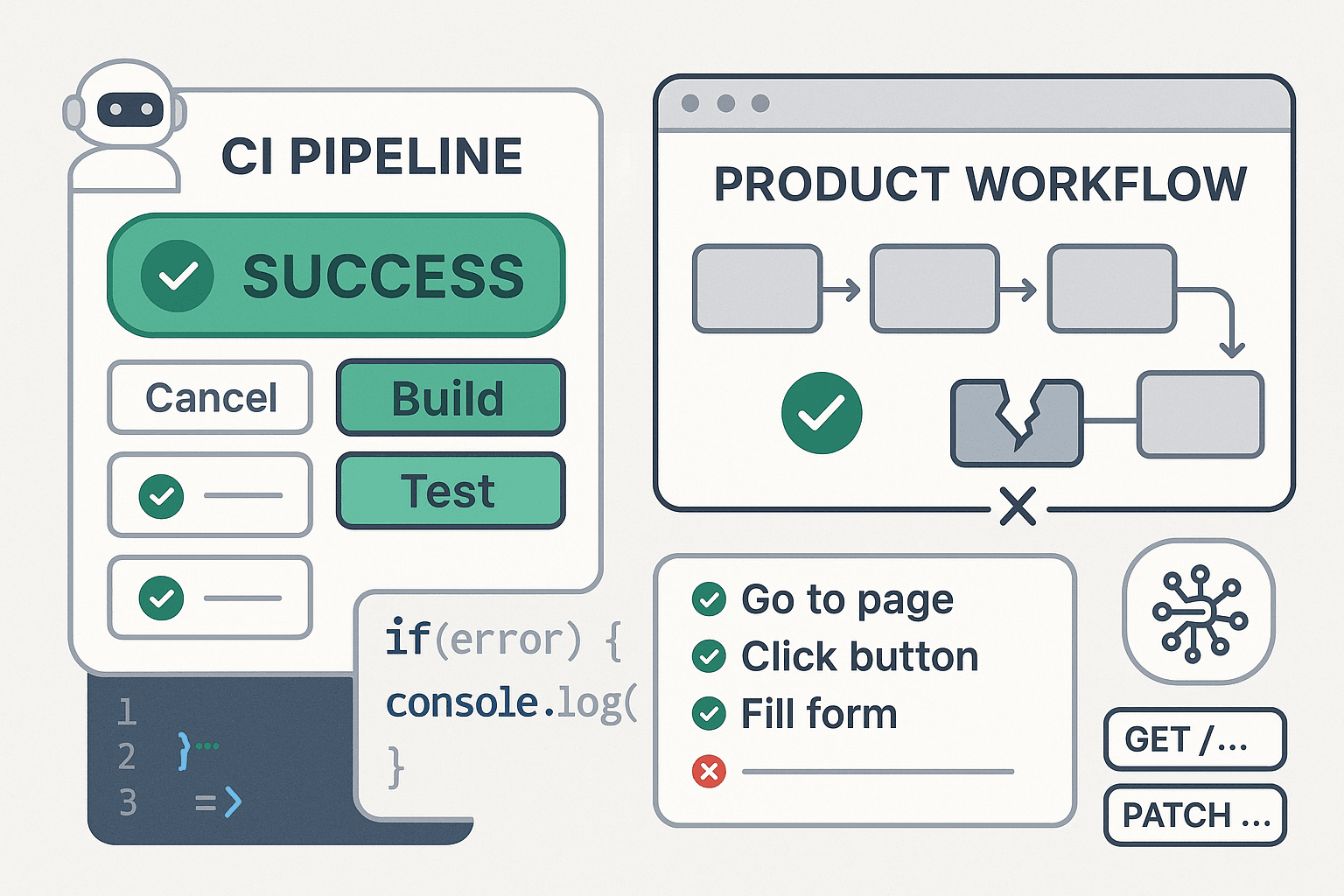
The fix is not “write even more unit tests.” The fix is to redesign CI around validating user intent. When a pull request changes signup, checkout, team invites, dashboard creation, or ticket submission, your pipeline should deploy a preview environment, execute those flows like a user would, observe UI and API state transitions, and fail the PR if the workflow outcome diverges from intent.
The problem is not broken code, it is unverified behavior
Engineering organizations like to talk about correctness as if it emerges naturally from enough coverage. It does not. Coverage mostly tells you what code ran during tests. It does not tell you whether a user successfully completed a meaningful task.
Take a common workflow:
- User clicks “Create Project”
- Frontend validates form input
- Client sends request to backend
- Backend writes a row to the database
- Background worker provisions resources
- API returns a project ID
- UI redirects to
/projects/:id - Polling or websocket updates status
- User sees “Project Ready” and can invite teammates
Any one of those steps can fail in a way that leaves lower-level tests green:
- The button is disabled due to stale client state
- The form serializes the wrong field name
- CSRF or auth headers are missing in preview deploys
- The DB write succeeds but worker queue config is wrong
- The redirect path uses a slug before it exists
- The status polling endpoint is cached incorrectly
- The UI looks successful due to optimistic rendering, but provisioning failed
- The invite button renders before permissions are available
Traditional testing splits this workflow into units because units are easier to reason about and cheaper to run. That made sense when code velocity was lower and app surfaces were simpler. It is less effective when code is generated, rearranged, and expanded at machine speed, across frontends, backends, infrastructure config, and third-party integrations.
The important question is no longer “Did we test this function?” It is “Did anything verify that a user can actually create a project from this PR build?”
If the answer is no, the pipeline is green for the wrong reason.
Why the test pyramid misses the integration glue
The classic test pyramid still has value. Unit tests are fast. Integration tests catch component interaction. End-to-end tests cover real flows. The problem is not the pyramid itself. The problem is how teams use it as permission to underinvest in action-level verification.
In practice, many teams have a shape that looks like this:
- Thousands of unit tests around helpers, reducers, serializers, and utilities
- A few integration tests around APIs or rendered components
- Almost no end-to-end coverage for the workflows that make the business money
That imbalance exists for understandable reasons:
- E2E tests have a reputation for flakiness
- Preview environments are harder than mock-based tests
- Data setup is annoying
- CI runtime costs money
- Ownership is split across frontend, backend, and platform teams
- Developers optimize for merge speed, not outcome verification
So they test everything except the actual thing users do.
This creates a blind spot around integration glue. Glue code rarely looks important in review. It is often just the code that maps one layer to another:
- Event handlers
- Form serialization
- Schema transformations
- Router transitions
- Auth/session propagation
- Feature flag evaluation
- Cache invalidation
- Job enqueueing
- Webhook handling
- Retry logic
- Loading and error states
That glue is where modern product failures live.
A unit test can prove that createProject(payload) returns a valid response when mocked dependencies behave. Another can prove that a button calls onSubmit. Another can prove that a worker processes a queue message. None proves that clicking the real button in the real app causes the expected state transition in the real deployed system.
The gap widens further when teams adopt contract tests and mocked service virtualization. Those tools are useful, but they can give a false sense that the seam is covered. The most painful production bugs are often not contract violations. They are timing issues, missing environment variables, incorrect assumptions about redirect behavior, stale frontend state, auth scope mismatches, and third-party edge cases. Contracts pass. Users still fail.
AI-assisted coding increases false confidence
AI changes the economics of code production. It does not change the physics of distributed systems.
When engineers use AI well, they move faster on repetitive implementation, scaffolding, refactors, migration scripts, and test generation. That is a real productivity gain. But it also produces two side effects that matter for debugging and testing:
First, there is simply more code to verify. More feature surface. More abstractions. More helper layers. More generated tests. More chances for subtle mismatch between intent and implementation.
Second, AI is unusually good at producing locally plausible artifacts. A function looks right. A component compiles. A test appears reasonable. The suite goes green. But the generated output may encode assumptions no one explicitly validated in a running workflow.
This is how false confidence compounds:
- AI refactors a form and updates the component tests
- AI generates unit tests for a backend mutation using mocks
- PR checks remain green because the generated tests align with generated code
- Nobody validates the browser flow in a deployed environment
- A real user path breaks because the browser, API, session, flags, and side effects never got exercised together
You now have more evidence, but not better evidence.
This is the core problem: AI can help create both the implementation and the proof of implementation, while neither touches the actual user outcome. The system is self-consistent and still wrong.
Think about the kinds of bugs AI-assisted code introduces or amplifies:
- Renamed fields that mismatch across layers
- Generated tests that overfit to implementation details
- Copy-pasted assumptions about auth state
- Missing non-obvious side effects like analytics or webhooks
- Incorrect handling of loading states and redirects
- Superficial parity that ignores workflow completion
- Refactors that preserve type correctness but break timing or sequence
These failures are not well captured by “all tests passed.” They are only exposed when the workflow executes.
The core insight: test actions and outcomes, not components and functions
A reliable CI/CD system should answer a business-level question for every meaningful change:
Can a user still accomplish the intended task in this build?
That means your tests should be organized around actions and observable outcomes.
Not:
- Does the button render?
- Does the click handler fire?
- Does the API return 200?
- Does the reducer update local state?
But:
- Can a trial user start a free trial from the pricing page?
- Can an admin invite a teammate and see the invite accepted?
- Can a user create a project and reach a ready state?
- Can a customer complete checkout and land on a confirmed subscription?
Action-level testing is not just browser automation. It is workflow verification. The browser interaction is the trigger. The assertion is on the outcome.
That outcome may involve:
- UI state changes
- URL transitions
- Backend records
- Queue/job completion
- Webhook side effects
- Email/test inbox delivery
- Analytics event emission
- Third-party sandbox status
The pipeline should fail if the user intent is not fulfilled, even if all lower-level checks pass.
This is a shift in philosophy:
- From code correctness to behavior correctness
- From isolated assertions to cross-system verification
- From “the build passed” to “the workflow succeeded”
- From static confidence to executed confidence
If a PR changes a user journey, CI should click the button.
What action-level testing in CI actually looks like
A practical setup usually has four pieces:
- Ephemeral preview environments for each PR
- Deterministic test data and sandbox integrations
- Workflow runners that execute real product actions
- Outcome observers that verify state transitions across UI and APIs
Here is the basic flow:
- A PR opens
- CI builds and deploys a preview environment
- Seed data and feature flags are configured
- A workflow test runner executes high-value journeys against that preview
- The runner checks browser state, network responses, backend state, and side effects
- If any expected outcome fails, the PR is blocked
This is where tools like Playwright are useful, but the important part is not the framework. It is the design of the assertions.
Example: a broken trial signup that lower-level tests miss
Consider a React frontend and a Python backend. The button click starts a checkout session.
Frontend code:
jsasync function startTrial(planId) {
  const res = await fetch('/api/billing/start-trial', {
    method: 'POST',
    headers: { 'Content-Type': 'application/json' },
    body: JSON.stringify({ planId })
  });

  const data = await res.json();

  if (data.url) {
    window.location.href = data.url;
  }
}
Looks harmless. A unit test might assert that when fetch returns { url: 'https://checkout.example' }, the browser redirects. Another test might validate that the button calls startTrial('pro').
Backend code after an AI-assisted refactor:
pythonfrom fastapi import APIRouter
from pydantic import BaseModel

router = APIRouter()

class TrialRequest(BaseModel):
    price_id: str

@router.post('/api/billing/start-trial')
async def start_trial(req: TrialRequest):
    checkout_url = await create_checkout_session(req.price_id)
    return {'url': checkout_url}
The frontend sends planId. The backend expects price_id. Depending on validation and error handling, this may produce a 422, a swallowed exception, or a fallback path that does nothing user-visible. Type checks pass. Unit tests pass. The PR is green.
A workflow test catches it immediately:
jsimport { test, expect } from '@playwright/test';

test('user can start a free trial from pricing page', async ({ page, request }) => {
  await page.goto(process.env.PREVIEW_URL + '/pricing');

  await page.getByRole('button', { name: 'Start Free Trial' }).click();

  await expect(page).toHaveURL(/checkout|billing|trial/);

  const session = await request.get(process.env.PREVIEW_URL + '/api/test/subscription-state?user=trial-user');
  const data = await session.json();

  expect(data.status).toBe('trial_started');
});
Now the build fails for the right reason: the workflow outcome did not happen.
Example: verify asynchronous state, not just immediate responses
A lot of business workflows are asynchronous. Clicking a button enqueues work. If your test only checks for a 200 response, it is not testing the workflow.
Suppose “Create Project” enqueues provisioning.
python@router.post('/api/projects')
async def create_project(req: CreateProjectRequest, user=Depends(current_user)):
    project = await db.projects.insert({
        'name': req.name,
        'owner_id': user.id,
        'status': 'provisioning'
    })
    await queue.enqueue('provision_project', {'project_id': project['id']})
    return {'id': project['id'], 'status': 'provisioning'}
A naive test passes if the response is 200 and contains an ID. A useful test waits for the outcome:
jsimport { test, expect } from '@playwright/test';

test('user can create a project and reach ready state', async ({ page, request }) => {
  await page.goto(`${process.env.PREVIEW_URL}/projects/new`);
  await page.getByLabel('Project name').fill('ci-smoke-project');
  await page.getByRole('button', { name: 'Create Project' }).click();

  await expect(page).toHaveURL(/\/projects\//);
  await expect(page.getByText('Provisioning')).toBeVisible();

  await expect.poll(async () => {
    const url = page.url();
    const projectId = url.split('/').pop();
    const res = await request.get(`${process.env.PREVIEW_URL}/api/test/projects/${projectId}`);
    const project = await res.json();
    return project.status;
  }, {
    timeout: 30000,
    intervals: [1000, 2000, 5000]
  }).toBe('ready');

  await expect(page.getByText('Project Ready')).toBeVisible();
});
That test is doing real verification:
- It triggers the workflow through the UI
- It observes the browser redirect
- It checks intermediate state
- It validates backend convergence to the expected result
This is the shape of useful action-level testing.
CI/CD should validate preview deployments, not just repository code
A lot of CI pipelines still stop at “the repo builds and tests pass.” That is not enough. Reliability problems often emerge only after deployment:
- Missing environment variables
- Misconfigured OAuth redirect URIs
- Wrong API base URLs
- Preview-specific cookie issues
- Service credentials missing in one environment
- CORS or CSRF differences
- Feature flag mismatches
- Queue workers not connected
If your pipeline does not test the deployed artifact, you are leaving out the most failure-prone part of the system.
A modern GitHub Actions setup might look like this:
yamlname: pr-verification

on:
  pull_request:

jobs:
  build-test-deploy:
    runs-on: ubuntu-latest
    outputs:
      preview_url: ${{ steps.deploy.outputs.preview_url }}
    steps:
      - uses: actions/checkout@v4

      - uses: actions/setup-node@v4
        with:
          node-version: 20

      - run: npm ci
      - run: npm run lint
      - run: npm run typecheck
      - run: npm run test:unit

      - name: Build app
        run: npm run build

      - name: Deploy preview
        id: deploy
        run: |
          PREVIEW_URL=$(./scripts/deploy-preview.sh)
          echo "preview_url=$PREVIEW_URL" >> $GITHUB_OUTPUT

  workflow-tests:
    needs: build-test-deploy
    runs-on: ubuntu-latest
    steps:
      - uses: actions/checkout@v4

      - uses: actions/setup-node@v4
        with:
          node-version: 20

      - run: npm ci

      - name: Seed preview environment
        env:
          PREVIEW_URL: ${{ needs.build-test-deploy.outputs.preview_url }}
        run: node scripts/seed-preview.js

      - name: Run workflow tests
        env:
          PREVIEW_URL: ${{ needs.build-test-deploy.outputs.preview_url }}
        run: npx playwright test tests/workflows
This is still not enough if the tests are shallow. But it is the right place to run deep verification: against the built, deployed, configured system.
Designing tests around intent instead of implementation
The best workflow tests map to business-critical outcomes. Start there, not with broad UI coverage.
Bad target:
- “Test every page”
Better target:
- “Verify a new user can sign up and reach the dashboard”
- “Verify checkout creates an active subscription”
- “Verify password reset sends email and allows login”
- “Verify admin can invite a teammate and teammate can accept”
- “Verify support ticket submission creates a record and confirmation”
These are the tests worth spending reliability budget on.
A useful pattern is to express workflows as intent plus evidence:
-
Intent: user starts a free trial
-
Evidence: checkout redirect occurred, subscription state changed, dashboard reflects trial status
-
Intent: user creates a project
-
Evidence: project row created, provisioning completed, UI shows ready state
-
Intent: admin invites teammate
-
Evidence: invite record exists, email captured in test inbox, acceptance grants access
Notice that the evidence often spans layers. That is good. If the workflow only “passes” because the UI mocked success while the backend failed, you want the test to fail.
Tools comparison: what each layer is good for
You do not need to abandon unit tests. You need to stop pretending they answer workflow questions.
Unit tests
Best for:
- Business logic
- Pure functions
- Edge-case enumeration
- Fast feedback during development
Weak for:
- Multi-system behavior
- Routing/auth/session issues
- Environment config problems
- User workflow validation
Integration tests
Best for:
- Service boundaries
- DB interactions
- API contracts
- Component composition
Weak for:
- Browser behavior
- Full action-to-outcome verification
- Deployment-specific failures
QA/manual testing
Best for:
- Exploratory debugging
- UX issues
- Unscripted edge cases
- Release confidence for major changes
Weak for:
- Consistency
- Speed
- Per-PR enforcement
- Coverage of every merge
Browser automation in preview environments
Best for:
- High-value user workflows
- Regression prevention
- Deployment validation
- Cross-layer outcome verification
Weak for:
- Broad low-value coverage if overused
- Poorly managed data dependencies
- Slow suites without prioritization
AI agents executing product flows
Best for:
- Adaptive navigation in changing UIs
- Richer debugging artifacts
- Workflow execution with context
- Extending coverage beyond brittle selectors when used carefully
Weak for:
- Nondeterminism if not constrained
- Hard-to-audit assertions if prompts are vague
- False positives if “success” is loosely defined
The right stack is not one tool replacing another. It is a layered strategy where action-level testing becomes the gate for meaningful workflows.
Practical patterns that reduce flakiness without reducing coverage
The standard objection is that end-to-end testing is flaky. That objection is often true, but usually because teams write brittle UI scripts instead of deterministic workflow checks.
A few practices make a huge difference.
1. Test stable outcomes, not incidental UI details
Avoid assertions like:
- exact pixel layouts
- transient animation timing
- text that changes frequently for marketing reasons
Prefer assertions like:
- URL changed to expected route
- record exists in backend
- status transitioned to expected state
- role-based element became available
2. Add test-only observation endpoints where appropriate
You do not need to expose internal state publicly, but preview and CI environments can provide authenticated test helpers.
Example:
python@router.get('/api/test/projects/{project_id}')
async def get_project_state(project_id: str, user=Depends(require_test_token)):
    project = await db.projects.find_one({'id': project_id})
    return {
        'id': project['id'],
        'status': project['status'],
        'owner_id': project['owner_id']
    }
This makes debugging and testing far more reliable than scraping every state from the DOM.
3. Seed deterministic data
Flaky tests often come from shared mutable state. Seed known accounts, plans, flags, and sandbox resources per preview environment.
4. Control third-party dependencies
Use sandbox providers where possible. If not, stub only the external edge while keeping your internal flow real. The goal is to verify your workflow, not the availability of an unrelated vendor.
5. Keep the workflow suite small and consequential
Do not try to encode your whole product as browser tests. Gate on the flows that matter:
- acquisition
- activation
- conversion
- collaboration
- retention-critical actions
Ten meaningful workflow tests are more valuable than 400 shallow UI checks.
6. Capture artifacts for debugging
When a workflow fails, you want:
- screenshots
- video
- browser console logs
- network traces
- backend logs correlated by request ID
- final observed state from test endpoints
Good debugging is part of good testing. If your CI only says “timeout after 30s,” people will stop trusting it.
A better mental model for CI: prove the outcome you care about
Most pipelines are still designed around proving that code is internally coherent. Lint. Types. Unit tests. Build. Maybe some integration tests. All useful. None sufficient.
A more honest CI/CD model separates evidence into two categories:
Structural confidence
- code compiles
- tests pass
- contracts hold
- static analysis is clean
Behavioral confidence
- deployed system accepts the user action
- expected state transitions occur
- user-visible outcome matches intent
Structural confidence tells you the change is plausible. Behavioral confidence tells you the product still works.
You need both. But if you can only gate on one for business-critical workflows, gate on behavior.
This matters even more in organizations optimizing developer productivity. Faster coding only helps if verification keeps pace. Otherwise, you are just accelerating the rate at which broken workflows reach production.
How teams should redesign CI around user outcomes
If you want to close the verification gap, change the pipeline in concrete ways.
Classify critical workflows
Identify the user journeys that represent revenue, activation, and trust. Usually this list is small:
- signup/login
- onboarding completion
- checkout/subscription change
- create core resource
- invite/share/collaborate
- support or transaction submission
Treat these as release gates.
Map PRs to workflows
Not every PR needs every workflow test. Use path-based rules, tags, ownership metadata, or changed service detection to decide which journeys to run.
Examples:
- billing code changed → run trial and checkout flows
- auth code changed → run signup/login/reset flows
- project service changed → run create/edit/delete project flows
Deploy every meaningful PR to an ephemeral environment
Without a deploy target, you are not testing reality. Preview environments should resemble production in routing, auth, flags, and service wiring as closely as practical.
Instrument the system for verification
Make it easy for tests to observe backend truth. Add test tokens, state endpoints, trace IDs, inbox capture, and job inspection where needed.
Fail on outcome divergence, not just exceptions
A workflow can fail silently. Your runner should detect missing redirects, stalled statuses, absent records, or mismatched UI state even when no exception is thrown.
Use AI carefully as an executor, not as a substitute for assertions
AI agents can help navigate interfaces and adapt to change. But the pass/fail criteria must be explicit and deterministic. “The page looked okay” is not verification. “Subscription state became active within 30 seconds after clicking Start Trial” is verification.
The uncomfortable truth: green pipelines are often theater
A lot of engineering teams are measuring the wrong thing. They celebrate fast builds and high coverage while users hit broken paths that nobody exercised. The dashboard is green because the pipeline proved that code artifacts agree with each other, not that the product delivers the intended result.
That gap existed before AI, but AI makes it bigger because it raises output volume and lowers the friction to generating plausible tests. You can now create a lot of evidence very quickly. If that evidence is detached from real behavior, it is just more sophisticated theater.
The answer is not cynicism. It is better verification design.
Click the button in CI. Submit the form. Follow the redirect. Wait for the job. Check the record. Verify the state change. Fail the PR if the user outcome does not happen.
That is what reliability looks like in modern software.
Conclusion
The most expensive bugs are rarely the ones hidden in pure functions. They live in the seams between interface, backend, infrastructure, and third-party systems. Traditional testing catches some of that, but not enough. AI-assisted coding makes the gap more dangerous because it increases both code output and the amount of locally convincing but globally unverified behavior.
So stop asking whether the repository is green. Ask whether the workflow was executed.
If no system clicked the button, followed the path, and observed the intended result in a real preview environment, then your CI has not verified the thing users actually care about. It has verified a collection of parts.
That is not the same as a working product.
Redesign your testing strategy around action-level verification. Use CI/CD to validate deployed workflows, not just isolated code behavior. Keep unit and integration tests, but demote them from final authority. The final authority for critical paths should be simple: a user action happened, the system responded, and the intended outcome was true.
Until your pipeline can prove that, green does not mean safe. It just means nobody clicked the button.