
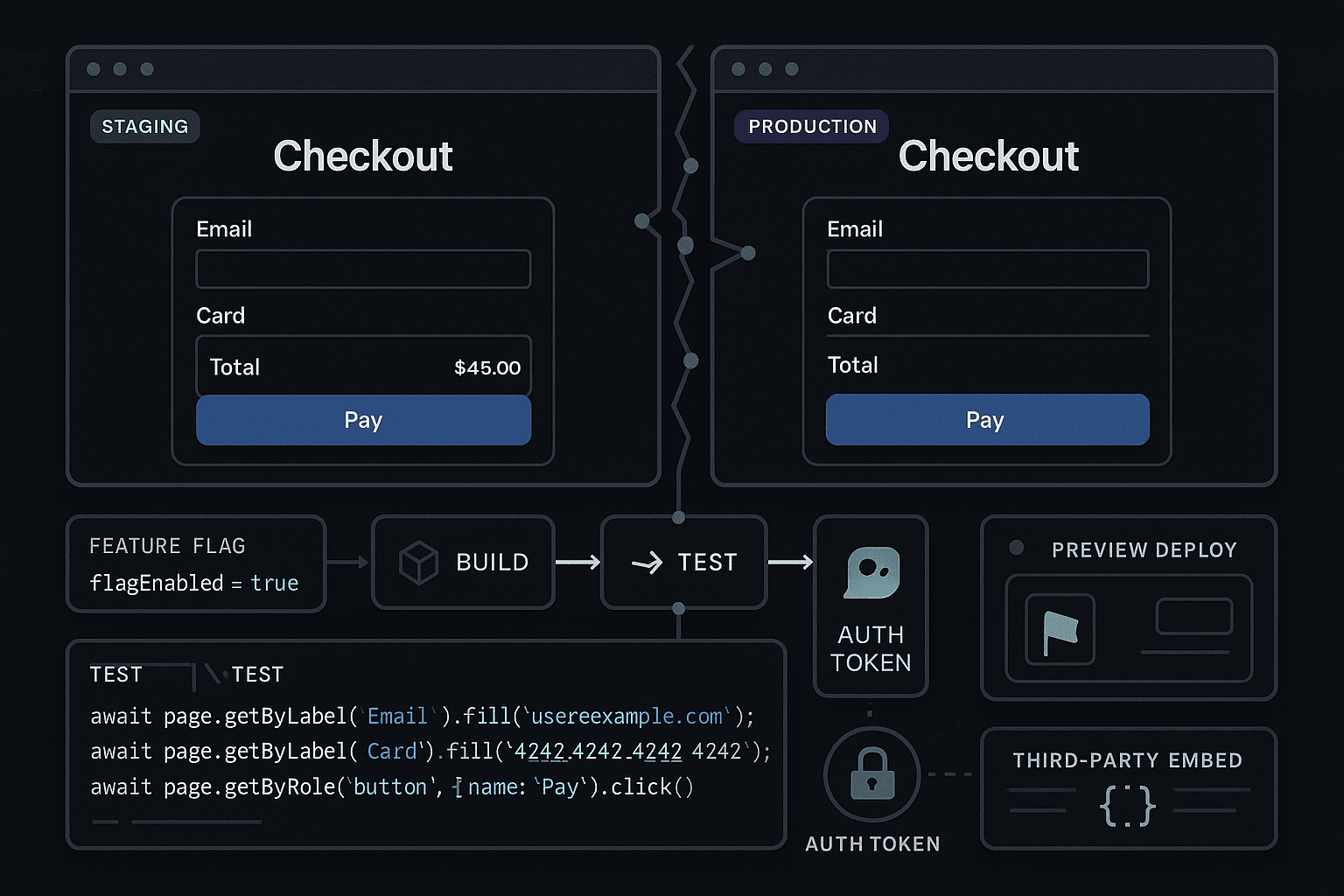
The failure showed up three minutes after deploy.
Checkout had passed in staging. The preview build looked clean. QA clicked through the main pages, signed off, and the CI pipeline was green from top to bottom. Then production traffic hit the new release, customers started entering shipping details, and the payment step quietly failed for a subset of logged-in users using a feature-flagged path that loaded a third-party fraud script after an auth token refresh.
Nothing was technically "down." The homepage worked. Product pages rendered. Health checks were green. Error budgets barely moved at first. But the money path was broken.
This is one of the most common modern reliability failures: the system looks fine when you verify pages, but breaks when real users perform actions.
Preview deploys and staging environments are useful. They catch layout regressions, obvious routing bugs, and some integration issues. But they also create false confidence because they tend to validate presence rather than behavior. Teams check that a page loads, that a button appears, that a basic happy path looks plausible. They do not verify that a real user action succeeds under the conditions production actually creates: expiring sessions, asynchronous jobs, delayed webhooks, feature-flag variation, third-party latency, account state, and race conditions between frontend and backend systems.
That missing layer between "the app rendered" and "the user completed the task" is where revenue leaks, trust erodes, and incident retrospectives get written.
AI-generated code makes this worse, not because AI is uniquely reckless, but because it increases throughput. More code ships. More files change. More flows are modified indirectly. The same shallow checks now need to cover a much larger blast radius. If your release process still relies on preview deploy inspection, staging signoff, a unit test suite, and maybe a few brittle end-to-end tests no one trusts, you are increasing the speed of delivery without increasing the quality of verification.
The answer is not more ceremony. It is better verification: action-level testing in pull requests and deploy pipelines that proves critical user workflows still work in conditions close to reality.
The problem with page-level confidence
Most teams overestimate what staging proves.
A preview environment tells you that the current branch can be deployed somewhere and rendered in a browser. A staging environment tells you that a version of the system appears to work in a pre-production setup. Those are useful signals, but they are weak signals for production behavior.
Why? Because user-facing systems fail at boundaries:
- Between frontend state and backend state
- Between your app and third-party services
- Between one request and the next
- Between one user segment and another
- Between synchronous UI updates and asynchronous systems
- Between ideal timing in test environments and messy timing in production
A page rendering successfully means almost nothing about whether a workflow completes.
Consider checkout. To a human reviewer, checkout in staging often means:
- Product page loads
- Cart opens
- Address form displays
- Payment section appears
- Confirmation page seems reachable
To a customer, checkout means something stricter:
- The cart preserved state from prior steps
- The logged-in account context remained valid
- Shipping rules resolved for the actual destination
- Tax calculation completed
- Fraud checks passed
- Payment tokenization succeeded
- Feature flags selected the correct code path
- Order creation triggered inventory reservation
- Confirmation email/job/webhook chain completed
That gap is the difference between software that looks deployed and software that works.
Why current approaches fail
Teams usually defend themselves with some combination of CI, unit tests, manual QA, and staging signoff. Each helps. None is enough.
CI/CD often validates the wrong layer
Most CI/CD pipelines are optimized around build correctness, not behavior correctness.
A typical pipeline runs:
- Linting
- Type checks
- Unit tests
- Build step
- Maybe API integration tests
- Deploy preview
This is good engineering hygiene. It is not a reliable measure of whether real user actions work.
A green pipeline can hide serious workflow failures because the tests are too isolated. Unit tests confirm that functions return expected values for selected inputs. Integration tests often verify service contracts in controlled conditions. Snapshot and visual checks confirm rendering. None of that proves a customer can log in, add items to cart, complete payment, and receive confirmation while crossing auth boundaries, backend state transitions, and external dependencies.
That is why CI/CD can create false confidence. It gives a precise answer to a narrow question: did the code build and pass the tests we wrote? It does not answer the more important production question: can users still complete critical actions?
Unit tests are excellent, but they are local truth
Unit tests are one of the best tools we have for debugging and safe refactoring. They are fast, deterministic, and great for locking down logic. But they only see the local component or function under test.
You can have 95% unit test coverage and still break checkout because:
- The auth refresh token is not attached in the browser after a redirect
- The payment iframe loads slower than your frontend expects
- A feature flag changes the request shape for one cohort
- A background job now processes in a different order
- The production CDN caches a stale config file
- The API returns data that is technically valid but semantically incompatible with the UI state machine
Unit tests tell you that each piece behaves in isolation. User workflows fail in composition.
Manual QA checks what people can notice quickly
Manual QA is still valuable, especially exploratory testing. Good QA engineers catch issues no scripted system would consider. But the economics of manual verification do not scale with modern deployment speed.
Manual signoff in staging usually drifts toward what is visible and repeatable:
- Do pages render?
- Does the basic flow still appear intact?
- Can I click through the obvious path once?
That process misses the hard failures:
- Timing-sensitive bugs
- State-dependent bugs
- Segment-specific bugs
- Rare auth transitions
- Flaky third-party behavior
- Delayed asynchronous updates
Even worse, teams often test with unrealistic accounts, unrealistic data, unrealistic timing, and unrealistic system load. The result is staged confidence for synthetic conditions.
Staging lies by being too clean
Staging environments rarely match production in the ways that matter most.
They are cleaner. Smaller. Quieter. More controlled.
Typical gaps include:
- Different auth providers or token lifetimes
- Sandboxed third-party integrations
- Reduced or fake traffic patterns
- Incomplete feature flag rollout logic
- Different infrastructure scale and latency
- Missing background-job volume
- Fewer account states and data edge cases
- Simpler caching and CDN behavior
A flow that works in staging can still fail in production because the sequence of events is different under real timing. The page can render perfectly while the user action races a token refresh, an event processor, or a webhook callback.
That is the missing layer: verification of user actions under production-like conditions.
The core insight: reliability lives at the action level
If the metric that matters is whether users can complete tasks, then your testing strategy must verify tasks, not just code paths or page states.
That means expressing tests in terms of actions and outcomes:
- Can a logged-in user add an item to cart and check out?
- Can a new user sign up, verify email, and create a workspace?
- Can an admin invite a member with a feature flag enabled?
- Can a customer update billing details when the payment provider loads slowly?
- Can a user recover from an expired session in the middle of a flow?
This is not just end-to-end testing in the vague enterprise sense. It is action-level verification tied to business-critical workflows and run where it matters: on pull requests, on preview deployments, before promotion, and after deploy.
The goal is not to simulate every possible production event. The goal is to prove that the workflows you cannot afford to break still succeed when exercised through the real system boundaries.
What last-mile failures actually look like
Here are the classes of failures that preview deploys and staging signoff routinely miss.
Auth state and session transitions
Auth bugs rarely appear on the first page load. They appear after state changes.
Examples:
- Session expires mid-checkout
- Token refresh succeeds in API calls but not in embedded payment flows
- Cross-domain cookie behavior differs in preview vs production
- Redirect callback URL works in staging but not for preview subdomains
- Role-based permissions differ after account switching
These are workflow failures. The page looks fine until the user performs the next step.
Third-party embeds and scripts
Third-party systems are common failure points because they are loaded asynchronously and behave differently in real environments.
Examples:
- Payment iframe loads late and the submit button enables too early
- Fraud detection script blocks order creation for certain geographies
- Chat/support widget mutates DOM state unexpectedly
- Tax or shipping calculator times out only at production latency
- Analytics script introduces race conditions in form submission
A preview deploy that "renders checkout" tells you none of this.
Feature flags and segmented behavior
Feature flags increase safety when used well, but they also multiply behavioral branches.
Examples:
- One cohort gets a new checkout component with a mismatched API contract
- A flag is evaluated differently server-side and client-side
- Preview environments default all flags on or off, unlike production
- Targeting logic depends on account state unavailable in staging
If your verification does not execute the flow under the same flag conditions users see, the checks are incomplete.
Background jobs and asynchronous systems
Some workflows only complete after async work finishes.
Examples:
- Order placed but confirmation page polls before the job completes
- Inventory reservation lags and causes duplicate purchases
- Account provisioning job succeeds slowly and UI assumes instant readiness
- Email verification webhook is delayed and signup appears broken
- Search index update lags after content publish
These are some of the hardest bugs to catch with page inspection or static API assertions because the failure is in timing and sequencing.
Production-like timing and race conditions
A lot of modern bugs are not logic bugs. They are timing bugs.
Examples:
- Double-submit under slow mobile latency creates duplicate mutations
- Optimistic UI hides a failed backend write
- Client assumes data freshness after navigation, but cache invalidation lags
- SSR content and client hydration disagree under network delay
- One request returns before another and state machines enter impossible states
Traditional testing often avoids these conditions because deterministic tests are easier to maintain. But users live in nondeterminism.
AI-generated code increases the blast radius
The problem is not that AI writes uniquely bad code. The problem is that AI changes the economics of shipping.
Teams can now produce far more code, refactors, UI variations, glue logic, and integration changes in the same amount of time. Founders can ship broader product changes without adding proportional review depth. Engineers can modify unfamiliar parts of the stack faster. Internal tools can generate handlers, migrations, UI forms, and service wrappers with impressive speed.
That means:
- More code reaches review
- More indirect dependencies are touched
- More workflows are altered by seemingly small changes
- More assumptions slip through because the generated code "looks reasonable"
If your testing strategy was already shallow, AI amplifies the mismatch. You are feeding more changes into the same validation funnel.
A generated form handler might compile, pass unit tests, and render correctly in preview. It can still break the real workflow because it triggers a slightly different request shape, changes debounce behavior, introduces a race in state updates, or mishandles a feature-flagged field only used by enterprise customers.
Developer productivity without deeper behavioral verification is not reliability. It is throughput with delayed debugging.
What action-level verification looks like in practice
The practical answer is to define a small set of business-critical workflows and verify them continuously in realistic environments.
For a commerce product, that might be:
- Guest checkout
- Logged-in checkout
- Apply coupon
- Save payment method
- Account creation from checkout
- Refund initiation for support/admin flows
For a SaaS app, it might be:
- Signup and email verification
- Workspace creation
- Invite teammate
- Upgrade plan
- SSO login
- Create, save, and share a core resource
These tests should:
- Drive the application through the browser or API boundary as a user would
- Use realistic accounts and seeded state
- Assert business outcomes, not just UI presence
- Include waits tied to system state, not arbitrary sleeps
- Run against preview deployments when possible
- Gate promotion for high-risk changes
- Continue after deploy as synthetic production checks for critical paths
Playwright is a strong fit because it can exercise real browser flows while staying maintainable if you keep the scope focused on workflows rather than exhaustive UI permutations.
Example: shallow test vs action-level test
A shallow UI test might look like this in JavaScript:
jsimport { test, expect } from '@playwright/test';

test('checkout page renders', async ({ page }) => {
  await page.goto('/checkout');
  await expect(page.getByText('Checkout')).toBeVisible();
  await expect(page.getByRole('button', { name: 'Pay now' })).toBeVisible();
});
This is better than nothing. It verifies rendering. It does not verify checkout.
An action-level test is closer to this:
jsimport { test, expect } from '@playwright/test';

test('logged-in user can complete checkout', async ({ page }) => {
  await page.goto('/login');
  await page.getByLabel('Email').fill('buyer@example.com');
  await page.getByLabel('Password').fill(process.env.E2E_TEST_PASSWORD);
  await page.getByRole('button', { name: 'Sign in' }).click();

  await page.goto('/products/sku-123');
  await page.getByRole('button', { name: 'Add to cart' }).click();
  await page.getByRole('link', { name: 'Cart' }).click();
  await page.getByRole('button', { name: 'Checkout' }).click();

  await page.getByLabel('Address line 1').fill('123 Market St');
  await page.getByLabel('City').fill('San Francisco');
  await page.getByLabel('ZIP').fill('94103');

  const paymentFrame = page.frameLocator('iframe[title="Secure payment input"]');
  await paymentFrame.getByPlaceholder('Card number').fill('4242424242424242');
  await paymentFrame.getByPlaceholder('MM / YY').fill('12/34');
  await paymentFrame.getByPlaceholder('CVC').fill('123');

  await page.getByRole('button', { name: 'Pay now' }).click();

  await expect(page.getByText('Order confirmed')).toBeVisible();
  await expect(page.getByText(/Order #/)).toBeVisible();
});
Still incomplete, but now we are testing a workflow.
A stronger version would also assert the backend outcome using test-visible APIs or admin endpoints:
jsimport { test, expect } from '@playwright/test';

test('checkout creates a paid order record', async ({ page, request }) => {
  const email = `buyer+${Date.now()}@example.com`;

  await request.post('/test-support/create-user', {
    data: { email, password: process.env.E2E_TEST_PASSWORD }
  });

  await page.goto('/login');
  await page.getByLabel('Email').fill(email);
  await page.getByLabel('Password').fill(process.env.E2E_TEST_PASSWORD);
  await page.getByRole('button', { name: 'Sign in' }).click();

  await page.goto('/products/sku-123');
  await page.getByRole('button', { name: 'Add to cart' }).click();
  await page.getByRole('button', { name: 'Checkout' }).click();

  await page.getByLabel('Address line 1').fill('123 Market St');
  await page.getByLabel('City').fill('San Francisco');
  await page.getByLabel('ZIP').fill('94103');

  const paymentFrame = page.frameLocator('iframe[title="Secure payment input"]');
  await paymentFrame.getByPlaceholder('Card number').fill('4242424242424242');
  await paymentFrame.getByPlaceholder('MM / YY').fill('12/34');
  await paymentFrame.getByPlaceholder('CVC').fill('123');

  await page.getByRole('button', { name: 'Pay now' }).click();
  await expect(page.getByText('Order confirmed')).toBeVisible();

  await expect
    .poll(async () => {
      const response = await request.get(`/test-support/orders?email=${email}`);
      const body = await response.json();
      return body.orders?.[0]?.status;
    }, { timeout: 15000 })
    .toBe('paid');
});
Notice the difference. We are not just asking whether the page loaded. We are asking whether the business action completed.
Handling async systems without brittle sleeps
A lot of teams avoid workflow testing because they have been burned by flaky end-to-end suites. Usually the problem is not the idea of browser testing. The problem is implementation.
Bad pattern:
jsawait page.getByRole('button', { name: 'Create account' }).click();
await page.waitForTimeout(5000);
await expect(page.getByText('Welcome')).toBeVisible();
Better pattern:
jsawait page.getByRole('button', { name: 'Create account' }).click();

await expect
  .poll(async () => {
    const res = await page.request.get('/api/account/status');
    const data = await res.json();
    return data.state;
  }, { timeout: 20000 })
  .toBe('ready');

await page.reload();
await expect(page.getByText('Welcome')).toBeVisible();
Flakiness often comes from asserting on timing instead of state. If a background job matters, observe the system state that proves completion.
Python example for API-level workflow verification
Not every action-level check needs a browser. Some last-mile risks are better covered with API workflows that verify side effects.
Here is a Python example using requests to validate a post-checkout async sequence:
pythonimport os
import time
import requests

BASE_URL = os.environ['BASE_URL']
ADMIN_TOKEN = os.environ['ADMIN_TOKEN']

session = requests.Session()

# Create test order through support endpoint
resp = session.post(
    f"{BASE_URL}/test-support/create-order",
    json={"sku": "sku-123", "email": f"buyer+{int(time.time())}@example.com"}
)
resp.raise_for_status()
order_id = resp.json()["order_id"]

# Simulate external payment webhook
resp = session.post(
    f"{BASE_URL}/test-support/mark-paid",
    json={"order_id": order_id},
    headers={"Authorization": f"Bearer {ADMIN_TOKEN}"}
)
resp.raise_for_status()

# Poll until async fulfillment completes
for _ in range(20):
    resp = session.get(
        f"{BASE_URL}/test-support/order-status/{order_id}",
        headers={"Authorization": f"Bearer {ADMIN_TOKEN}"}
    )
    resp.raise_for_status()
    state = resp.json()["status"]
    if state == "fulfilled":
        break
    time.sleep(1)
else:
    raise AssertionError(f"Order {order_id} did not reach fulfilled state")

print("Workflow verified: paid order reached fulfilled state")
This is not a replacement for browser verification. It complements it by checking async state transitions that matter to the user experience.
Putting workflow tests into CI/CD
The point is not to create a giant nightly test monster. The point is to insert the right checks at the right moments.
A pragmatic CI/CD layout looks like this:
-
Fast local checks on every commit
- Lint
- Type check
- Unit tests
- Small integration tests
-
Workflow smoke tests on pull requests
- Run against preview deployment URL
- Cover a few critical actions
- Focus on changed risk areas when possible
-
Pre-promotion verification
- Run higher-confidence workflow suite against candidate build
- Include feature-flag variants for sensitive paths
-
Post-deploy synthetic checks
- Run critical user journeys in production with test accounts
- Alert on failures immediately
Here is an example GitHub Actions workflow for PR-based Playwright verification:
yamlname: pr-workflow-checks

on:
  pull_request:

jobs:
  test-workflows:
    runs-on: ubuntu-latest
    steps:
      - uses: actions/checkout@v4

      - uses: actions/setup-node@v4
        with:
          node-version: 20

      - run: npm ci
      - run: npx playwright install --with-deps

      - name: Wait for preview deploy
        run: node scripts/wait-for-preview.js
        env:
          PREVIEW_URL: ${{ secrets.PREVIEW_URL }}

      - name: Run critical workflow tests
        run: npx playwright test tests/workflows --reporter=line
        env:
          BASE_URL: ${{ secrets.PREVIEW_URL }}
          E2E_TEST_PASSWORD: ${{ secrets.E2E_TEST_PASSWORD }}
And a deploy gate that only runs a smaller, high-signal subset:
yamlname: deploy-gate

on:
  workflow_dispatch:

jobs:
  verify-release:
    runs-on: ubuntu-latest
    steps:
      - uses: actions/checkout@v4
      - uses: actions/setup-node@v4
        with:
          node-version: 20
      - run: npm ci
      - run: npx playwright install --with-deps
      - run: npx playwright test tests/release-gate/checkout.spec.ts tests/release-gate/signup.spec.ts
        env:
          BASE_URL: ${{ secrets.CANDIDATE_URL }}
          E2E_TEST_PASSWORD: ${{ secrets.E2E_TEST_PASSWORD }}
The exact mechanics matter less than the principle: verify actions where release decisions are made.
Tools comparison: what each layer is good for
No single tool solves reliability. The right model is layered testing with honest expectations.
Unit test frameworks: Jest, Vitest, Pytest
Best for:
- Business logic correctness
- Component behavior in isolation
- Fast feedback during development
- Regression-proofing bug fixes
Weak at:
- Cross-system workflows
- Browser behavior
- Auth/session transitions
- Third-party integration timing
Verdict: essential, but insufficient for last-mile reliability.
Integration tests
Best for:
- Verifying service contracts
- Database interactions
- Internal API behavior
- Controlled subsystem combinations
Weak at:
- Full user workflows
- Real browser state
- Production-like third-party behavior
- Frontend/backend race conditions
Verdict: important middle layer, still not enough on their own.
Manual QA and staging review
Best for:
- Exploratory testing
- UX judgment
- Visual and interaction sanity checks
- Catching weirdness humans notice instinctively
Weak at:
- Repeatability
- Coverage under deployment speed
- Timing/race-condition detection
- Continuous gating in CI/CD
Verdict: valuable, but should not be the primary proof that critical workflows work.
Playwright and browser workflow testing
Best for:
- Action-level verification
- Browser state, auth, redirects, embeds
- PR and deploy pipeline checks
- Debugging failures with traces, screenshots, and video
Weak at:
- Large uncurated suites can become slow and flaky
- Requires discipline in data setup and assertions
- Not ideal for testing every tiny UI detail
Verdict: one of the strongest tools for the missing layer between preview and production, if kept focused on critical workflows.
Synthetic production monitoring
Best for:
- Catching post-deploy regressions quickly
- Verifying production-only behavior
- Monitoring business-critical journeys continuously
Weak at:
- Usually narrow in scope
- Needs careful test-account hygiene
- Detects issues after deploy, not before
Verdict: necessary safety net, not a replacement for PR and release verification.
Actionable practices that actually reduce failures
If you want fewer incidents of the "staging passed, users failed" variety, do these things.
1. Define critical workflows in business terms
Do not start with test cases. Start with revenue and trust.
Ask:
- What actions make or save money?
- What user tasks are existential if broken?
- Which workflows generate support escalations immediately?
Keep the list short at first. Five to ten workflows is enough to create leverage.
2. Make workflow outcomes observable
A workflow test is only as good as its assertions. If the only observable signal is a success toast, you are under-instrumented.
Add safe test support capabilities such as:
- Read-only status endpoints for test accounts
- Admin APIs in non-production environments
- Event/state inspection for background jobs
- Correlation IDs in logs and traces
Better observability improves both testing and debugging.
3. Use production-like accounts and flags
If enterprise users get different code paths, test with enterprise-like accounts. If logged-in users behave differently from guests, test both. If flags change behavior, verify the relevant variants.
The goal is not infinite combinatorics. It is realistic coverage of meaningful branches.
4. Stop over-trusting green previews
A preview URL is not proof. It is an execution target.
Treat preview deployments as places to run workflow verification, not as evidence by themselves. A rendered page is a starting point, not a release signal.
5. Keep browser suites small and high-signal
Do not try to encode your entire application into Playwright. That is how teams create expensive, brittle suites no one trusts.
Instead:
- Test critical journeys end to end
- Test edge conditions that have actually failed before
- Push lower-level logic into unit and integration tests
- Archive or rewrite flaky tests quickly
Fewer meaningful tests are better than hundreds of decorative ones.
6. Assert on system state, not just UI text
Whenever possible, verify outcomes beyond the browser:
- Order exists and is paid
- Workspace was provisioned
- Invitation email/job was created
- Subscription state changed
- Feature entitlement updated
This dramatically improves reliability and debugging value.
7. Add post-deploy production checks for critical actions
Some issues only exist in production. Accept that reality and monitor accordingly.
Use synthetic tests with well-scoped test accounts to verify:
- Login
- Signup
- Checkout or upgrade
- Core object creation
If these fail, page the right team quickly.
8. Use failures to harden the suite
Every production incident should raise a simple question: what action-level check would have caught this earlier?
Do not respond by adding dozens of tests. Add the smallest workflow check that would have exposed the regression in CI/CD or immediately after deploy.
Over time, your suite becomes a map of hard-won operational knowledge.
9. Match test strategy to change velocity
If AI tools let your team ship two or three times more changes, your verification depth must rise accordingly. Otherwise your debugging burden simply shifts right into production.
Higher developer productivity without stronger action-level testing means more regressions per week, not fewer.
Conclusion
Staging did not fail you because it was useless. It failed you because you asked it to answer a question it cannot answer reliably.
Preview deploys, staging environments, unit tests, and manual QA all have real value. But they mostly tell you that the software looks plausible, builds correctly, and behaves in isolated conditions. They do not prove that users can complete the actions that matter under real-world auth state, third-party dependencies, feature flags, asynchronous processing, and production timing.
That missing layer is action-level verification.
If a customer journey matters, test the journey. Run it in pull requests. Run it before promotion. Run it after deploy. Assert on the business outcome, not just the page. Keep the suite small, serious, and tied to actual risk.
This is the shift modern teams need to make, especially as AI accelerates code generation. More code is not the problem. More unverified behavior is.
The teams that improve reliability in the next few years will not be the ones with the prettiest staging environments or the greenest shallow CI dashboards. They will be the ones that understand a simple truth:
software is only working when the user action succeeds.