
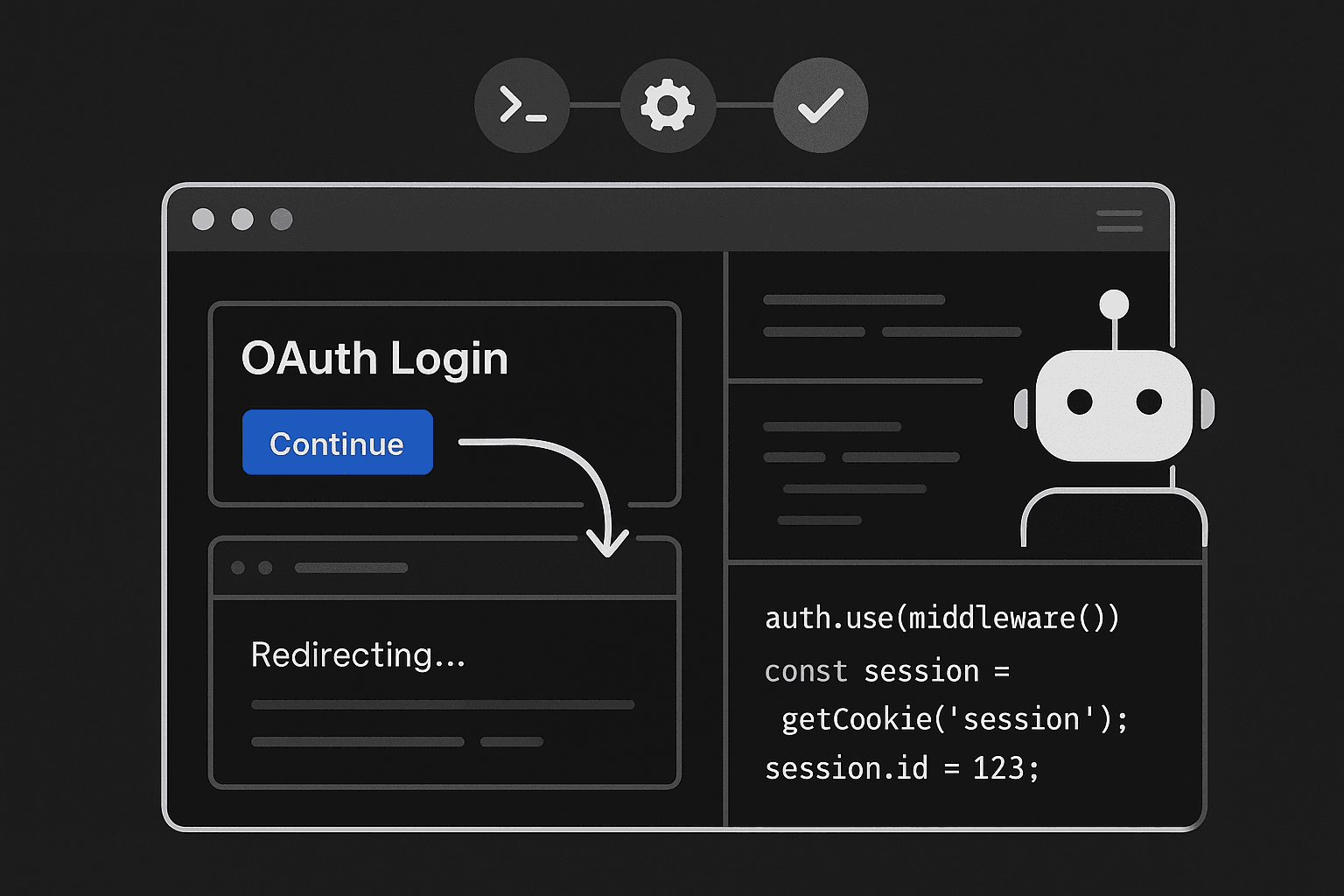
A pull request can look completely safe on paper and still take down login for every user in production.
That’s not a theoretical edge case. It happens all the time. The checks are green. Unit tests pass. API integration tests pass. Snapshots are unchanged. Maybe QA even clicked through the happy path on staging once. Then the deploy goes out and sign-in starts looping, session refresh fails after fifteen minutes, MFA never returns to the app, or admins suddenly lose access to the pages they need.
The uncomfortable truth is that authentication and authorization failures are some of the most expensive bugs in modern software, and they regularly slip through CI/CD because most pipelines verify code paths, not identity workflows.
That gap matters more now than it used to. Teams are shipping faster, infrastructure is more distributed, auth is spread across middleware and third-party providers, and AI-assisted development is generating changes in exactly the areas where small mistakes cause major breakage: callback handlers, cookie settings, redirect logic, session validation, token refresh, and permission checks. The code often looks plausible. The tests still go green. The user journey is still broken.
If you care about reliability, developer productivity, and reducing false confidence in CI, auth needs to be tested as a real browser workflow, not as a collection of functions.
The failure pattern is painfully familiar
A common production incident starts with a change that barely looks auth-related.
Maybe someone:
- refactors Express or Next.js middleware
- changes a cookie domain or SameSite setting
- updates an OAuth callback URL
- modifies a reverse proxy header
- changes how roles are attached to a session
- adjusts frontend routing around protected pages
- upgrades an auth SDK
- lets an AI coding assistant “clean up” session logic
None of those changes necessarily break unit tests. Many won’t break service-level integration tests either. The token exchange endpoint still returns a 200. The callback handler still parses parameters. The user object still has a role field. The route guard still evaluates to true in a mocked environment.
And yet the real login flow can still fail because auth is not a single function. It is a distributed interaction between:
- browser storage rules
- cookies and domains
- redirects across origins
- identity provider settings
- backend session state
- frontend navigation
- clock timing and token expiration
- role propagation across services
- security middleware
- local, staging, preview, and production environment differences
That is exactly why auth bugs escape CI. The pipeline verifies the parts in isolation while the failure lives in the transitions.
Why current testing approaches miss auth breakage
Most teams already have some combination of unit tests, integration tests, QA passes, and CI/CD gates. The problem is not that these tools are useless. The problem is that they create the wrong kind of confidence for identity-heavy systems.
Unit tests validate logic, not trust boundaries
Unit tests are good at proving a helper function behaves as expected. They are bad at proving that a real browser can complete a real authentication flow.
You can absolutely unit test pieces of auth logic:
- JWT parsing
- role mapping
- middleware branching
- callback parameter validation
- session serialization
- refresh token handlers
Those are worth testing. But none of them answer the question the business actually cares about: can a real user sign in, stay signed in, satisfy MFA, navigate protected pages, and perform actions appropriate to their permissions?
A mocked session object is not identity. A fake token is not an OAuth flow. A direct function call is not a browser redirect round-trip.
This is where teams overestimate coverage. They see high test counts around auth code and assume they have meaningful release safety. In reality, they have correctness checks for fragments of logic, not end-to-end verification of the workflow.
Integration tests often stop at the API boundary
A lot of so-called integration testing still avoids the hardest part of auth.
Teams hit endpoints with pre-generated tokens or test helpers that inject authenticated state. That verifies whether protected APIs enforce permissions correctly when a valid identity already exists. Useful, but incomplete.
What it does not verify:
- whether the browser stores cookies correctly
- whether redirects resolve across environments
- whether the app returns from the identity provider to the right URL
- whether CSRF/state parameters survive the round-trip
- whether refresh logic runs before session expiry creates user-visible failures
- whether frontend route guards and backend auth checks agree
This style of testing effectively starts after the hardest part is over.
It assumes authentication happened correctly and focuses only on what happens next. That is exactly why OAuth regressions, session renewal bugs, and redirect loops escape.
QA is too manual and too late
Manual QA still catches some auth issues, but it is not a reliable control.
Why?
First, auth bugs are often timing-dependent or environment-specific. A tester doing one happy-path login on staging may not hit:
- an expired token path
- a mobile browser cookie restriction
- a preview-domain callback mismatch
- a session refresh race
- a role propagation delay
- an MFA return flow after redirect
Second, auth often breaks in combinations that manual checks don’t systematically cover. Maybe login works for standard users but fails for admins. Maybe SSO works on production domains but not ephemeral environments. Maybe MFA works only when the return URL is short enough. Maybe a user can sign in but gets redirected away from the first protected page.
Third, QA doesn’t scale to the rate of change modern teams ship. If AI tooling is helping generate middleware and auth-adjacent code across many PRs, a human sanity check is not enough to absorb the added risk.
CI/CD pipelines are optimized for code confidence, not workflow confidence
This is the most important point.
CI/CD systems are generally built to answer questions like:
- Does the code compile?
- Do unit tests pass?
- Do APIs return expected results?
- Did the UI render change unexpectedly?
- Did deployment succeed?
Those are code-centric checks. Auth failures are workflow failures.
A CI job that runs a server-side test suite has no idea whether a browser actually followed a redirect to the identity provider, received a callback, stored the cookie, refreshed the session, and preserved permissions through navigation.
That disconnect creates false confidence. Teams get a wall of green checks and infer release safety when the riskiest user journey was never exercised.
Why AI-generated changes make this worse
AI coding tools are very good at producing auth-adjacent code that appears correct.
That is not the same thing as code that survives production identity flows.
An AI assistant can:
- rename or reorganize middleware
- modify callback handlers
- update route protection logic
- add cookie options
- refactor token refresh code
- generate role checks
- introduce redirect helpers
And it can do all of that in a way that is syntactically correct, internally consistent, and superficially testable.
But auth systems fail on hidden contracts:
- the exact callback URI registered with the provider
- whether a cookie is set on the right domain
- whether SameSite blocks the return flow
- whether refresh happens before protected API calls fail
- whether frontend and backend agree on session state
- whether role claims are propagated from the provider into authorization middleware
These are system behaviors, not code snippets.
AI accelerates the production of code changes. It does not automatically validate cross-origin browser interactions, provider configuration, or real user journeys. In practice, that means teams can ship more auth regressions faster unless they evolve their testing approach.
The core insight: auth must be tested as a user action sequence
The right mental model is simple: authentication and authorization are not implementation details. They are critical user workflows.
If your release process does not verify those workflows at the browser level, then your CI/CD pipeline is blind to one of the highest-impact classes of failures.
That means your test strategy needs to answer workflow questions such as:
- Can a new user sign in from the login page?
- Does the browser return from OAuth to the intended page?
- Is the session actually established and persisted?
- Does MFA complete and restore application state?
- What happens when the token expires mid-session?
- Can a standard user access only what they should?
- Can an admin complete an admin-only journey?
- Does logout actually clear authenticated state?
- Do cross-origin redirects work in the deployed environment?
Notice how few of these are fundamentally about functions. They are about transitions between pages, domains, components, storage, and services.
That is why action-level testing matters.
What action-level auth testing looks like
The most effective approach is to test authentication and authorization through the UI with a real browser, while controlling enough of the environment to keep tests reliable.
In practice, that often means using Playwright or Cypress for browser automation, plus seeded users, test identity tenants, or provider mocks where appropriate.
The key is not “more end-to-end tests” in the abstract. The key is targeted workflow coverage for identity-critical paths.
At minimum, most products should automate these scenarios:
- Sign in succeeds for a standard user
- Sign in succeeds for an admin or privileged role
- Invalid or unauthorized user is blocked appropriately
- MFA flow completes successfully
- Session persists across page reloads
- Session refresh happens without breaking the user journey
- Expired session returns the user to login gracefully
- Logout clears session and protected pages are no longer accessible
- Deep-link redirect returns the user to the originally requested protected page
- Permission-gated features behave correctly by role
Example: a brittle auth setup that passes lower-level tests
Here’s a simplified Next.js-style middleware example. On first glance, it looks reasonable.
ts// middleware.ts
import { NextResponse } from 'next/server'
import type { NextRequest } from 'next/server'

export function middleware(req: NextRequest) {
  const session = req.cookies.get('session_token')?.value
  const isProtected = req.nextUrl.pathname.startsWith('/app')

  if (isProtected && !session) {
    const loginUrl = new URL('/login', req.url)
    loginUrl.searchParams.set('redirect', req.nextUrl.pathname)
    return NextResponse.redirect(loginUrl)
  }

  return NextResponse.next()
}
You can unit test this. You can prove that /app/settings redirects to /login?redirect=/app/settings when no cookie exists.
Now imagine a later change in login callback handling:
ts// app/api/auth/callback/route.ts
import { NextResponse } from 'next/server'

export async function GET(request: Request) {
  const url = new URL(request.url)
  const code = url.searchParams.get('code')
  const redirect = url.searchParams.get('redirect') || '/app'

  const token = await exchangeCodeForToken(code)

  const response = NextResponse.redirect(new URL(redirect, request.url))
  response.cookies.set('session_token', token, {
    httpOnly: true,
    secure: true,
    sameSite: 'strict',
    path: '/',
  })

  return response
}
This can still pass unit tests. The cookie is set. The redirect is returned. The exchange function is called.
But in a real OAuth flow, SameSite: 'strict' may break the cross-site redirect behavior depending on the exact architecture. Or the redirect parameter may not survive the provider round-trip the way the code assumes. Or preview environments may resolve callback URLs differently.
All the logic-level tests stay green while actual users get stuck after authentication.
Browser-level testing with Playwright
Playwright is a strong fit here because it exercises the full browser flow and can validate redirects, cookies, storage, and permission-gated UI.
Here’s a simplified example of an auth workflow test.
tsimport { test, expect } from '@playwright/test'

test('user can sign in and reach protected dashboard', async ({ page }) => {
  await page.goto('https://app.example.com/app/dashboard')

  await expect(page).toHaveURL(/\/login/)

  await page.getByLabel('Email').fill('user@example.com')
  await page.getByLabel('Password').fill('correct-horse-battery-staple')
  await page.getByRole('button', { name: 'Sign in' }).click()

  // If using a hosted provider, your flow may redirect externally and back.
  await page.waitForURL(/\/app\/dashboard/)

  await expect(page.getByRole('heading', { name: 'Dashboard' })).toBeVisible()
})
This is already more meaningful than dozens of unit tests around route guards because it verifies the user can complete the protected journey.
Now add role validation.
tstest('standard user cannot access admin settings', async ({ page }) => {
  await loginAs(page, 'user@example.com')
  await page.goto('https://app.example.com/app/admin')

  await expect(page.getByText('Access denied')).toBeVisible()
})

test('admin user can access admin settings', async ({ page }) => {
  await loginAs(page, 'admin@example.com')
  await page.goto('https://app.example.com/app/admin')

  await expect(page.getByRole('heading', { name: 'Admin Settings' })).toBeVisible()
})
Now test session expiry behavior. This is where many systems fail quietly.
tstest('expired session forces re-authentication gracefully', async ({ page, context }) => {
  await loginAs(page, 'user@example.com')
  await page.goto('https://app.example.com/app/billing')
  await expect(page.getByRole('heading', { name: 'Billing' })).toBeVisible()

  // Simulate session expiry by clearing auth cookies.
  await context.clearCookies()

  await page.reload()
  await expect(page).toHaveURL(/\/login/)
  await expect(page.getByText('Your session has expired')).toBeVisible()
})
A more advanced version would simulate refresh token expiry or backend 401 behavior rather than just clearing cookies, but even this basic workflow catches issues code-level tests never see.
Testing MFA without making the suite unmaintainable
MFA is often where teams give up and skip automation. That is a mistake.
You do not need to reproduce every production MFA detail in every CI run, but you do need coverage for the flow.
A practical strategy is to maintain test accounts in a controlled identity tenant and use one of these approaches:
- test-only OTP seed for TOTP accounts
- provider sandbox for SMS/email flows
- bypass hooks only in dedicated test environments
- API-assisted setup that initiates and confirms the MFA step predictably
Example Playwright flow for TOTP-based MFA:
tsimport { test, expect } from '@playwright/test'
import OTPAuth from 'otpauth'

function generateTotp(secret: string) {
  const totp = new OTPAuth.TOTP({
    issuer: 'ExampleApp',
    label: 'ci-user@example.com',
    algorithm: 'SHA1',
    digits: 6,
    period: 30,
    secret,
  })
  return totp.generate()
}

test('user completes MFA and reaches app', async ({ page }) => {
  await page.goto('https://app.example.com/login')
  await page.getByLabel('Email').fill('mfa-user@example.com')
  await page.getByLabel('Password').fill(process.env.E2E_PASSWORD!)
  await page.getByRole('button', { name: 'Sign in' }).click()

  await expect(page.getByText('Enter verification code')).toBeVisible()

  const code = generateTotp(process.env.E2E_TOTP_SECRET!)
  await page.getByLabel('Verification code').fill(code)
  await page.getByRole('button', { name: 'Verify' }).click()

  await page.waitForURL(/\/app/)
  await expect(page.getByRole('navigation')).toBeVisible()
})
This isn’t just testing that a form renders. It’s validating the real identity transition.
Python example: validating refresh behavior at the service layer
Browser testing is the main event for auth workflows, but service-level checks still help when they target the right failure modes.
For example, you may want a Python test that verifies refresh token logic against a test identity provider or session service.
pythonimport time
import requests

BASE_URL = "https://api.example.com"

def test_refresh_token_rotation():
    login = requests.post(
        f"{BASE_URL}/test-auth/login",
        json={"email": "user@example.com", "password": "secret"},
        timeout=10,
    )
    login.raise_for_status()
    tokens = login.json()

    refresh_token = tokens["refresh_token"]

    refreshed = requests.post(
        f"{BASE_URL}/auth/refresh",
        json={"refresh_token": refresh_token},
        timeout=10,
    )
    refreshed.raise_for_status()

    new_tokens = refreshed.json()

    assert new_tokens["access_token"] != tokens["access_token"]
    assert new_tokens["refresh_token"] != refresh_token

    # Old refresh token should no longer work if rotation is enforced.
    reused = requests.post(
        f"{BASE_URL}/auth/refresh",
        json={"refresh_token": refresh_token},
        timeout=10,
    )

    assert reused.status_code == 401
This test won’t catch browser redirect bugs, but it will catch an entire class of session renewal and token rotation regressions. The point is to layer testing intentionally instead of pretending lower-level checks can substitute for browser workflow coverage.
CI/CD example: run auth journeys as a release gate
If auth workflow tests are truly release-critical, they cannot be optional or relegated to nightly runs only.
At minimum, a smoke set should run on every PR that touches relevant surfaces:
- auth code
- middleware
- routing
- cookies/session handling
- reverse proxy config
- frontend protected pages
- role/permission logic
And a broader suite should run before deploy or immediately after deployment in a production-like environment.
Here’s a GitHub Actions example:
yamlname: CI

on:
  pull_request:
  push:
    branches: [main]

jobs:
  unit-and-integration:
    runs-on: ubuntu-latest
    steps:
      - uses: actions/checkout@v4
      - uses: actions/setup-node@v4
        with:
          node-version: 20
      - run: npm ci
      - run: npm run test

  auth-smoke:
    runs-on: ubuntu-latest
    needs: unit-and-integration
    steps:
      - uses: actions/checkout@v4
      - uses: actions/setup-node@v4
        with:
          node-version: 20
      - run: npm ci
      - run: npx playwright install --with-deps
      - run: npm run test:auth-smoke
        env:
          BASE_URL: ${{ secrets.PREVIEW_URL }}
          E2E_PASSWORD: ${{ secrets.E2E_PASSWORD }}
          E2E_TOTP_SECRET: ${{ secrets.E2E_TOTP_SECRET }}

  deploy:
    runs-on: ubuntu-latest
    needs: auth-smoke
    steps:
      - run: echo "Deploying because auth workflows passed"
This is still not enough if your provider configuration differs significantly between preview and production, but it’s a major improvement over pipelines that never exercise login at all.
Tools comparison: what each category catches and misses
No single tool solves auth reliability. You need a testing stack that matches the failure modes.
Unit tests
Best for:
- callback parsing
- permission helper logic
- middleware branches
- token validation helpers
- serialization/deserialization
Misses:
- browser redirects
- cookie persistence behavior
- cross-origin issues
- real provider interactions
- session continuity across navigation
API integration tests
Best for:
- protected endpoint behavior
- refresh endpoints
- role enforcement at service layer
- token rotation
- auth-related error handling
Misses:
- login flow UX
- callback routing
- browser storage rules
- redirect loops
- frontend/backend mismatch
Manual QA
Best for:
- exploratory debugging
- visual confirmation
- edge cases not yet automated
Misses:
- repeatability
- broad matrix coverage
- timing-related issues at scale
- reliable release gating
Browser automation with Playwright/Cypress
Best for:
- OAuth redirect flow validation
- MFA workflows
- cookie/session persistence
- role-based user journeys
- logout and expiry behavior
- deep-link access to protected pages
Misses:
- some provider-specific production-only issues unless environments are realistic
- lower-level token semantics unless paired with API tests
Observability and production canaries
Best for:
- catching environment-specific auth failures
- detecting spikes in login errors, redirect loops, or 401s
- validating deployments under real traffic conditions
Misses:
- prevention before release unless tied to progressive rollout controls
The practical takeaway is straightforward: browser-based workflow tests are the missing control for most teams, not a replacement for everything else.
Actionable practices that actually reduce auth regressions
If you want fewer “everything was green, but nobody could log in” incidents, adopt these practices.
1. Define auth as a critical path, not a feature area
Treat sign-in, session continuity, MFA, and authorization as release-critical workflows. That changes how you prioritize testing and incident response.
If checkout is a critical path for an ecommerce product, auth is the gateway critical path for almost every SaaS product.
2. Build a small, stable auth smoke suite
Do not start with twenty flaky end-to-end auth tests. Start with a handful of workflows that represent real business risk:
- standard login
- admin login
- MFA login
- session expiry behavior
- logout
- access denied for unauthorized role
Keep them fast, deterministic, and mandatory.
3. Test deep links, not just homepage login
A lot of redirect bugs only show up when users start from a protected URL.
Examples:
/app/settings/billing/app/admin/users/reports/quarterly
Users rarely experience auth as “go to homepage, click login.” They hit bookmarked or shared links. Your tests should reflect that reality.
4. Verify post-login authorization, not just authentication
Login success is not enough. Many incidents happen after the user is authenticated but before the right permissions are available.
Always test at least one permission-gated action, not just page access. For example:
- create a team member
- export a report
- view admin settings
- approve an invoice
Authorization bugs are often more subtle than outright login failures.
5. Include expiry and refresh in CI
This is the big one teams avoid because it’s inconvenient.
But real users do not log in once per deployment and immediately log out. They keep sessions alive across long interactions. If refresh logic is broken, your app is broken.
Add at least one test that exercises:
- token nearing expiry
- refresh request success
- refresh failure fallback to login
- user-visible messaging on expiration
6. Use dedicated test identities and provider tenants
Production auth providers are often too sensitive or rate-limited for ad hoc testing. Create controlled environments:
- dedicated CI users
- dedicated roles
- dedicated MFA configuration
- dedicated OAuth app registrations for preview/staging
That gives you deterministic debugging and more reliable testing.
7. Make auth environment parity a first-class concern
A huge percentage of auth bugs come from environment drift:
- callback URLs differ
- cookie domains differ
- HTTPS behavior differs
- reverse proxies inject different headers
- cross-origin assumptions break in previews
Document the identity-related config per environment and keep it as close to production as you reasonably can.
8. Gate risky changes by file path and ownership
Not every PR needs the full auth matrix. But PRs touching these areas should trigger stronger checks:
middleware.*auth/*session/*- route guards
- reverse proxy config
- permission evaluation code
- login/logout/callback routes
Also require review from engineers who understand identity systems. Auth regressions are too expensive for drive-by approvals.
9. Capture traces and artifacts for debugging
Auth test failures are notoriously hard to reproduce from logs alone. Configure browser automation to save:
- screenshots
- network traces
- redirect chains
- console logs
- storage state
Playwright’s trace viewer is particularly useful for debugging CI-only redirect or cookie issues.
10. Measure auth reliability as an operational metric
If auth is critical, track it explicitly:
- login success rate
- MFA completion rate
- refresh success rate
- 401/403 spikes by release
- median time to re-authenticate
- redirect loop occurrences
This closes the loop between testing and production reliability.
A practical debugging mindset for auth incidents
When auth breaks, many teams waste time debugging the wrong layer.
They inspect application code first because that’s what changed. Sometimes that’s correct. Often the real issue is in the interaction between the app, the browser, and the provider.
A better debugging sequence is:
- Reproduce in a real browser
- Capture the full redirect chain
- Inspect cookies before and after callback
- Compare environment-specific config
- Verify provider-side callback and app registration settings
- Check token/session timestamps and refresh timing
- Compare role claims at issuance vs enforcement
- Confirm frontend and backend agree on authenticated state
This approach is faster because it follows the workflow instead of staring at isolated functions.
The strategic point: reliability is about user journeys
Teams often talk about testing maturity as if more tests automatically mean more safety. That is not true.
You can have excellent unit coverage, solid integration coverage, and polished CI/CD automation and still be fragile where users actually feel pain. Authentication is the clearest example because it sits at the boundary between code and real-world workflow.
That is also why this matters for developer productivity. Every auth regression creates expensive interruption:
- emergency debugging
- rollback or hotfix work
- support escalation
- lost confidence in the release process
- hesitation around future auth changes
A better testing strategy is not bureaucracy. It is leverage. It lets engineers move faster because the pipeline validates the thing that actually matters: whether users can get in, stay in, and do what they are supposed to do.
Conclusion
The reason OAuth, sessions, MFA, and RBAC failures escape CI is simple: most pipelines are built to verify code behavior, not identity workflows.
That was always a problem, but it’s more visible now because modern apps depend on distributed auth systems and teams are shipping faster, often with AI-generated code touching fragile middleware, callback, cookie, and redirect logic.
If your definition of “tested” does not include a real browser completing sign-in, returning from the provider, surviving session transitions, and enforcing role-based access through actual user journeys, then your green PR checks are offering partial truth at best.
Real release safety comes from action-level testing.
Test login as a workflow. Test refresh as a workflow. Test MFA as a workflow. Test authorization through meaningful user actions. Put those checks in CI/CD where they can block bad releases.
Because a PR can look fine right up until the moment nobody can log in.