
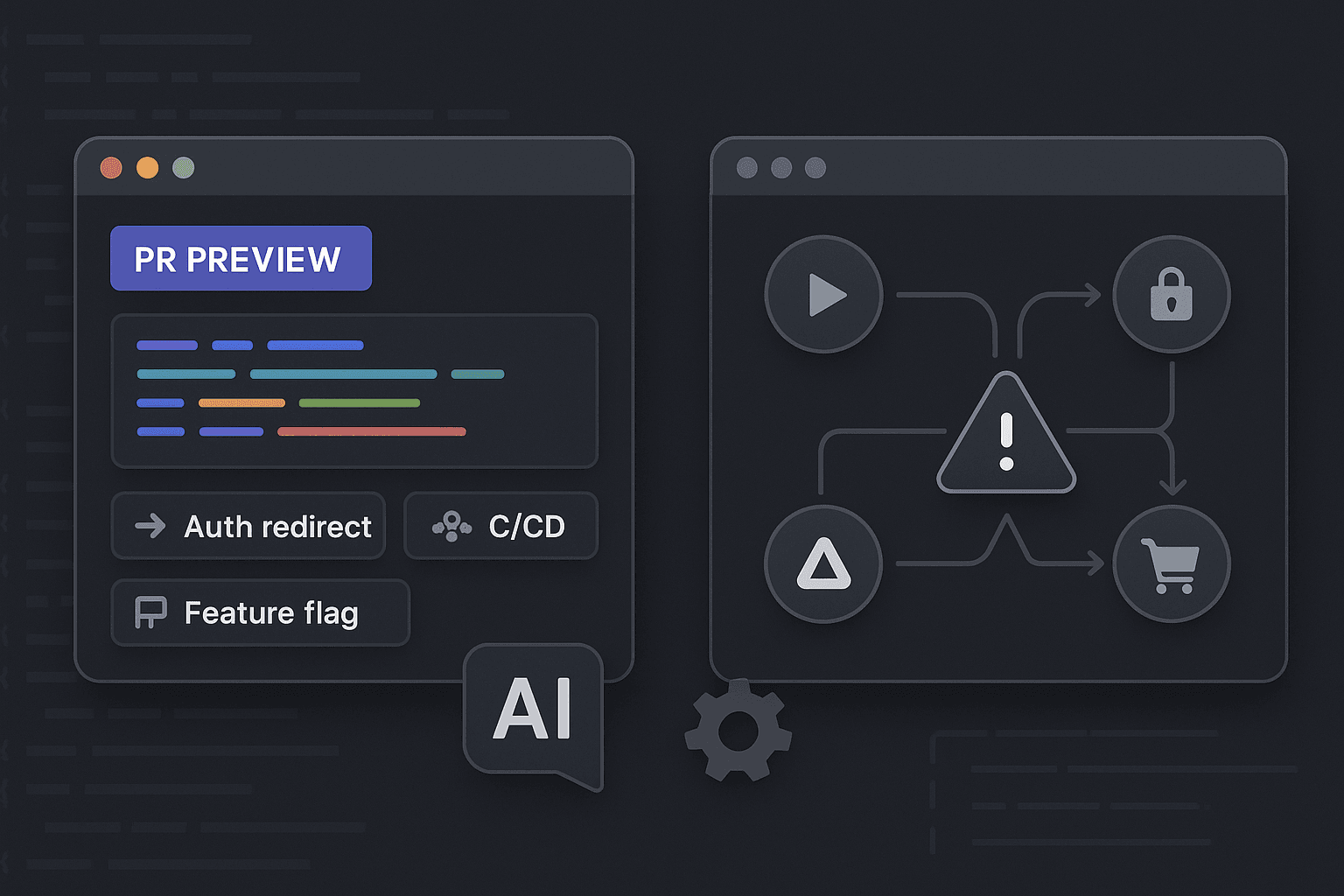
A team merges a harmless-looking PR on Friday afternoon. The preview link looked clean. The login page rendered. The dashboard loaded. CI/CD was green. Unit tests passed. The reviewer clicked around for thirty seconds, approved it, and moved on.
Then support tickets started arriving.
Users could sign in, but only sometimes. New accounts got stuck after email verification. Existing users reached checkout, clicked through a third-party payment flow, and landed back in a half-authenticated session. Admins using a feature flag saw a button that triggered a 500 in production but worked perfectly in preview. Nothing was obviously broken in the PR itself. The merge was technically fine. The journey was broken.
That gap is where modern reliability work lives.
PR previews are useful, but they routinely create false confidence. They prove that a branch can boot, pages can render, and maybe a few happy-path interactions can complete inside a sandbox. They do not prove that a user journey survives real merges, real environment settings, real redirects, real data, and real timing conditions across multiple services.
This matters more now because teams are shipping more code than ever, often with AI assistance. AI-generated changes are frequently plausible in isolation. They satisfy local constraints. They make the page load. They pass the type checker. They even pass unit tests. But production failures rarely happen because a component forgot to render a heading. They happen because workflows span auth providers, queues, feature flags, caches, webhooks, background jobs, and browser state. Traditional testing only sees fragments of that system.
If your definition of quality is "the preview worked," you are not testing reliability. You are testing screenshots with extra steps.
The blind spot in PR previews
PR previews solve a real problem: they make changes visible before merge. Product managers can inspect a branch. Designers can review spacing. Engineers can confirm a route exists and a feature flag hides the new UI. That is valuable. But a preview environment is usually optimized for isolation, not realism.
A preview environment often has:
- Ephemeral infrastructure
- Simplified or mocked integrations
- Seeded test data with unrealistic shapes
- Single-branch code only, not the interaction of multiple merged changes
- Reduced traffic and no background contention
- Different secrets, domains, cookies, and redirect URLs
- Temporary feature flag settings
- No long-lived user sessions or cached state
That means it tells you something narrow: this branch can start and render under preview assumptions.
It does not tell you whether a real workflow works after merge when:
- Another PR changed the auth callback path
- Staging has a different cookie domain than preview
- Production feature flags combine in a way preview never sees
- Payment webhooks arrive slower than normal
- Background jobs are under load
- Browser storage survives across pages in one environment and resets in another
- Admin and user roles differ from the ideal seeded account
This is why teams get surprised by issues that look impossible in code review. Every page worked independently. The journey still failed.
Why page-level confidence is not workflow-level confidence
A page rendering is not the same as a user completing a job.
Users do not care that /checkout returns 200. They care that they can add an item to cart, sign in, apply a discount, complete payment, return from a provider redirect, receive confirmation, and see the order in their account. That is an action chain, not a page.
Most preview checks sit far too high or far too low:
- Too high: visual review, “page loads,” smoke checks
- Too low: unit tests, component tests, API contract tests
The failures that matter sit in the middle and across boundaries.
A real workflow crosses:
- Browser state
- Frontend routing
- Backend APIs
- Session management
- Third-party redirects
- Async jobs
- Feature flags
- Role-based permissions
- Data consistency across services
A page-level preview proves maybe one segment of that graph. Reliability requires verifying the graph itself.
Why CI/CD goes green while users still fail
Teams trust green pipelines because pipelines are measurable. A CI/CD system gives a crisp answer: pass or fail. The problem is not CI/CD itself. The problem is what we ask it to verify.
Most CI pipelines are dominated by tests that are cheap, deterministic, and local:
- Unit tests
- Snapshot tests
- Linting
- Static typing
- Component tests
- API tests against mocks or isolated services
These are all good. Keep them. But they mostly validate implementation details or isolated contracts. They do not validate that a user can complete a journey in a realistic environment.
A common anti-pattern looks like this:
- Unit tests validate a new auth utility.
- Integration tests mock the payment provider.
- Preview confirms the button appears.
- CI/CD turns green.
- Production users hit a redirect loop because the callback domain, session cookie, and feature flag state don’t line up.
Nothing in the pipeline was wrong. The pipeline simply never exercised the thing that failed.
This is why green CI/CD often gives false confidence. It verifies code correctness under constrained conditions, not operational correctness across services.
Example: CI that proves almost nothing about the journey
yamlname: ci

on:
  pull_request:
  push:
    branches: [main]

jobs:
  test:
    runs-on: ubuntu-latest
    steps:
      - uses: actions/checkout@v4
      - uses: actions/setup-node@v4
        with:
          node-version: 20
      - run: npm ci
      - run: npm run lint
      - run: npm run typecheck
      - run: npm run test:unit
      - run: npm run test:component
This pipeline is fine as far as it goes. It protects code quality. It does not protect a multi-step onboarding flow that depends on email verification, SSO redirect handling, account provisioning, and feature flag assignment.
You do not fix this by complaining that CI/CD is broken. You fix it by putting the right tests into the pipeline and targeting environments where journeys can actually fail.
Why unit tests won’t save you
Unit tests are excellent for debugging logic errors. They are weak at proving workflow reliability.
Suppose you have a function that builds a redirect URL after checkout:
jsexport function buildReturnUrl(baseUrl, orderId) {
  return `${baseUrl}/orders/${orderId}/confirmation`;
}
And you test it:
jsimport { buildReturnUrl } from './checkout';

test('builds the confirmation return URL', () => {
  expect(buildReturnUrl('https://app.example.com', 'ord_123')).toBe(
    'https://app.example.com/orders/ord_123/confirmation'
  );
});
Great. That test is correct. It says nothing about whether:
- The payment provider is configured to allow that callback domain
- The user session survives the redirect
- The order is persisted before the callback returns
- The confirmation page fetches with the same auth context
- A feature flag changes the confirmation route after merge
Unit tests help you debug code paths. They do not model operational journeys unless the operational risk has been explicitly encoded somewhere else.
That is the core mistake many teams make: they confuse “we tested the code” with “we tested the outcome.”
Why manual QA also misses these failures
Manual QA has the same preview trap, just with a human in the loop.
A QA engineer opens the preview, clicks through the happy path, and reports success. But QA in ephemeral environments often relies on shortcuts:
- Pre-seeded accounts with already-verified email
- Admin-level permissions that skip real constraints
- Mock cards or fake integrations that bypass edge cases
- Clean browser sessions that don’t represent existing users
- Timing conditions that only work because the environment is under no load
Manual QA is especially weak at catching failures caused by:
- Cross-service timing races
- Session invalidation after redirects
- Feature flag combinations across roles or tenants
- Existing customer data with historical inconsistencies
- Merged interactions between multiple branches
This does not mean QA is useless. It means manual review should not be your primary proof that a business-critical journey works.
The real failure modes PR previews hide
Let’s get concrete. These are the classes of failures that routinely survive preview review and show up after merge.
Auth state resets
Preview environments often run on temporary subdomains with different cookie behavior than staging or production. A flow may look fine until the user crosses a redirect boundary and comes back with a missing session.
Typical causes:
- Cookie domain mismatch
SameSitebehavior differing across environments- Session stored in memory on one service instance
- CSRF token invalidated on callback
- Auth middleware changed in another merged PR
The result is a journey that renders every page correctly but fails in the transition between pages.
Third-party redirects
A payment provider, OAuth vendor, identity platform, or embedded partner flow changes the shape of reality. Redirects are where clean local assumptions go to die.
Typical causes:
- Callback URLs configured for production but not previews
- State parameters not preserved
- Delayed webhook processing
- Browser storage cleared or inaccessible in the redirect chain
- Race between redirect completion and backend event processing
A preview can simulate the first page and the last page. The failure lives in the middle.
Feature-flag mismatches
Feature flags create combinatorial environments. Preview might have the new flow fully enabled, while staging has partial rollout and production has tenant-specific rules.
Typical causes:
- Frontend and backend reading different flag sources
- Flag defaults differ by environment
- Targeting rules not applied in preview
- A merged backend expects a flag to be on while frontend still guards the UI
The code can be “correct” in one branch-specific environment and broken in the actual merged topology.
Seeded data shortcuts
Preview environments commonly rely on idealized test fixtures. Those fixtures are often too clean.
Typical causes:
- Accounts with all required relationships already created
- No legacy records or partial states
- Synthetic IDs that bypass edge conditions
- Roles that quietly over-permit actions
Real users carry history. Seeded preview users often do not.
Environment-specific timing bugs
These are some of the nastiest failures because they rarely reproduce locally.
Typical causes:
- Queue latency affecting multi-step flows
- Read-after-write inconsistency
- Eventual consistency between services
- Webhook ordering differences
- Browser waiting on UI state that appears before data is actually durable
This is where “it worked in preview” becomes especially meaningless. Timing bugs only need one realistic environment to betray you.
The core insight: verify actions, not pages
If you want confidence, stop treating environments as places to inspect screens. Treat them as places to verify user actions.
An action is something a user is trying to accomplish:
- Sign up and reach a usable account
- Complete checkout and receive an order confirmation
- Invite a teammate who can actually log in
- Approve an expense and see it reflected downstream
- Create an admin policy that affects user permissions correctly
Each action spans multiple code paths, services, and states. That is why action-level verification is the right abstraction.
Action-level verification asks:
- Can the user complete the workflow?
- Does state survive every transition?
- Do all side effects occur?
- Are permissions correct before and after?
- Does the journey work in preview, after merge, and under production-like settings?
This is a more honest testing strategy for modern systems, especially when AI tools generate chunks of implementation that look coherent but have never experienced the full workflow.
What action-level verification looks like in practice
At minimum, define a small set of critical journeys:
- New-user onboarding
- Existing-user login and session resume
- Checkout or payment completion
- Team invite and acceptance
- Core admin action with permission changes
Then run them across three layers:
- Preview: fast branch-level signal that the change didn’t obviously break the journey.
- Staging or merged environment: realistic verification after integration with other changes.
- Post-merge or production synthetic checks: ongoing confirmation that the workflow still works in the real world.
The same action can fail differently at each layer. That is the point.
Example with Playwright: test the journey, not just the page
Here is a Playwright example for a login-plus-checkout workflow. This is not exhaustive, but it demonstrates the mindset.
tsimport { test, expect } from '@playwright/test';

test('user can complete checkout across auth and payment redirect', async ({ page, context }) => {
  await page.goto(process.env.APP_URL!);

  await page.getByRole('link', { name: 'Pricing' }).click();
  await page.getByRole('button', { name: 'Buy Pro' }).click();

  await page.getByLabel('Email').fill(`buyer+${Date.now()}@example.com`);
  await page.getByLabel('Password').fill('Sup3rSecure!123');
  await page.getByRole('button', { name: 'Create account' }).click();

  await expect(page.getByText('Verify your email')).toBeVisible();

  // In real systems, this might use a test inbox API.
  const verifyLink = await getLatestVerificationLink();
  await page.goto(verifyLink);

  await expect(page.getByText('Account verified')).toBeVisible();
  await page.getByRole('button', { name: 'Continue to checkout' }).click();

  // Assert session state before redirect.
  const cookiesBefore = await context.cookies();
  expect(cookiesBefore.some(c => c.name.includes('session'))).toBeTruthy();

  // Simulate third-party payment redirect in test mode.
  await page.getByLabel('Card number').fill('4242424242424242');
  await page.getByLabel('Expiration').fill('12/34');
  await page.getByLabel('CVC').fill('123');
  await page.getByRole('button', { name: 'Pay now' }).click();

  await page.waitForURL(/orders\/.*\/confirmation/);

  // Assert session survived redirect.
  const cookiesAfter = await context.cookies();
  expect(cookiesAfter.some(c => c.name.includes('session'))).toBeTruthy();

  await expect(page.getByText('Payment successful')).toBeVisible();
  await expect(page.getByText('Your subscription is active')).toBeVisible();

  // Verify backend side effect.
  const order = await fetchLatestOrderForTestUser();
  expect(order.status).toBe('paid');
  expect(order.entitlements).toContain('pro');
});
What matters here is not Playwright specifically. What matters is that the test verifies:
- The action starts from a realistic entry point
- Auth state survives across steps
- Redirects complete successfully
- UI reflects the expected outcome
- Backend side effects actually happened
That is much closer to what users experience than checking whether the pricing page rendered in a preview.
Python example: verifying side effects across services
Browser tests should not carry the whole burden. Some workflow validation belongs at the service level too.
Here is a Python example that verifies a post-checkout event propagated correctly.
pythonimport os
import requests
import time

API_URL = os.environ["API_URL"]
ADMIN_TOKEN = os.environ["ADMIN_TOKEN"]

def get_order(order_id):
    response = requests.get(
        f"{API_URL}/internal/orders/{order_id}",
        headers={"Authorization": f"Bearer {ADMIN_TOKEN}"},
        timeout=10,
    )
    response.raise_for_status()
    return response.json()


def wait_for_entitlement(order_id, expected="pro", timeout_seconds=60):
    deadline = time.time() + timeout_seconds
    while time.time() < deadline:
        order = get_order(order_id)
        entitlements = order.get("entitlements", [])
        if expected in entitlements and order.get("status") == "paid":
            return order
        time.sleep(2)
    raise TimeoutError(f"Entitlement {expected} not provisioned for order {order_id}")


if __name__ == "__main__":
    order_id = os.environ["ORDER_ID"]
    order = wait_for_entitlement(order_id)
    print(f"Verified order {order_id}: status={order['status']} entitlements={order['entitlements']}")
This catches a class of bugs that front-end checks often miss: the user saw a success page, but downstream provisioning never completed.
If you only test UI rendering, this bug ships.
Wiring action checks into CI/CD the right way
A more realistic CI/CD setup separates fast code checks from workflow verification.
yamlname: delivery

on:
  pull_request:
  push:
    branches: [main]

jobs:
  fast-checks:
    runs-on: ubuntu-latest
    steps:
      - uses: actions/checkout@v4
      - uses: actions/setup-node@v4
        with:
          node-version: 20
      - run: npm ci
      - run: npm run lint
      - run: npm run typecheck
      - run: npm run test:unit

  preview-journeys:
    if: github.event_name == 'pull_request'
    needs: fast-checks
    runs-on: ubuntu-latest
    steps:
      - uses: actions/checkout@v4
      - uses: actions/setup-node@v4
        with:
          node-version: 20
      - run: npm ci
      - run: npx playwright install --with-deps
      - run: npm run test:journeys:preview
        env:
          APP_URL: ${{ secrets.PR_PREVIEW_URL }}

  merged-journeys:
    if: github.ref == 'refs/heads/main'
    needs: fast-checks
    runs-on: ubuntu-latest
    steps:
      - uses: actions/checkout@v4
      - uses: actions/setup-node@v4
        with:
          node-version: 20
      - run: npm ci
      - run: npx playwright install --with-deps
      - run: npm run test:journeys:staging
        env:
          APP_URL: ${{ secrets.STAGING_URL }}

  post-merge-synthetics:
    if: github.ref == 'refs/heads/main'
    needs: merged-journeys
    runs-on: ubuntu-latest
    steps:
      - uses: actions/checkout@v4
      - run: python scripts/verify_checkout_provisioning.py
        env:
          API_URL: ${{ secrets.STAGING_API_URL }}
          ADMIN_TOKEN: ${{ secrets.ADMIN_TOKEN }}
          ORDER_ID: ${{ secrets.LAST_TEST_ORDER_ID }}
This is still simplified, but it reflects a healthier model:
- Fast checks protect developer productivity.
- Preview journeys catch obvious branch-level workflow regressions.
- Merged journeys test reality after integration.
- Post-merge checks verify critical paths continue to work when the system is actually assembled.
That layered approach is what most teams are missing.
Tool comparison: what each layer is good at
No single tool solves this. Use the right tool for the right failure mode.
| Tool / Approach | Good at | Bad at | Best use |
|---|---|---|---|
| Unit tests | Pure logic, edge-case branching, fast debugging | Cross-service workflows, environment issues | Protect implementation details and business logic |
| Component tests | UI state transitions in isolation | Auth, redirects, backend side effects | Catch local UI regressions fast |
| API integration tests | Service contracts, backend behavior | Browser/session behavior, real redirects | Validate service boundaries without full UI |
| PR previews | Visual review, basic smoke validation | Real merged workflows, environment drift | Human inspection and light branch checks |
| Manual QA | Exploratory testing, weird UX issues | Repeatability, timing races, broad coverage | Complement automation on risky changes |
| Playwright/Cypress journey tests | User workflows, browser state, auth redirects | Cost, flakiness if poorly designed | Verify critical actions end-to-end |
| Synthetic production checks | Ongoing real-world validation | Deep debugging context, broad scenario coverage | Detect breakage after deploy |
| Observability/log tracing | Root-cause debugging across services | Preventing regressions by itself | Explain failures once tests detect them |
The point is not to replace everything with browser tests. The point is to stop expecting low-level tests and previews to answer workflow-level questions.
Designing workflow tests that don’t become flaky nonsense
A lot of teams avoid journey tests because they have been burned by brittle end-to-end suites. That fear is justified. Poorly designed browser automation can destroy developer productivity.
The answer is not to abandon workflow testing. The answer is to write fewer, more valuable tests.
Here are the rules that matter.
1. Test only critical business journeys
Do not automate every possible click path. Pick the flows where failure hurts the business:
- Sign up
- Login
- Checkout
- Invite and accept
- Permission changes
- Core admin workflow
Five strong journey tests are better than 200 weak ones.
2. Assert outcomes, not implementation details
Bad test:
- Click button
- Wait 2 seconds
- Assert CSS class exists
Good test:
- Complete payment
- Land on confirmation
- Verify order status is paid
- Verify entitlement exists
Outcome-based assertions are more robust and map better to user reality.
3. Use realistic test data, not magical fixtures
If all your seeded users are perfectly clean and over-permissioned, your tests will lie.
Use data that reflects:
- Existing accounts
- Partial setup states
- Role differences
- Historical records
- Tenant-specific feature flags
You do not need production clones. You do need believable state.
4. Make async systems explicit
A lot of flaky tests are actually undisclosed async assumptions.
Do not do this:
tsawait page.click('text=Complete order');
await page.waitForTimeout(3000);
Do this instead:
tsawait page.getByRole('button', { name: 'Complete order' }).click();
await expect(page.getByText('Payment successful')).toBeVisible();
await expect.poll(async () => {
  const order = await fetchLatestOrderForTestUser();
  return order.status;
}).toBe('paid');
Good workflow tests synchronize on meaningful system state.
5. Separate branch signal from merge signal
A preview environment should not be your final gate for workflow confidence. Its job is early feedback. The merged environment is where integrated truth starts to show up.
That means some checks should run twice:
- Once against the PR preview
- Again after merge in a shared, realistic environment
If that feels redundant, good. Reliability is often repetitive because reality changes between isolation and integration.
6. Instrument for debugging
When a journey test fails, the team should be able to answer why quickly.
Capture:
- Browser traces
- Screenshots
- Network logs
- Correlation IDs
- Backend logs for the test run
- Feature flag snapshot
- Session and redirect metadata
Testing without observability just creates mysterious red builds.
Why this matters more with AI-generated code
AI code generation changes the failure surface.
The average AI-generated change is not usually catastrophic at the function level. It often looks competent. It conforms to local patterns. It satisfies type checks. It may even include tests. The problem is that AI is especially prone to producing code that is contextually plausible but operationally incomplete.
Examples:
- A redirect handler that works for the immediate route but ignores cross-domain session behavior
- A feature flag check implemented in the UI but not mirrored in the API path
- A retry flow that looks sensible but breaks idempotency
- An onboarding screen that renders correctly but never triggers downstream provisioning under real timing
This is why workflow testing is becoming more important, not less. As code volume goes up, your testing strategy has to focus on what users are actually trying to do. Otherwise AI simply helps you ship broken workflows faster.
This is not an argument against AI. It is an argument against shallow confidence.
Practical rollout plan for teams
If your current process is mostly PR previews, unit tests, and manual QA, do not try to build a giant end-to-end platform in one quarter. Start with a narrow reliability program.
Phase 1: Identify the journeys that matter
List the top 5 actions that define whether your product works.
For example:
- Create account and verify email
- Login and resume session
- Complete checkout
- Invite teammate and accept invitation
- Change a permission and observe enforcement
If one of these breaks, customers notice immediately.
Phase 2: Map dependencies per journey
For each action, document:
- Pages involved
- APIs involved
- Async jobs involved
- Third parties involved
- Feature flags involved
- Data preconditions
- Success criteria
This alone usually exposes testing gaps.
Phase 3: Automate one action end-to-end
Pick the most painful workflow and automate it in a realistic environment using Playwright or an equivalent tool. Include backend side-effect verification.
Do not optimize for elegance. Optimize for catching the failure you actually fear.
Phase 4: Run it in preview and after merge
The same action should run:
- Against PR previews for early signal
- Against staging or a merged environment for integrated signal
- Optionally as a post-deploy synthetic for live confidence
That three-step model is where the blind spot closes.
Phase 5: Tighten debugging loops
For every failure, improve:
- Test diagnostics
- Service logs
- Correlation IDs
- Environment parity
- Data setup reliability
The goal is not just detecting failures. The goal is shortening debugging time so the team trusts the system.
A more honest definition of done
Many teams still define done with a checklist that sounds rigorous but is operationally hollow:
- Code reviewed
- Unit tests passed
- Preview verified
- Merged to main
That is not enough for workflow-heavy products.
A better definition of done for critical changes is:
- Code reviewed
- Fast tests passed
- Critical action verified in preview
- Critical action verified after merge in realistic environment
- Observability in place to debug failures quickly
That is more demanding, but it is also more aligned with what users experience.
The bottom line
PR previews are not useless. They are just widely over-trusted.
They prove a branch can render pages in isolation. They do not prove that real user journeys survive merges, redirects, auth boundaries, feature flag differences, seeded data lies, or environment-specific timing bugs. That blind spot is why teams keep shipping changes that look safe and break onboarding, checkout, and admin flows the moment users move across system boundaries.
If you care about reliability, debugging, testing, CI/CD, and developer productivity, you have to test what users are actually doing. That means action-level verification across preview, staging, and post-merge environments. It means keeping unit and component tests for speed, while admitting they do not answer workflow-level questions. It means treating green CI as necessary but insufficient. And it means recognizing that as AI generates more implementation, the bottleneck shifts from writing code to proving the code still supports the journey.
The merge can be fine.
What matters is whether the journey still works.