
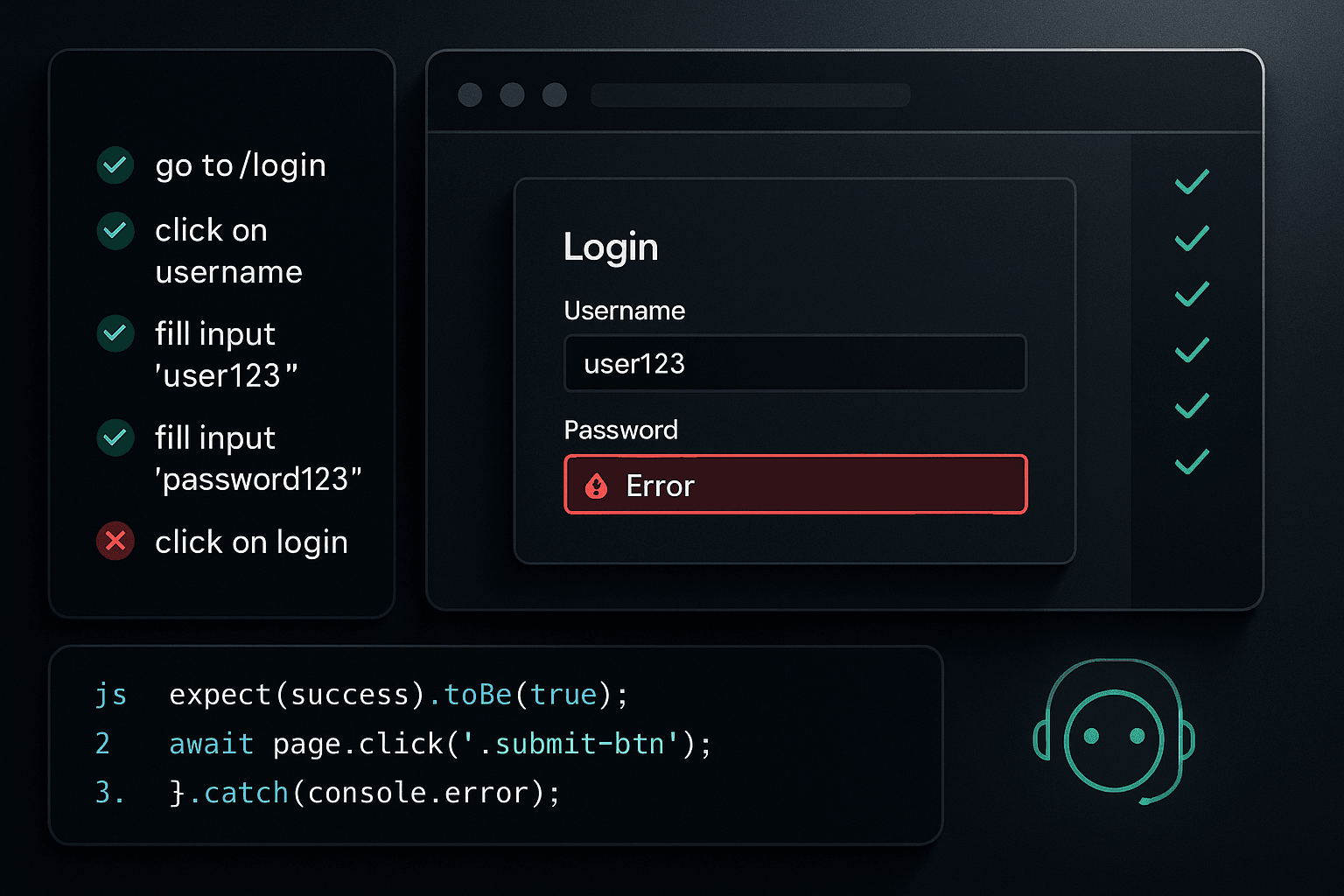
A pull request goes green. CI passes. The preview URL spins up. The homepage renders. Visual diffs look clean. Someone clicks around the navbar, sees the dashboard shell, and approves the change.
Then the branch gets merged and a customer can’t log in.
Not because the app was down. Not because the deploy failed. Not because there were no tests. The failure is worse than that: the product looked deployed, healthy, and reviewable, but a core workflow was broken the entire time.
This is the blind spot in modern software delivery. Teams have gotten good at validating code quality, build health, and UI snapshots. They have not gotten equally good at verifying that review environments actually support the user journeys they exist to preview. Sign up. Log in. Reset a password. Connect an account. Finish onboarding. Complete checkout. Invite a teammate. These are not edge paths. They are the product.
And the problem is getting bigger. AI is increasing the volume of plausible code changes. More code lands faster. More refactors look superficially correct. More generated tests assert implementation details rather than business outcomes. The result is not necessarily lower code quality in the narrow sense. The result is more opportunities for a preview deployment to appear valid while being functionally broken where it matters most.
If your review app answers “did it build?” but not “can a user complete the primary workflow?”, you are operating with false confidence.
The real failure mode has changed
A lot of engineering process still assumes an old model of failure.
In that model, things break because:
- no one wrote tests
- the deploy failed loudly
- the app crashed on boot
- a critical endpoint returned 500 immediately
- QA never got around to checking the path
Those failures still exist, but mature teams usually catch them. CI/CD pipelines are much better than they were five years ago. Unit test suites are larger. Type systems are stronger. Infrastructure observability is better. Preview deployments are easier to create.
Yet incidents keep slipping through, especially around user-facing workflows.
The new failure mode looks like this:
- the branch builds successfully
- the preview environment is reachable
- smoke checks pass
- screenshots render correctly
- individual components behave as expected
- mocked tests pass in CI
- but the real review app cannot support a critical user action
Maybe the login callback URL is wrong in preview. Maybe the auth cookie is scoped incorrectly. Maybe the password reset email points to production. Maybe the third step of onboarding relies on seed data that the preview database does not have. Maybe a feature flag defaults differently outside test. Maybe CSRF protection rejects the form only when running behind the preview domain. Maybe the generated frontend refactor changed a request payload just enough to satisfy TypeScript and still break the backend contract.
All of these failures are common. None of them are reliably caught by green PR checks alone.
That’s why “the PR passed” has become a weaker reliability signal than many teams realize.
Why CI/CD gives false confidence
CI/CD is essential. It is not the problem. The problem is what teams assume a green pipeline proves.
A typical pull request pipeline might do some combination of:
- linting
- type checking
- unit tests
- integration tests with mocks
- build verification
- container packaging
- screenshot or visual regression checks
- static analysis
- dependency scanning
This is useful. It catches syntax errors, contract drift inside the repository, obvious regressions, and non-deterministic behavior in isolated code. It improves developer productivity because issues are surfaced close to the change.
But CI is mostly a controlled simulation. It validates the software under the conditions you encoded into the pipeline. That is not the same as validating a live review environment with real routing, auth configuration, database state, email handling, browser execution, and network boundaries.
A green CI run often proves:
- your code compiles
- your tests agree with your assumptions
- your app can boot in a constrained test context
It does not prove:
- a user can create an account in the preview app
- the session survives redirects on the preview domain
- magic links or password reset links round-trip correctly
- the browser receives the right cookies under HTTPS and subdomain rules
- the review database contains the required preconditions
- background jobs, webhooks, and async side effects complete in the environment under review
That distinction matters because workflows fail in seams between systems. CI is usually optimized around components. Real users exercise boundaries.
For example, consider an auth flow that passes unit tests because the token validator works, the login form submits, and the callback handler parses state correctly. In preview, though, the OAuth provider only allows whitelisted redirect URIs. The branch deployment gets a unique URL. No one updated the provider config dynamically. The app looks perfect right until the user clicks “Continue with Google.”
Your pipeline is green. Your workflow is dead.
Why unit tests and isolated assertions miss the point
Unit tests are great for pinning behavior close to code. They are terrible proxies for user success.
That is not a criticism. It is just scope.
A unit test can tell you whether a reducer updates state correctly, whether a password validation helper rejects weak input, whether a controller returns 400 on malformed payloads, or whether a retry wrapper behaves as expected. It cannot tell you whether a person can actually sign up in the deployed review app.
Even many integration tests stop short of the thing that matters. They mock email delivery. They stub auth. They bypass the payment iframe. They insert records directly into the database. They call handlers in-process rather than through the browser. Each shortcut is understandable in isolation. Together, they produce a body of evidence that the implementation is internally coherent while leaving the primary workflow unverified.
This is how teams end up with a very modern testing stack and still ship broken flows.
Here’s a simple example in JavaScript. This kind of test looks fine and often passes forever:
jsimport { render, screen } from '@testing-library/react';
import userEvent from '@testing-library/user-event';
import { LoginForm } from './LoginForm';

test('submits login form', async () => {
  const onSubmit = vi.fn().mockResolvedValue({ ok: true });

  render(<LoginForm onSubmit={onSubmit} />);

  await userEvent.type(screen.getByLabelText(/email/i), 'user@example.com');
  await userEvent.type(screen.getByLabelText(/password/i), 'secret123');
  await userEvent.click(screen.getByRole('button', { name: /log in/i }));

  expect(onSubmit).toHaveBeenCalledWith({
    email: 'user@example.com',
    password: 'secret123',
  });
});
This verifies a form component. It does not verify login.
A backend test can be equally misleading:
pythondef test_login_returns_session(client, user_factory):
    user = user_factory(email="user@example.com", password="secret123")

    response = client.post("/api/login", json={
        "email": "user@example.com",
        "password": "secret123"
    })

    assert response.status_code == 200
    assert "session" in response.cookies
Again, useful. But this is still not the same as verifying:
- the browser on the preview domain stores the cookie
- the cookie survives redirects
- the frontend sends credentials properly
- CSRF rules are satisfied
- the post-login app actually loads authenticated state
The more your testing portfolio leans on mocks and isolated assertions, the easier it is to miss a broken user journey while believing you have strong coverage.
Why screenshots and visual review are not workflow verification
Visual diff tools are valuable. They catch layout regressions, accidental style breakage, and hidden UI drift. They are especially helpful when many changes are generated or assisted by AI, because plausible code often still produces visibly wrong output.
But screenshots do not click buttons, follow emails, complete redirects, or wait for asynchronous side effects.
A beautiful login page can still reject every user.
A pristine onboarding screen can still fail on step three because a preview-only API base URL is wrong.
A dashboard can visually render while every write action returns 403.
Visual review answers “does the interface look right?” Workflow verification answers “can the user do the thing?” These are different questions, and the second one matters more.
The industry overweights the first because it is easy to automate and easy to review asynchronously. A screenshot is a nice artifact in a pull request. A true workflow check requires realistic state, browser automation, credentials or seed users, and often environment-specific setup.
In other words: it requires engineering discipline rather than just tooling.
QA cannot be the only backstop
Many teams implicitly depend on manual QA to close this gap. In theory, that sounds reasonable. In practice, it fails for the same reason many handoffs fail: timing and incentives.
Manual QA in review environments tends to be:
- inconsistent across branches
- dependent on tribal knowledge
- limited by time
- focused on visible changes
- skipped for “small” PRs
- performed without deterministic data setup
- poorly instrumented when something fails
And increasingly, QA is being squeezed by throughput expectations. More changes are shipped, more branches are open, and more generated code looks reviewable at first glance. Asking humans to manually verify login, sign-up, password recovery, onboarding, and account linking across every meaningful preview deployment does not scale.
Worse, when the preview appears healthy, reviewers naturally narrow their attention to the code diff or the visible UI area. They do not re-verify the whole product. That is understandable. It is also how critical breakage survives.
The right model is not “QA should click more.” The right model is “review environments should continuously prove that core workflows are operational.”
The core insight: review environments need outcome-based verification
The central mistake is treating preview deployments as rendering targets instead of executable products.
A review environment exists so you can assess what will happen if this branch becomes real. That assessment is incomplete unless you verify the workflows your business depends on.
So the core insight is simple:
A review environment should automatically run a small set of outcome-based workflow checks against the deployed app itself.
Not just code-level tests. Not just build checks. Not just screenshots. Not just component assertions.
Actual workflows. In a browser. Against the branch URL. With real redirects, real cookies, realistic data, and observable results.
That does not mean you need a giant flaky end-to-end suite blocking every pull request. In fact, that is usually the wrong approach. What you need is a narrow, stable, business-critical verification layer.
For most products, this list is shorter than teams think:
- sign up
- log in
- password reset or magic link
- onboarding completion
- create the primary object in the product
- invite or add a teammate
- complete checkout or subscription activation
If those flows do not work in preview, the branch is not actually reviewable.
What workflow verification looks like in practice
The best way to implement this is usually browser-based automation that runs after the preview deployment becomes available. Playwright is a strong default because it handles modern browser flows well, supports tracing, and integrates cleanly with CI/CD.
The goal is not broad coverage. The goal is confidence in the critical path.
Here is a Playwright example that verifies email/password login on a deployed preview app.
tsimport { test, expect } from '@playwright/test';

test('user can log in to preview deployment', async ({ page }) => {
  const baseUrl = process.env.PREVIEW_URL;
  const email = process.env.E2E_USER_EMAIL;
  const password = process.env.E2E_USER_PASSWORD;

  if (!baseUrl || !email || !password) {
    throw new Error('Missing required environment variables');
  }

  await page.goto(`${baseUrl}/login`);

  await page.getByLabel('Email').fill(email);
  await page.getByLabel('Password').fill(password);
  await page.getByRole('button', { name: 'Log in' }).click();

  await expect(page).toHaveURL(new RegExp(`${baseUrl}/dashboard`));
  await expect(page.getByRole('heading', { name: 'Dashboard' })).toBeVisible();
});
That is the minimum. Real workflow verification should usually also assert something post-login that proves authenticated application state is loaded, not just that the URL changed.
For example:
tsimport { test, expect } from '@playwright/test';

test('logged-in user can create a project', async ({ page }) => {
  const baseUrl = process.env.PREVIEW_URL!;

  await page.goto(`${baseUrl}/login`);
  await page.getByLabel('Email').fill(process.env.E2E_USER_EMAIL!);
  await page.getByLabel('Password').fill(process.env.E2E_USER_PASSWORD!);
  await page.getByRole('button', { name: 'Log in' }).click();

  await expect(page.getByRole('heading', { name: 'Dashboard' })).toBeVisible();

  await page.getByRole('button', { name: 'New Project' }).click();
  await page.getByLabel('Project Name').fill('Preview Verification Project');
  await page.getByRole('button', { name: 'Create Project' }).click();

  await expect(page.getByText('Preview Verification Project')).toBeVisible();
});
Now you are verifying a business action, not just auth mechanics.
For password reset, the hard part is usually email capture. In preview, you should route outbound email to a test inbox provider or local sink instead of real users. Then your test can fetch the reset link and complete the flow.
A Python example using Playwright might look like this conceptually:
pythonfrom playwright.sync_api import sync_playwright, expect
import os
import requests


def fetch_reset_link(email):
    inbox_api = os.environ["TEST_INBOX_API"]
    response = requests.get(f"{inbox_api}/latest-reset-link", params={"email": email})
    response.raise_for_status()
    return response.json()["reset_link"]


def test_password_reset_workflow():
    base_url = os.environ["PREVIEW_URL"]
    email = os.environ["E2E_USER_EMAIL"]
    new_password = os.environ["E2E_NEW_PASSWORD"]

    with sync_playwright() as p:
        browser = p.chromium.launch()
        page = browser.new_page()

        page.goto(f"{base_url}/forgot-password")
        page.get_by_label("Email").fill(email)
        page.get_by_role("button", name="Send reset link").click()

        expect(page.get_by_text("Check your email")).to_be_visible()

        reset_link = fetch_reset_link(email)
        page.goto(reset_link)

        page.get_by_label("New Password").fill(new_password)
        page.get_by_role("button", name="Reset Password").click()

        expect(page.get_by_text("Password updated")).to_be_visible()
        browser.close()
This kind of test catches an entire class of failures that unit tests and screenshot checks never will.
CI/CD wiring: run checks after preview deploy, not just before merge
The placement of these checks matters.
If workflow verification runs only against a local test harness or ephemeral in-process app, you still miss environment-specific failures. The test needs to target the actual review deployment.
That usually means splitting your pipeline into phases:
- pre-deploy checks: lint, unit tests, build, fast integration tests
- deploy preview environment
- run workflow verification against the preview URL
- report status back to the pull request
A GitHub Actions example might look like this:
yamlname: Preview Workflow Verification

on:
  pull_request:
    types: [opened, synchronize, reopened]

jobs:
  build-and-deploy:
    runs-on: ubuntu-latest
    outputs:
      preview_url: ${{ steps.deploy.outputs.preview_url }}
    steps:
      - uses: actions/checkout@v4

      - uses: actions/setup-node@v4
        with:
          node-version: 20

      - run: npm ci
      - run: npm run lint
      - run: npm run test:unit
      - run: npm run build

      - name: Deploy preview
        id: deploy
        run: |
          PREVIEW_URL=$(./scripts/deploy-preview.sh)
          echo "preview_url=$PREVIEW_URL" >> $GITHUB_OUTPUT

  verify-workflows:
    needs: build-and-deploy
    runs-on: ubuntu-latest
    steps:
      - uses: actions/checkout@v4

      - uses: actions/setup-node@v4
        with:
          node-version: 20

      - run: npm ci
      - run: npx playwright install --with-deps

      - name: Wait for preview readiness
        run: node ./scripts/wait-for-preview.js
        env:
          PREVIEW_URL: ${{ needs.build-and-deploy.outputs.preview_url }}

      - name: Run critical workflow checks
        run: npm run test:preview
        env:
          PREVIEW_URL: ${{ needs.build-and-deploy.outputs.preview_url }}
          E2E_USER_EMAIL: ${{ secrets.E2E_USER_EMAIL }}
          E2E_USER_PASSWORD: ${{ secrets.E2E_USER_PASSWORD }}
That “wait for preview readiness” step matters. Many flaky preview checks are really race conditions against infrastructure. Do not guess readiness from deployment completion alone. Poll a health endpoint or a known page until the app is truly serving traffic.
Example readiness script:
jsconst fetch = global.fetch;

const previewUrl = process.env.PREVIEW_URL;
if (!previewUrl) throw new Error('PREVIEW_URL missing');

const timeoutMs = 120000;
const intervalMs = 5000;
const start = Date.now();

async function check() {
  while (Date.now() - start < timeoutMs) {
    try {
      const res = await fetch(`${previewUrl}/health`);
      if (res.ok) {
        console.log('Preview is ready');
        return;
      }
    } catch (err) {
      // ignore and retry
    }

    console.log('Waiting for preview...');
    await new Promise((r) => setTimeout(r, intervalMs));
  }

  throw new Error('Preview environment did not become ready in time');
}

check();
AI-generated code makes superficial verification more dangerous
This is where the discussion gets practical instead of fashionable.
AI-generated code often looks reasonable. It compiles. It follows local patterns. It can even produce tests. But generated tests tend to mirror implementation structure, not customer-critical outcomes. They often validate the code that was easiest for the model to see, not the workflow that is most expensive for the business to break.
That changes the risk profile.
When humans wrote every line slowly, the volume of change was naturally throttled. Reviewers had a better chance of understanding broad implications. With AI assistance, teams can produce larger diffs, more refactors, more generated plumbing, more parallel experiments, and more “plausible” code that slips through because nothing obviously looks wrong.
This does not mean AI causes bugs in some magical way. It means the old review proxies degrade faster under higher change volume.
A generated form handler may rename a field from redirectTo to redirectUrl. TypeScript may stay happy because the local interface changed too. Unit tests may stay green because mocks return expected values. The page may render perfectly in preview. But the real identity provider still expects the original parameter. Your login flow is broken in exactly the place your current process is least equipped to verify.
As code generation increases, workflow verification becomes more important, not less. You need a brake pedal tied to user outcomes.
Tools comparison: what each layer catches
No single tool solves this. The right approach is a layered testing and debugging strategy with honest expectations.
Unit tests
Best for:
- pure logic
- edge-case behavior
- fast feedback
- regression coverage near implementation
Weak at:
- environment-specific failures
- multi-system workflows
- browser/runtime issues
Verdict: necessary, never sufficient.
Integration tests
Best for:
- service interactions inside controlled boundaries
- contract verification
- database behavior
- API correctness
Weak at:
- browser flows
- third-party redirects
- preview deployment configuration
Verdict: useful bridge, still not proof of user success.
Visual regression tools
Best for:
- layout regressions
- style drift
- broken rendering
- quick reviewer feedback
Weak at:
- actual behavior
- auth/session problems
- asynchronous business workflows
Verdict: good for appearance, irrelevant to whether login works.
Manual QA
Best for:
- exploratory testing
- weird edge cases
- product judgment
- validating nuanced UX
Weak at:
- consistency
- scale
- repeatability
- rapid pull request throughput
Verdict: valuable complement, poor primary control.
Browser-based workflow verification in preview
Best for:
- real user journeys
- environment-specific breakage
- auth/cookie/redirect issues
- proving review apps are actually usable
Weak at:
- broad coverage if overgrown
- speed if poorly scoped
- maintainability if coupled to volatile UI details
Verdict: the missing layer for many teams.
Production synthetic monitoring
Best for:
- ongoing validation after deploy
- catching environment drift
- external dependency failures
Weak at:
- pre-merge protection
- branch-specific review confidence
Verdict: critical, but too late if used alone.
Actionable practices for teams that want fewer embarrassing merges
You do not need to rebuild your entire quality strategy. You do need to close the blind spot deliberately.
1. Define your product’s critical workflows
Do not start with “what can we test?” Start with “what must never appear deployed while broken?”
For most SaaS products, that list is five to ten flows max. Write them down in business terms.
Examples:
- a new user can create an account
- an existing user can log in
- a user can recover access with password reset
- a user can complete onboarding
- a user can create the core resource
- a team admin can invite another user
- a customer can start a paid subscription
If a workflow is revenue-critical or access-critical, it belongs here.
2. Run those checks against every meaningful preview deployment
Not nightly only. Not just on main. Not only in staging. On the actual review environment created for the pull request.
If that sounds expensive, remember what you are replacing: broken merges with misleading green status.
3. Keep the suite narrow and stable
This is not the place for 300 end-to-end tests. Aim for a small set of deterministic checks with high business value.
A good workflow verification suite should:
- finish quickly
- avoid brittle selectors
- minimize dependence on cosmetic text
- use seeded or controlled test data
- capture traces, screenshots, and logs on failure
4. Seed data intentionally
A lot of debugging pain comes from garbage environment state. Review verification works best when the preview app has known users, known accounts, and predictable fixtures.
Options include:
- cloning a sanitized seed dataset
- running setup scripts during deploy
- generating users through APIs before tests start
- creating isolated tenants per branch
Do not leave business-critical verification dependent on random database contents.
5. Instrument for debugging, not just pass/fail
When workflow verification fails, the test should produce enough evidence that an engineer can act immediately.
Capture:
- browser trace
- console logs
- network failures
- screenshots
- server request correlation IDs
- app logs scoped to the test run
The value is not merely in testing. It is in shortening debugging loops.
Playwright example:
tsimport { defineConfig } from '@playwright/test';

export default defineConfig({
  use: {
    trace: 'retain-on-failure',
    screenshot: 'only-on-failure',
    video: 'retain-on-failure',
  },
  retries: 1,
});
That one config change can turn a mysterious “login failed in preview” status into an actionable incident with visible evidence.
6. Treat workflow failures as deployment failures
This is cultural as much as technical.
If the build is green but critical preview workflows fail, the branch should not be considered healthy. Do not let teams normalize “preview is mostly up” when access-critical actions are broken.
The whole point of a review environment is confidence. If users cannot complete the key action, confidence is invalid.
7. Don’t hide behind flaky-test cynicism
Yes, end-to-end tests can be flaky. That is usually a reason to scope them better, control state better, and engineer readiness checks better. It is not a reason to avoid validating the workflows your company depends on.
If your login verification is flaky, that itself may indicate reliability issues in the environment. Pay attention.
8. Combine preview verification with production monitors
Preview checks prevent embarrassing merges. Synthetic checks in production catch drift, expired credentials, third-party auth changes, and environment-level regressions after release.
You want both:
- preview workflow verification for pre-merge confidence
- production synthetic monitoring for post-deploy reliability
That is a mature testing strategy.
What good looks like
A healthy modern pipeline does not stop at “PR checks passed.” It answers a more meaningful question:
Is this branch deployment actually usable for the workflows we care about?
In concrete terms, good looks like this:
- every pull request gets a preview environment
- a small workflow suite runs against the preview URL
- login, sign-up, reset, and primary product actions are verified
- failures produce browser traces and environment logs
- pull request status reflects workflow health, not just build success
- reviewers can inspect a branch knowing the basics actually work
This improves reliability, but it also improves developer productivity. Engineers spend less time debugging after merge. Reviewers waste less energy manually re-checking predictable flows. Founders and PMs stop encountering the humiliating class of failure where the app “looked deployed” but was unusable in the first minute of interaction.
That class of failure matters because it destroys trust disproportionately. Users do not care that your unit suite had 92 percent coverage. They care that they could not log in.
Conclusion
The problem with many review environments is not that they fail to deploy. It is that they succeed just convincingly enough to mislead everyone.
A green PR, a healthy build, and a polished preview app can still conceal a broken product. That is the modern blind spot. Teams validate code paths, screenshots, and infrastructure status while skipping the thing that matters most: whether a real user can complete the workflow the branch is supposed to preserve.
As AI increases the speed and plausibility of code changes, superficial verification gets weaker. You need stronger signals tied to outcomes. That means browser-based workflow verification running against the actual preview deployment, for the handful of flows your business cannot afford to fake.
If login is broken, the review app is broken.
If sign-up is broken, the preview is not healthy.
If password reset fails, your branch is not ready for approval no matter how green CI/CD looks.
The standard should be simple: don’t just prove the PR passed. Prove the product works.